

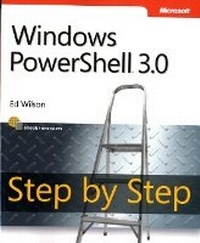
Windows PowerShell 3.0 Step by Step
Published on 15. February 2013
Book
Paperback/Softback
704 pages
978-0-7356-6339-8 (ISBN)
Description
Your hands-on, step-by-step guide to automating Windows administration with Windows PowerShell 3.0
Teach yourself the fundamentals of Windows PowerShell 3.0 command line interface and scripting language-one step at a time. Written by a leading scripting expert, this practical tutorial delivers learn-by-doing exercises, timesaving tips, and hands-on sample scripts for performing administrative tasks on both local and remote Windows systems.
Discover how to:
Use built-in cmdlets to execute commands
Write scripts to handle recurring tasks
Use providers to access information beyond the shell environment
Configure network components with Windows Management Instrumentation
Manage users, groups, and computers with Active Directory services
Execute scripts to administer and troubleshoot Microsoft Exchange Server 2010
Teach yourself the fundamentals of Windows PowerShell 3.0 command line interface and scripting language-one step at a time. Written by a leading scripting expert, this practical tutorial delivers learn-by-doing exercises, timesaving tips, and hands-on sample scripts for performing administrative tasks on both local and remote Windows systems.
Discover how to:
Use built-in cmdlets to execute commands
Write scripts to handle recurring tasks
Use providers to access information beyond the shell environment
Configure network components with Windows Management Instrumentation
Manage users, groups, and computers with Active Directory services
Execute scripts to administer and troubleshoot Microsoft Exchange Server 2010
More details
Language
English
Place of publication
Redmond
United States
Target group
Professional and scholarly
Dimensions
Height: 229 mm
Width: 189 mm
Thickness: 36 mm
Weight
1126 gr
ISBN-13
978-0-7356-6339-8 (9780735663398)
Copyright in bibliographic data and cover images is held by Nielsen Book Services Limited or by the publishers or by their respective licensors: all rights reserved.
Schweitzer Classification
Other editions
New editions
Ed Wilson
Windows PowerShell Step by Step
Book
10/2015
3rd Edition
Microsoft Press
€56.99
Shipment within 10-20 days
Person
Ed Wilson is a well-known scripting expert who delivers popular scripting workshops to Microsoft customers and employees worldwide. He's written several books on Windows scripting, including Windows PowerShell 2.0 Best Practices, Microsoft Windows PowerShell Step By Step, and Microsoft VBScript Step by Step. Ed is a senior consultant at Microsoft Corporation and writes Hey, Scripting Guy!, one of the most popular TechNet blogs.
Content
Foreword
Introduction
Chapter 1: Overview of Windows PowerShell 3.0
Chapter 2: Using Windows PowerShell Cmdlets
Chapter 3: Understanding and Using PowerShell Providers
Chapter 4: Using PowerShell Remoting and Jobs
Chapter 5: Using PowerShell Scripts
Chapter 6: Working with Functions
Chapter 7: Creating Advanced Functions and Modules
Chapter 8: Using the Windows PowerShell ISE
Chapter 9: Working with Windows PowerShell Profiles
Chapter 10: Using WMI
Chapter 11: Querying WMI
Chapter 12: Remoting WMI
Chapter 13: Calling WMI Methods on WMI Classes
Chapter 14: Using the CIM Cmdlets
Chapter 15: Working with Active Directory
Chapter 16: Working with the AD DS Module
Chapter 17: Deploying Active Directory with Windows Server 2012
Chapter 18: Debugging Scripts
Chapter 19: Handling Errors
Chapter 20: Managing Exchange Server
Windows PowerShell Core Cmdlets
Windows PowerShell Module Coverage
Windows PowerShell Cmdlet Naming
Windows PowerShell FAQ
Useful WMI Classes
Basic Troubleshooting Tips
General PowerShell Scripting Guidelines
About the Author
Introduction
Chapter 1: Overview of Windows PowerShell 3.0
Chapter 2: Using Windows PowerShell Cmdlets
Chapter 3: Understanding and Using PowerShell Providers
Chapter 4: Using PowerShell Remoting and Jobs
Chapter 5: Using PowerShell Scripts
Chapter 6: Working with Functions
Chapter 7: Creating Advanced Functions and Modules
Chapter 8: Using the Windows PowerShell ISE
Chapter 9: Working with Windows PowerShell Profiles
Chapter 10: Using WMI
Chapter 11: Querying WMI
Chapter 12: Remoting WMI
Chapter 13: Calling WMI Methods on WMI Classes
Chapter 14: Using the CIM Cmdlets
Chapter 15: Working with Active Directory
Chapter 16: Working with the AD DS Module
Chapter 17: Deploying Active Directory with Windows Server 2012
Chapter 18: Debugging Scripts
Chapter 19: Handling Errors
Chapter 20: Managing Exchange Server
Windows PowerShell Core Cmdlets
Windows PowerShell Module Coverage
Windows PowerShell Cmdlet Naming
Windows PowerShell FAQ
Useful WMI Classes
Basic Troubleshooting Tips
General PowerShell Scripting Guidelines
About the Author