

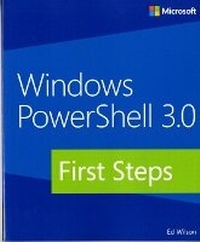
Windows PowerShell 3.0 First Steps
Published on 15. July 2013
Book
Paperback/Softback
280 pages
978-0-7356-8100-2 (ISBN)
Description
Get started with this powerful Windows administration tool
Automate Windows administration tasks with ease by learning the fundamentals of Windows PowerShell 3.0. Led by a Windows PowerShell expert, you'll learn must-know concepts and techniques through easy-to-follow explanations, examples, and exercises. Once you complete this practical introduction, you can go deeper into the Windows PowerShell command line interface and scripting language with Windows PowerShell 3.0 Step by Step.
Discover how to:
Create effective Windows PowerShell commands with one line of code
Apply Windows PowerShell commands across several Windows platforms
Identify missing hotfixes and service packs with a single command
Sort, group, and filter data using the Windows PowerShell pipeline
Create users, groups, and organizational units in Active Directory
Add computers to a domain or workgroup with a single line of code
Run Windows PowerShell commands on multiple remote computers
Unleash the power of scripting with Windows Management Instrumentation (WMI)
Automate Windows administration tasks with ease by learning the fundamentals of Windows PowerShell 3.0. Led by a Windows PowerShell expert, you'll learn must-know concepts and techniques through easy-to-follow explanations, examples, and exercises. Once you complete this practical introduction, you can go deeper into the Windows PowerShell command line interface and scripting language with Windows PowerShell 3.0 Step by Step.
Discover how to:
Create effective Windows PowerShell commands with one line of code
Apply Windows PowerShell commands across several Windows platforms
Identify missing hotfixes and service packs with a single command
Sort, group, and filter data using the Windows PowerShell pipeline
Create users, groups, and organizational units in Active Directory
Add computers to a domain or workgroup with a single line of code
Run Windows PowerShell commands on multiple remote computers
Unleash the power of scripting with Windows Management Instrumentation (WMI)
More details
Person
Ed Wilson is a well-known scripting expert who delivers popular scripting workshops to Microsoft customers and employees worldwide. He's written several books on Windows scripting, including Windows PowerShell 2.0 Best Practices, Microsoft Windows PowerShell Step By Step, and Microsoft VBScript Step by Step. Ed is a senior consultant at Microsoft Corporation and writes Hey, Scripting Guy!, one of the most popular TechNet blogs.
Content
Foreword
Introduction
Chapter 1: Overview of Windows PowerShell 3.0
Chapter 2: Using Windows PowerShell cmdlets
Chapter 3: Filtering, grouping, and sorting
Chapter 4: Formatting output
Chapter 5: Storing output
Chapter 6: Leveraging Windows PowerShell providers
Chapter 7: Using Windows PowerShell remoting
Chapter 8: Using WMI
Chapter 9: Using CIM
Chapter 10: Using the Windows PowerShell ISE
Chapter 11: Using Windows PowerShell scripts
Chapter 12: Working with functions
Chapter 13: Debugging scripts
Chapter 14: Handling errors
Windows PowerShell FAQ
Windows PowerShell 3.0 coding conventions
Introduction
Chapter 1: Overview of Windows PowerShell 3.0
Chapter 2: Using Windows PowerShell cmdlets
Chapter 3: Filtering, grouping, and sorting
Chapter 4: Formatting output
Chapter 5: Storing output
Chapter 6: Leveraging Windows PowerShell providers
Chapter 7: Using Windows PowerShell remoting
Chapter 8: Using WMI
Chapter 9: Using CIM
Chapter 10: Using the Windows PowerShell ISE
Chapter 11: Using Windows PowerShell scripts
Chapter 12: Working with functions
Chapter 13: Debugging scripts
Chapter 14: Handling errors
Windows PowerShell FAQ
Windows PowerShell 3.0 coding conventions