


Windows PowerShell 2.0 Best Practices
Published on 16. December 2009
Book
Mixed media product
752 pages
978-0-7356-2646-1 (ISBN)
Description
Apply best practices for automating system administration with Windows PowerShell 2.0 and optimize your operational efficiency and results. This guide captures the field-tested tips, real-world lessons, and candid advice of practitioners across the range of business and technical scenarios and across the scripting life cycle. Discover how to:
Take advantage of new features and cmdlets in Windows PowerShell 2.0
Plan scripting usage scenarios and define standards Deploy Windows PowerShell 2.0 to desktops and servers
Configure scripting environments
Optimize remote scripting capabilities
Work with Active Directory and WMI
Design functions and modules
Optimize input and output
Handle errors
Document scripts
Test and troubleshoot scripts
Avoid scripting pitfalls
The companion CD includes a fully searchable eBook and sample scripts.
For customers who purchase an ebook version of this title, instructions for downloading the CD files can be found in the ebook.
Take advantage of new features and cmdlets in Windows PowerShell 2.0
Plan scripting usage scenarios and define standards Deploy Windows PowerShell 2.0 to desktops and servers
Configure scripting environments
Optimize remote scripting capabilities
Work with Active Directory and WMI
Design functions and modules
Optimize input and output
Handle errors
Document scripts
Test and troubleshoot scripts
Avoid scripting pitfalls
The companion CD includes a fully searchable eBook and sample scripts.
For customers who purchase an ebook version of this title, instructions for downloading the CD files can be found in the ebook.
More details
Language
English
Place of publication
Redmond
United States
Target group
Professional and scholarly
Dimensions
Height: 229 mm
Width: 187 mm
ISBN-13
978-0-7356-2646-1 (9780735626461)
Copyright in bibliographic data is held by Nielsen Book Services Limited or its licensors: all rights reserved.
Schweitzer Classification
Other editions
New editions
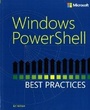
Ed Wilson
Windows PowerShell Best Practices
Book
01/2014
Microsoft Press
€79.41
Article is exhausted; no reprint
Persons
Ed Wilson is a well-known scripting expert who delivers popular scripting workshops to Microsoft customers and employees worldwide. He's written several books on Windows scripting, including Microsoft Windows PowerShell Step by Step and Microsoft VBScript Step by Step. Ed is a senior consultant at Microsoft Corporation.
Content
Acknowledgments
Introduction
About the Companion Media
Part I: Introduction
Chapter 1: Assessing the Scripting Environment
Chapter 2: Survey of Windows PowerShell Capabilities
Chapter 3: Survey of Active Directory Capabilities
Chapter 4: User Management
Part II: Planning
Chapter 5: Identifying Scripting Opportunities
Chapter 6: Configuring the Script Environment
Chapter 7: Avoiding Scripting Pitfalls
Chapter 8: Tracking Scripting Opportunities
Part III: Designing
Chapter 9: Designing Functions
Chapter 10: Designing Help for Scripts
Chapter 11: Planning for Modules
Chapter 12: Handling Input and Output
Chapter 13: Handling Errors
Part IV: Testing and Deploying
Chapter 14: Testing Scripts
Chapter 15: Running Scripts
Part V: Optimizing
Chapter 16: Logging Results
Chapter 17: Troubleshooting Scripts
Windows PowerShell 2.0 cmdlets
Common Windows PowerShell Verbs
Useful COM Objects
Useful WMI Classes
Useful Microsoft .NET Framework Classes
WMI Error Messages
Introduction
About the Companion Media
Part I: Introduction
Chapter 1: Assessing the Scripting Environment
Chapter 2: Survey of Windows PowerShell Capabilities
Chapter 3: Survey of Active Directory Capabilities
Chapter 4: User Management
Part II: Planning
Chapter 5: Identifying Scripting Opportunities
Chapter 6: Configuring the Script Environment
Chapter 7: Avoiding Scripting Pitfalls
Chapter 8: Tracking Scripting Opportunities
Part III: Designing
Chapter 9: Designing Functions
Chapter 10: Designing Help for Scripts
Chapter 11: Planning for Modules
Chapter 12: Handling Input and Output
Chapter 13: Handling Errors
Part IV: Testing and Deploying
Chapter 14: Testing Scripts
Chapter 15: Running Scripts
Part V: Optimizing
Chapter 16: Logging Results
Chapter 17: Troubleshooting Scripts
Windows PowerShell 2.0 cmdlets
Common Windows PowerShell Verbs
Useful COM Objects
Useful WMI Classes
Useful Microsoft .NET Framework Classes
WMI Error Messages