

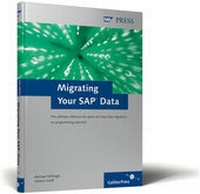
Migrating Your SAP Data
Description
Every time R/3 is introduced, data from the old systems has to be migrated into R/3. From experience we know that this takes up a large part of the time and also of the cost of R/3 introduction.
This book is a practical companion for migration projects. It illustrates the basic principles of migration; it discusses the necessary preparatory measures for a project and shows you how to migrate your data using the means offered by the SAP-system economically, rapidly and more or less without programming effort. The focus is on the Batch-Input-Interface as well as the tools LSMW and CATT, however the special case of the migration of fixed assets using MS Excel is also described in detail.
The book is mainly geared towards administrators and technical consultants, however Power Users from specialist departments are also able to work on migration projects productively with the help of the book.
More details
Other editions
New editions
Persons
Content
1. Introduction ... 11
2. Basic Principles of Business Management for data migration in SAP R/3 ... 17
... 2.1 Data migration as a Subproject ... 17
... 2.2 Preliminary considerations ... 19
... 2.3 Process of data migration from the project viewpoint ... 29
3. Basic technical principles of data migration in SAP R/3 ... 37
... 3.1 Basic concepts ... 37
... 3.2 Process of data migration from the technical viewpoint ... 38
... 3.3 Overview of technical procedure for data migration ... 43
4. Batch-Input ... 47
... 4.1 What is Batch-Input? ... 47
... 4.2 How does Batch-Input function? ... 47
... 4.3 Standard-Batch-Input-Programs ... 55
... 4.4 Batch-Input-record: General procedure ... 58
... 4.5 Batch-Input-record combined with Microsoft-Word-circular-letter processing ... 81
5. Computer Aided Test Tool ... 93
... 5.1 What is the CATT? ... 93
... 5.2 How does the CATT function? ... 95
... 5.3 How can the CATT be used for migrations? ... 108
... 5.4 Useful information for handling CATT ... 121
... 5.5 Case example: Migration of transaction data ... 128
6. Legacy System Migration Workbench ... 135
... 6.1 Overview of LSM Workbench ... 135
... 6.2 Data migration with the LSM Workbench ... 138
... 6.3 Records ... 196
... 6.4 Long Texts ... 206
... 6.5 Periodical data transfer ... 211
... 6.6 Transporting projects ... 215
... 6.7 Preparatory measures for use of Idoc- Input-processing ... 217
... 6.8 Advanced LSM Workbench ... 220
... 6.9 Tips und Tricks ... 225
... 6.10 ... Summary ... 229
7. Techniques for avoiding programming... 231
... 7.1 Critical point: Data conversion... 231
... 7.2 Techniques within the framework of data conversion ... 231
... 7.3 Summary ... 251
8. Evaluation of data migration techniques ... 253
... 8.1 Advantages and disadvantages of the procedure ... 253
... 8.2 Decision-making criteria for the choice of procedure ... 259
9. System take-over with Microsoft Excel ... 265
... 9.1 Assessment of the procedure for system take-over ... 265
... 9.2 Types of take-over for old data ... 269
... 9.3 Case example: System take-over with Microsoft Excel ... 272
... 9.4 Production preparations ... 289
10. Forecast and adjoining areas ... 291
... 10.1 eCATT - extended Computer Aided Test Tool ... 291
... 10.2 Data acquisition-Workbench ... 294
... 10.3 Data migration between R/3-Systems or within a R/3-Systems ... 298
... 10.4 Migration Workbench ... 300
... 10.5 Data migration in SAP CRM ... 302
Affix
... A. R/3-Tabels for selected master and dynamic data ... 307
... B. Glossary ... 311
... C. Die Authors ... 319
Index 321