


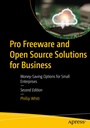
Pro Freeware and Open Source Solutions for Business
Description
This book explores the wide range of no-cost (and in some cases, low-cost) software and cloud-based tools available to budget-minded small business owners, solo entrepreneurs, and even students. While major players dominate the marketplace, many of their premium-priced products have strong, practical alternatives that are either free or significantly less expensive. For those trying to stretch limited resources, these tools can make the difference between getting by and moving forward.
The book starts with an office productivity tool known as OfficeLibre and goes on to explain CRM and compression software. You will then learn about desktop publishing, illustration, 3D modeling, and photo editing software. As we progress further, you will learn more about audio-video capture and editing software along with Openshot, an easy-to-use free video editor. You will also learn about available project planning and time tracking software, and much more. By the end of the book, you will have also gained knowledge about security programs, as well as how to use Linux on Windows and MacOS.
The third edition of
Pro Freeware and Open Source Solutions for Business
has been thoroughly revised and updated to reflect today's software landscape. You will find curated overviews of the most useful freeware and open-source titles for office productivity, note-taking, accounting, PDF management, project planning, and more. Each entry highlights what the tool does, the platforms it supports, and what commercial software it can replace - making it easy for you to evaluate options and make informed decisions.
This edition includes up-to-date coverage of free (or low-cost) artificial intelligence tools that are reshaping the way businesses operate. From content generation and customer communication to research and marketing, AI-driven platforms such as ChatGPT, Microsoft Copilot, Perplexity, and Notion are now within reach of even the smallest organizations. The book explains how these tools can be used to streamline everyday tasks, enhance productivity, and reduce reliance on expensive commercial software.
With the challenging economic times we find ourselves in, this book may be more important than ever to help small business owners eliminate and reduce costs, and keep more money in their business. .
You Will Learn to:
- Identify and evaluate freeware and open-source software that can replace costly commercial titles
- Understand the fundamentals of generative AI and how to craft effective prompts
- Combine free/open-source tools with AI solutions to lower costs while increasing efficiency
- Gain familiarity with essential tools for office productivity, accounting, PDF management, project planning, and more
New in This Edition
- Expanded to cover today's most impactful AI tools and AI-powered options to help businesses stay competitive in a rapidly changing marketplace
- Contains detailed explanations and use cases for a variety of new tools like Notion, Akaunting, PDFSam, Floreant POS, uniCenta POS, EngageBay, Method Draw, Pinta, Photopea, G'MIC, HandBrake, Avidemux, Freedcamp, and many more
- Entries from the previous edition are revised and updated to reflect the latest version of the software and any relevant changes are included in the workflows
Who This Book Is For
Primarily small business owners, solo entrepreneurs or freelancers on a budget, and cost efficiency experts.
More details
Other editions
Previous edition
Person
Phillip W. Whitt is an author and small business owner with over 40 years of experience in marketing, advertising, and entrepreneurship. Since 2000, he has relied on cost-effective tools like GIMP, LibreOffice, and other free and open-source software to help businesses run efficiently and profitably. He has authored several books pertaining to image editing using free software for Apress. He has produced several video tutorials for Apress as well.
Content
1. Office Productivity, Note Taking, Accounting, and PDF Creation.- 2. Point-of-Sale, CRM, Backup, and Compression Software.- 3. Desktop Publishing, Illustration, Painting, and 3D Modeling.- 4. Photo Editing Software.- 5. Audio-Video Capture, Conversion, and Editing Software.- 6. Project Planning, Inventory Management, and Time Tracking Software.- 7. Website Creation Software and Web Browsers.- 8. Content Management Solutions.- 9. Network and Security Utilities.- 10. Linux: The Free Alternative to Windows and Mac OS. Appendix A-. Appendix B.