

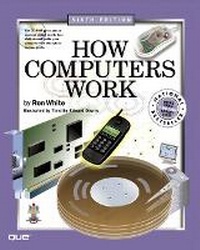
How Computers Work
6th Edition
Published on 21. September 2001
Book
Mixed media product
416 pages
978-0-7897-2549-3 (ISBN)
Description
How Computers Work shows you how chips, software, memory, and hardware work using detailed four-color drawings. An interactive game-like CD-ROM takes you directly inside your computer. This book is completely updated and revised to include the latest technology developments.
An updated introduction to the workings of the computer explores the basics of microchips, hardware, software, and computer memory, providing an entertaining and informative tour of every part of the computer, from hard drive and processor to mouse, monitor, and keyboard. Also takes you through the workings of digital cameras, ebooks, Bluetooth, and much more.
An updated introduction to the workings of the computer explores the basics of microchips, hardware, software, and computer memory, providing an entertaining and informative tour of every part of the computer, from hard drive and processor to mouse, monitor, and keyboard. Also takes you through the workings of digital cameras, ebooks, Bluetooth, and much more.
More details
Edition
6th edition
Language
English
Place of publication
United States
Publishing group
Pearson Education (US)
Target group
College/higher education
Dimensions
Height: 254 mm
Width: 204 mm
Thickness: 23 mm
Weight
1171 gr
ISBN-13
978-0-7897-2549-3 (9780789725493)
Copyright in bibliographic data and cover images is held by Nielsen Book Services Limited or by the publishers or by their respective licensors: all rights reserved.
Schweitzer Classification
Other editions
New editions
Ron White | Timothy Edward Downs
How Computers Work
Book
10/2003
7th Edition
Que Corporation,U.S.
€47.22
Article exhausted; check for reprint
Previous edition

Ron White
How Computers Work
Book
09/1995
2nd Edition
Ziff Davis
€48.46
Article exhausted; check for reprint
Persons
Ron White was the executive editor and a columnist at the late, lamented magazine, PC Computing, where he developed the How it Works was of explaining technology. One of the pioneers of personal computing, White has written for dozens of computer magazines and authored several book over 20 years. He is a fellow in criticism of the National Endowment for the Humanities, and his work has been a finalist for the National Magazine Award.
Timothy Edward Downs is the creative director of Infoworld Media Group and former art direction of Smart Business and magazines, a two-time National Magazine Award winner. By tapping his vast computer system and process knowledge, Downs has developed the righly illustrative style that is unique to How Computers Work.
Timothy Edward Downs is the creative director of Infoworld Media Group and former art direction of Smart Business and magazines, a two-time National Magazine Award winner. By tapping his vast computer system and process knowledge, Downs has developed the righly illustrative style that is unique to How Computers Work.
Content
Introduction.
I. BOOT-UP PROCESS.
1. Getting to Know the Hardware.
2. How a Disk Boot Works.
3. How an Operating System Controls Hardware.
II. HOW SOFTWARE WORKS.
4. How Programming Languages Work.
5. How Windows Works.
6. How Software Applications Work.
III. MICROCHIPS.
7. How a Transistor Works.
8. How RAM Works.
9. How a Microprocessor Works.
IV. DATA STORAGE.
10. How Disk Storage Works.
11. How Disk Drives Work.
12. How Disk Drives Increase Speed and Storage.
13. How Optical Storage Works.
14. How Removable Storage Works.
V. INPUT/OUTPUT DEVICES.
15. How Energy Turns into Data.
16. How a Bus Works.
17. How Computer Ports Work.
18. How a Keyboard Works.
19. How a Computer Display Works.
20. How Pointing Devices Work.
21. How Game Controllers Work.
22. How a Modem Works.
23. How Scanners and Character Recognition Work.
24. How Portable Computers Work.
25. How High-Tech Input/Output Works.
VI. MULTIMEDIA.
26. How Multimedia Sound Works.
27. How Multimedia Video Works.
28. How Virtual Reality Works.
VII. HOW THE INTERNET WORKS.
29. How Local Area Networks Work.
30. How a PC Connects to the Internet.
31. How Wireless Works.
32. How Email Works.
33. How Internet Video and Audio Work.
34. How the World Wide Web Works.
VIII. HOW PRINTERS WORK.
35. How Basic Printing Works.
36. How Color Printing Works.
Index.
I. BOOT-UP PROCESS.
1. Getting to Know the Hardware.
2. How a Disk Boot Works.
3. How an Operating System Controls Hardware.
II. HOW SOFTWARE WORKS.
4. How Programming Languages Work.
5. How Windows Works.
6. How Software Applications Work.
III. MICROCHIPS.
7. How a Transistor Works.
8. How RAM Works.
9. How a Microprocessor Works.
IV. DATA STORAGE.
10. How Disk Storage Works.
11. How Disk Drives Work.
12. How Disk Drives Increase Speed and Storage.
13. How Optical Storage Works.
14. How Removable Storage Works.
V. INPUT/OUTPUT DEVICES.
15. How Energy Turns into Data.
16. How a Bus Works.
17. How Computer Ports Work.
18. How a Keyboard Works.
19. How a Computer Display Works.
20. How Pointing Devices Work.
21. How Game Controllers Work.
22. How a Modem Works.
23. How Scanners and Character Recognition Work.
24. How Portable Computers Work.
25. How High-Tech Input/Output Works.
VI. MULTIMEDIA.
26. How Multimedia Sound Works.
27. How Multimedia Video Works.
28. How Virtual Reality Works.
VII. HOW THE INTERNET WORKS.
29. How Local Area Networks Work.
30. How a PC Connects to the Internet.
31. How Wireless Works.
32. How Email Works.
33. How Internet Video and Audio Work.
34. How the World Wide Web Works.
VIII. HOW PRINTERS WORK.
35. How Basic Printing Works.
36. How Color Printing Works.
Index.