

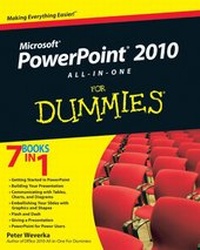
PowerPoint 2010 All-in-One For Dummies
Published on 28. May 2010
Book
Paperback/Softback
600 pages
978-0-470-50099-6 (ISBN)
Unfortunately, price unknown
Article exhausted; check different version
Description
A fully updated guide to creating dynamic presentations with PowerPoint 2010
PowerPoint dominates the presentation landscape. With the changes in PowerPoint 2010, including the availability of an online version, PowerPoint users need this comprehensive reference to make the most of the program.
PowerPoint 2010 All-in-One For Dummies features in-depth coverage of the elements and the process involved in creating knockout presentations. Seven minibooks cover all the new 2010 features, providing a great education for beginners and showing PowerPoint veterans lots of new tricks.
* PowerPoint is the leading presentation software used in business and education; new features in PowerPoint 2010 include an online version and expanded audiovisual capabilities
* Seven self-contained minibooks cover getting started; building a presentation; tables, charts, and diagrams; graphics and shapes; adding audio, video, and animation; giving the presentation; and PowerPoint for power users
* Explains how to use the interface and tools and shows how to represent data visually for greater impact
* Provides important tips on adding the human element when making a presentation
* Gives advanced users advice on creating templates, collaboration, automation, and more
PowerPoint 2010 All-in-One For Dummies gets novices up to speed and helps experienced users take their skills to the next level.
More details
Other editions
Additional editions
Peter Weverka
PowerPoint 2010 All-in-One For Dummies
E-Book
05/2010
Wiley
€23.99
Available for download
Peter Weverka
PowerPoint 2010 All-in-One For Dummies
E-Book
05/2010
Wiley
€23.99
Available for download
Person
Peter Weverka is a longtime For Dummies series author. In addition to several editions of both Office All-in-One For Dummies and Word For Dummies Quick Reference, he wrote PowerPoint 2007 All-in-One For Dummies and multiple editions of Microsoft Money For Dummies.
Content
Introduction.
Book I: Getting Started in PowerPoint.
Chapter 1: Introducing PowerPoint.
Chapter 2: PowerPoint Nuts and Bolts.
Chapter 3: Finding Your Way around the PowerPoint Screen.
Chapter 4: Planning Ahead for a Solid Presentation.
Book II: Building Your Presentation.
Chapter 1: Inserting and Handling Slides.
Chapter 2: Handling Master Slides and Master Styles.
Chapter 3: Handling Slide Backgrounds.
Chapter 4: Entering the Text.
Chapter 5: Formatting Text on a Slide.
Book III: Communicating with Tables, Charts, and Diagrams.
Chapter 1: Constructing the Perfect Table.
Chapter 2: Putting a Chart on a Slide.
Chapter 3: Putting Diagrams on Slides.
Book IV: Embellishing Your Slides with Graphics and Shapes.
Chapter 1: Drawing Shapes, Lines, and Other Objects.
Chapter 2: Managing and Manipulating Objects.
Chapter 3: Decorating Slides with Graphics and Photographs.
Chapter 4: Decorating Slides with Clip Art.
Book V: Flash and Dash.
Chapter 1: Taking Advantage of Transitions and Animations.
Chapter 2: Making Video Slides.
Chapter 3: Making Audio and Music a Part of a Presentation.
Book VI: Giving a Presentation.
Chapter 1: Giving an In-Person Presentation.
Chapter 2: Speaker Notes and Handouts.
Chapter 3: Creating a Self-Running Presentation.
Chapter 4: Creating a User-Run Presentation.
Chapter 5: Alternative Ways to Distribute Presentations.
Book VII: PowerPoint for Power Users.
Chapter 1: Customizing PowerPoint.
Chapter 2: Creating a Presentation Design for Your Company.
Chapter 3: Collaborating with Others on a Presentation.
Chapter 4: Linking and Embedding for Compound Presentations.
Chapter 5: Automating Tasks with Macros.
Index.