

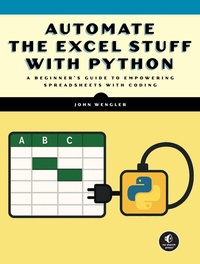
Automate Excel with Python
A Practical Guide for Nonprogrammers
Published on 19. May 2026
Book
Paperback/Softback
272 pages
978-1-7185-0464-6 (ISBN)
Description
Automate the Excel Stuff with Python bridges the gap between Excel expertise and Python programming without forcing you to start from scratch. Unlike other programming guides, it's specifically designed for Excel users who need more power and automation, not for professional programmers. This book focuses on enhancing your existing Excel skills rather than replacing them. You'll learn how Python's dataframes work like virtual spreadsheets, extending what you already know while automating repetitive tasks. You'll be able to import and export data seamlessly between Excel and Python to integrate coding into your current workflow. Concise, practical examples throughout will get you up and running quickly. Each topic addresses real problems Excel users face, with solutions you can implement immediately. The structure is deliberately flexible. Chapters progress logically but stand independently, so you can jump to exactly what you need without reading everything that came before. This makes it perfect for solving urgent problems or learning at your own pace. You'll apply the techniques you learn to automate reports, clean messy data, perform complex calculations, and handle large datasets that would overwhelm Excel alone-all while leveraging your existing spreadsheet knowledge.
More details
Language
English
Place of publication
San Francisco
United States
Target group
Professional and scholarly
Product notice
Paperback (trade)
Dimensions
Height: 234 mm
Width: 176 mm
Thickness: 21 mm
Weight
680 gr
ISBN-13
978-1-7185-0464-6 (9781718504646)
Copyright in bibliographic data and cover images is held by Nielsen Book Services Limited or by the publishers or by their respective licensors: all rights reserved.
Schweitzer Classification
Other editions
Additional editions
E-Book
05/2026
No Starch Press
€38.99
Available for download
Person
John Wengler taught himself Python to automate a spreadsheet process and solve a "million-dollar problem" at work. He is the author of Managing Energy Risk and has taught at the Illinois Institute of Technology and Tulane University.
Content
Introduction
Part I: From Spreadsheets to Dataframes
Chapter 1: Getting Started with Python
Chapter 2: Displaying Data and Understanding Data Types
Chapter 3: Creating and Manipulating Dataframes and Lists
Chapter 4: Adding, Modifying, and Calculating Column Data
Chapter 5: Accessing and Transforming Individual Cell Values
Chapter 6: Filtering and Displaying Dataframes
Part II: Tools to Replicate Excel Functionality
Chapter 7: Counting and Summing Values
Chapter 8: Combining Dataframes
Chapter 9: Formatting and Calculating Dates and Times
Part III: Workflow Techniques
Chapter 10: Reading Excel Files into Dataframes
Chapter 11: Saving Dataframes to Excel
Chapter 12: There and Back Again: An Excel-Python-Excel Workflow
Appendix A: Working with Folders, Files, and Pathnames
Appendix B: Cleaning Up a Messy Spreadsheet
Appendix C: The Ducks Module
Python Quick Reference
Index
Part I: From Spreadsheets to Dataframes
Chapter 1: Getting Started with Python
Chapter 2: Displaying Data and Understanding Data Types
Chapter 3: Creating and Manipulating Dataframes and Lists
Chapter 4: Adding, Modifying, and Calculating Column Data
Chapter 5: Accessing and Transforming Individual Cell Values
Chapter 6: Filtering and Displaying Dataframes
Part II: Tools to Replicate Excel Functionality
Chapter 7: Counting and Summing Values
Chapter 8: Combining Dataframes
Chapter 9: Formatting and Calculating Dates and Times
Part III: Workflow Techniques
Chapter 10: Reading Excel Files into Dataframes
Chapter 11: Saving Dataframes to Excel
Chapter 12: There and Back Again: An Excel-Python-Excel Workflow
Appendix A: Working with Folders, Files, and Pathnames
Appendix B: Cleaning Up a Messy Spreadsheet
Appendix C: The Ducks Module
Python Quick Reference
Index