

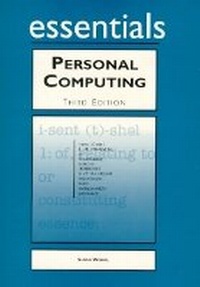
Personal Computing Essentials
3rd Edition
Published on 22. February 2002
Book
Paperback/Softback
192 pages
978-0-13-026195-3 (ISBN)
Description
For courses in Introduction to Computers, Introduction to Computers/Applications, Introduction to Brief Computers/Concepts.
Essentials courseware is anchored in the professional and practical needs of all types of students. This brief introduction to computing essentials gives students a basic foundation in computer hardware, operating systems, and Windows and PC Applications.
The 'learning-by-doing' approach encourages students to grasp the concepts as they expand their skills through hands-on tutorials. It consists of modular lessons that are built around a series of numbered step-by-step procedures that are clear, concise, and easy to review.
Essentials courseware is anchored in the professional and practical needs of all types of students. This brief introduction to computing essentials gives students a basic foundation in computer hardware, operating systems, and Windows and PC Applications.
The 'learning-by-doing' approach encourages students to grasp the concepts as they expand their skills through hands-on tutorials. It consists of modular lessons that are built around a series of numbered step-by-step procedures that are clear, concise, and easy to review.
More details
Edition
3rd edition
Language
English
Place of publication
United States
Publishing group
Pearson Education (US)
Target group
Professional and scholarly
Dimensions
Height: 276 mm
Width: 210 mm
Weight
404 gr
ISBN-13
978-0-13-026195-3 (9780130261953)
Copyright in bibliographic data and cover images is held by Nielsen Book Services Limited or by the publishers or by their respective licensors: all rights reserved.
Schweitzer Classification
Other editions
Previous edition

Suzanne Weizel
Personal Computing Essentials
Book
12/1997
2nd Edition
Que Corporation,U.S.
€37.32
Article exhausted; check for reprint
Content
Project 1. Getting Started with Personal Computer Hardware.
Project 2. Setting Up a Work Area.
Project 3. Starting the PC.
Project 4. Getting to Know Your Operating System
Project 5. Learning About PC Data Storage.
Project 6. Learning About PC Memory.
Project 7. Working with Windows Applications.
Project 8. Getting Started with the Internet.
Project 9. Getting Started with PC Applications.
Project 2. Setting Up a Work Area.
Project 3. Starting the PC.
Project 4. Getting to Know Your Operating System
Project 5. Learning About PC Data Storage.
Project 6. Learning About PC Memory.
Project 7. Working with Windows Applications.
Project 8. Getting Started with the Internet.
Project 9. Getting Started with PC Applications.