

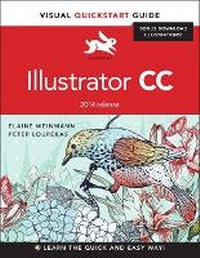
Illustrator CC
Visual QuickStart Guide (2014 release)
Will be published approx. on 2. October 2014
Book
Paperback/Softback
480 pages
978-0-13-398703-4 (ISBN)
Description
For almost two decades, the best-selling Visual QuickStart Guides by Elaine Weinmann and Peter Lourekas have been the textbooks of choice in classrooms and the go-to tutorial and reference for art and design professionals. This edition includes their trademark features: clear, concise, step-by-step instructions; hundreds of full-color illustrations; screen captures of program features; and supplemental tips and sidebars in every chapter.
This fully updated edition for Illustrator CC (2014 release) covers the new enhancements and features, including significant upgrades to the Pencil tool, Swatches panel, Artboard panel, as well as new Live Corners, reshaping methods, and much more.
The new and updated Illustrator CC features are clearly marked with bright red stars in both the table of contents and main text.
Readers can follow the steps in a tutorial fashion, or use the book as a reference guide to individual program features. Many of the key illustrations used in the book are available via Web download for practice by readers.
This fully updated edition for Illustrator CC (2014 release) covers the new enhancements and features, including significant upgrades to the Pencil tool, Swatches panel, Artboard panel, as well as new Live Corners, reshaping methods, and much more.
The new and updated Illustrator CC features are clearly marked with bright red stars in both the table of contents and main text.
Readers can follow the steps in a tutorial fashion, or use the book as a reference guide to individual program features. Many of the key illustrations used in the book are available via Web download for practice by readers.
More details
Other editions
New editions
Lisa Fridsma
Adobe Illustrator Visual QuickStart Guide
Book
04/2022
Peachpit Press Publications
€37.44
Available immediately
Additional editions
E-Book
09/2014
1st Edition
Peachpit Press Publications
€44.49
Available for download
Previous edition
Book
09/2013
Peachpit Press Publications
€41.44
Article exhausted; check for reprint
Persons
Peter Lourekas is a graduate of the architecture school of the University of Virginia and of the New York Studio School; Elaine Weinmann is a graduate of Rhode Island School of Design. They have been writing, designing, and illustrating best-selling computer graphics books for Peachpit Press since 1992 on such topics as Illustrator, QuarkXPress, Photoshop, Painter, and Live Motion.
Their books have been translated into 12 languages and have sold more than 2.1 million copies worldwide. They have also been instructors in New York City at Cooper Union School of Art, Parsons School of Design, Pratt Manhattan, and The New School.
The authors live in Asheville, North Carolina.
Their books have been translated into 12 languages and have sold more than 2.1 million copies worldwide. They have also been instructors in New York City at Cooper Union School of Art, Parsons School of Design, Pratt Manhattan, and The New School.
The authors live in Asheville, North Carolina.
Content
1 Create & Save Files
2 Manage Color
3 Workspaces
4 Panels
5 Bridge
6 Geometric Objects
7 Freehand drawing
8 Select
9 Move, Copy & Align
10 Fill & Stroke
11 Transform
12 Reshape
13 Layers
14 Appearances
15 Effects
16 Graphic Styles
17 Image Trace
18 Live Paint
19 Create Type
20 Style & Edit Type
21 Pen Tools
22 Acquire Images
23 Brushes
24 Gradients
25 Combine Paths
26 Clipping Masks
27 Transparency
28 Symbols
29 Live Color
30 Preferences
31 Print & Export
2 Manage Color
3 Workspaces
4 Panels
5 Bridge
6 Geometric Objects
7 Freehand drawing
8 Select
9 Move, Copy & Align
10 Fill & Stroke
11 Transform
12 Reshape
13 Layers
14 Appearances
15 Effects
16 Graphic Styles
17 Image Trace
18 Live Paint
19 Create Type
20 Style & Edit Type
21 Pen Tools
22 Acquire Images
23 Brushes
24 Gradients
25 Combine Paths
26 Clipping Masks
27 Transparency
28 Symbols
29 Live Color
30 Preferences
31 Print & Export