

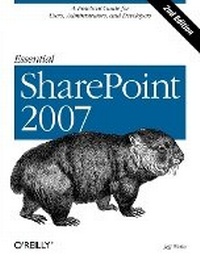
Essential SharePoint 2007
A Practical Guide for Users, Administrators and Developers
2nd Edition
Published on 16. October 2007
Book
446 pages
978-0-596-51407-5 (ISBN)
Description
If you're considering the vastly improved 2007 version of SharePoint, this concise, practical and friendly guide will teach you how to get the most from the latest version of Microsoft's information-sharing and collaboration platform. Essential SharePoint 2007 demonstrates how your business can use SharePoint to control documents, structure workflow, and share information over the Web using standard tools business users already know -- Microsoft Office and Internet Explorer.
Written in a conversational tone by internationally recognized SharePoint consultant and trainer Jeff Webb, this book helps SharePoint administrators, site owners, and power users quickly gain the skills necessary to perform a wide variety of tasks for intranet and extranet web sites, and explains what's new in SharePoint 2007 for experienced SharePoint 2003 administrators. Essential SharePoint 2007 teaches you how to:
* Use SharePoint 2007 with Outlook, Word and Excel, and as a document management tool, replacing, for example, shared network drives with libraries
* Build and customize sites, lists, libraries and web parts for intranets and extranets
* Use SharePoint 2007 for team communication through blogs, wikis, surveys, and RSS and email alerts
* Build a SharePoint workflow application
* Create and program web parts in order to deliver custom services and data to a site
* Deploy and administer SharePoint 2007
Each chapter ends with a summary of best practices advocated by the author, and the first few chapters of the book are ideal as training materials for end users. Later chapters give developers and administrators tools not only to keep company sites running smoothly, but also to customize and extend them. The book also contains several appendices with a glossary of terms and hard-to-find information.
Essential SharePoint 2007 is a one-stop task-oriented guide for learning what's necessary to make this tool a vital part of team productivity.
More details
Other editions
Additional editions
E-Book
09/2007
1st Edition
O'Reilly
€26.49
Available for download
E-Book
09/2007
1st Edition
O'Reilly
€33.99
Available for download
Previous edition

Jeff Webb
Essential SharePoint
Book
06/2005
1st Edition
O'Reilly
€24.50
Article exhausted; check for reprint
Person
Jeff Webb is a SharePoint consultant and trainer who has written about computers and technology for 20 years. Among his published O'Reilly titles are Essential SharePoint, SharePoint Office Pocket Guide, Programming Excel with VBA and .NET, and Excel 2003 Programming: A Developer's Notebook. Jeff was an original member of Microsoft's Visual Basic team.
Content
Inhaltsverzeichnis
Preface
1. Using SharePoint
How Does This Help Me Do My Job?
What Types of Sites Can I Create?
What Software Do I Need?
Parts of a Page
Creating Sites
Putting SharePoint to Work
Best Practices
2. Word, Excel, and Outlook
Setting Client Security
Editing, Saving, and Sharing Documents
Editing Lists in Excel
Viewing SharePoint Calendars from Outlook
Organizing Meetings from Outlook
Sharing Contacts with Outlook
Best Practices
3. Creating Sites
Choosing a Location and Template
Customizing Site Navigation
Summarizing Content with Web Parts
Adding Other Pages
Setting Security (Controlling Access)
Changing the General Appearance
Creating Custom Themes
Applying Stylesheets
Creating and Using Site Templates
Best Practices
4. Creating Lists
Using Built-in List Templates
Adding Columns
Adding Site Columns
Creating Views
Renaming a List and Changing Other Settings
Controlling Access to Lists
Editing List Pages
Saving the List As a Template
Deploying List Templates
Best Practices
5. Creating Libraries
Using the Built-in Library Templates
Changing Library Settings
Adding Content Types
Organizing Libraries
Saving a Library As a Template
Creating Library Applications
Best Practices
6. Building Pages
Using the Built-in Web Parts
Customizing List View Web Parts
Creating Client-Side Web Parts
Filtering Lists and Libraries in MOSS
Connecting to Data with WSRP in MOSS
Modifying Master Pages
Best Practices
7. Creating My Sites, Blogs, and Wikis
Creating My Sites in MOSS
Creating Blogs
Creating Wikis
Best Practices
8. Enabling Email and Workflow
Receiving Alerts
Emailing Task Assignments
Changing the From Address
Time-Driven Alerts
Emailing from Libraries
Emailing to Libraries
Creating Workflows
Creating Workflows in MOSS
Best Practices
9. RSS, Rollups, and Site Maps
RSS at a Glance
Using Rollups
Rollups Without MOSS
Providing Site Maps
Best Practices
10. Gathering Data with InfoPath
What Software Do You Need?
Using Form Libraries
Customizing Forms
Making a Form Read-Only
Populate a Control from a List
Validating Data
Preventing Changes to Form Templates
Using InfoPath Forms Services
Programming InfoPath
Setting Trust
Best Practices
11. Programming Web Parts
What to Build When.
What to Download
Creating Hosted Web Parts
Preparing to Develop Rendered Web Parts
Converting Existing Projects
Programming Rendered Web Parts
Creating Web Part Appearance
Adding Child Controls
Working on the Client Side
Understanding Event Order
Adding Properties
Exporting Web Parts
Adding Menus
Customizing the Property Task Pane
Connecting Parts
Deploying Web Parts
Best Practices
12. Consuming SharePoint Services
Choosing an Approach
Using the Office Object Model
Using Web Services
Using URL Commands
Using RPC
Best Practices
13. Administering SharePoint
Installing SharePoint
Enabling Internet Access
Enabling Anonymous Access
Enabling Forms-Based Authentication
Using Zones
Enabling Self-Service Site Creation
Scheduling Backups
Restoring
Auditing Activity
Enabling PDFs and Other File Types
Best Practices
A. Upgrading
B. Reference Tables
Glossary
Index