

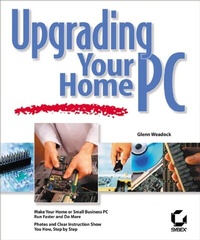
Upgrading Your Home PC
The Essential Guide
1st Edition
Published on 13. November 2001
Book
Paperback/Softback
318 pages
978-0-7821-2960-1 (ISBN)
Description
With the Right Resource, Upgrading's Easier than You Think
Ever feel like PC technologies evolve so quickly that your own machine is out of date just months after you get it? Now you can keep up without taking it to a professional, without getting in trouble, and without buying a new one. Upgrading Your Home PC uses detailed photographs and clear, step-by-step instructions to show you how to accomplish the most common, most satisfying upgrade tasks yourself. You'll be amazed by how easy it is! Coverage includes
* Adding memory
* Adding a hard drive
* Adding a Zip or Jaz drive
* Adding a recordable CD drive
* Setting up a broadband Internet connection
* Installing an inkjet or laser printer
* Upgrading a display card
* Connecting a flat-panel LCD monitor
* Installing a network card
* Setting up a wired or wireless network
* Upgrading a power supply
* Upgrading your PC's sound system
* Using a digital camera with your PC
* Installing joysticks and other input devices
* Capturing video
* Upgrading your BIOS
* Upgrading or adding a CPU
* Setting up USB, SCSI, or FireWire buses
Ever feel like PC technologies evolve so quickly that your own machine is out of date just months after you get it? Now you can keep up without taking it to a professional, without getting in trouble, and without buying a new one. Upgrading Your Home PC uses detailed photographs and clear, step-by-step instructions to show you how to accomplish the most common, most satisfying upgrade tasks yourself. You'll be amazed by how easy it is! Coverage includes
* Adding memory
* Adding a hard drive
* Adding a Zip or Jaz drive
* Adding a recordable CD drive
* Setting up a broadband Internet connection
* Installing an inkjet or laser printer
* Upgrading a display card
* Connecting a flat-panel LCD monitor
* Installing a network card
* Setting up a wired or wireless network
* Upgrading a power supply
* Upgrading your PC's sound system
* Using a digital camera with your PC
* Installing joysticks and other input devices
* Capturing video
* Upgrading your BIOS
* Upgrading or adding a CPU
* Setting up USB, SCSI, or FireWire buses
More details
Other editions
Additional editions
Previous edition

Steve Schwartz
The Essential PC Upgrade & Maintenance Guide
Book
Sybex Inc.,U.S.
€38.56
The article will not be published
Person
Glenn Weadock, MCSE, is President and founder of Independent Software Inc. a computer consulting and training firm based in the Denver, Colorado area. An experienced lecturer and trainer, Glenn has written over 20 books on computing, covering a wide range of topics including Windows 95, MCSE, the Windows Registry, small business networks and Microsoft PowerPoint.
Content
Introduction.
Chapter 1: Read Me First.
Chapter 2: Memory.
Chapter 3: Storage.
Chapter 4: Communications.
Chapter 5: Printers.
Chapter 6: Displays.
Chapter 7: Networking.
Chapter 8: Power.
Chapter 9: Of Mice and Multimedia.
Chapter 10: BIOS and CPU.
Chapter 11: Buses.
Chapter 12: References and Resources.
Index.
Chapter 1: Read Me First.
Chapter 2: Memory.
Chapter 3: Storage.
Chapter 4: Communications.
Chapter 5: Printers.
Chapter 6: Displays.
Chapter 7: Networking.
Chapter 8: Power.
Chapter 9: Of Mice and Multimedia.
Chapter 10: BIOS and CPU.
Chapter 11: Buses.
Chapter 12: References and Resources.
Index.