

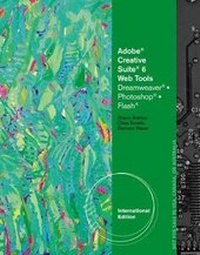
Adobe CS6 Web Tools
Dreamweaver, Photoshop, and Flash Illustrated, International Edition
Published on 1. October 2012
Book
Paperback/Softback
586 pages
978-1-133-59836-7 (ISBN)
Description
Teaching your students has never been easier than with ADOBE CS6 WEB TOOLS: DREAMWEAVER, FLASH, AND PHOTOSHOP ILLUSTRATED, International Edition. This reader-friendly book presents each skill on two facing pages, providing detailed instructions on the left-hand page and large, full-color screenshots on the right page. The visual format helps students intuitively grasp the concepts in the book and apply them to the classroom and workplace environment.
Teaching your students has never been easier than with ADOBE CS6 WEB TOOLS: DREAMWEAVER, FLASH, AND PHOTOSHOP ILLUSTRATED, International Edition. This reader-friendly book presents each skill on two facing pages, providing detailed instructions on the left-hand page and large, full-color screenshots on the right page. The visual format helps students intuitively grasp the concepts in the book and apply them to the classroom and workplace environment.
Teaching your students has never been easier than with ADOBE CS6 WEB TOOLS: DREAMWEAVER, FLASH, AND PHOTOSHOP ILLUSTRATED, International Edition. This reader-friendly book presents each skill on two facing pages, providing detailed instructions on the left-hand page and large, full-color screenshots on the right page. The visual format helps students intuitively grasp the concepts in the book and apply them to the classroom and workplace environment.
Reviews / Votes
Introduction: Getting Started with Adobe Bridge. Dreamweaver A: Getting Started with Adobe Dreamweaver CS6. Dreamweaver B: Creating a Website. Dreamweaver C: Developing a Web Page. Dreamweaver D: Working with Text and Cascading Style Sheets. Dreamweaver E: Using and Managing Images. Dreamweaver F: Creating Links and Menu Bars. Dreamweaver G: Using CSS and Tables to Position Content. Dreamweaver H: Adding Media and Interactivity. Dreamweaver I: Collecting Data with Forms. Dreamweaver J: Presenting and Publishing a Website. Photoshop A: Getting Started with Photoshop CS6. Photoshop B: Selecting Pixels. Photoshop C: Working with Layers. Photoshop D: Improving Images with Adjustment Layers. Flash A: Getting Started with Adobe Flash Professional. Flash B: Creating Graphics and Text. Flash C: Using Symbols and the Library Panel. Flash D: Creating Animation. Flash E: Optimizing and Publishing a Project. Integration: Integrating Flash with Other Programs. Data Files Grid. Glossary. Index.Introduction: Getting Started with Adobe Bridge. Dreamweaver A: Getting Started with Adobe Dreamweaver CS6. Dreamweaver B: Creating a Website. Dreamweaver C: Developing a Web Page. Dreamweaver D: Working with Text and Cascading Style Sheets. Dreamweaver E: Using and Managing Images. Dreamweaver F: Creating Links and Menu Bars. Dreamweaver G: Using CSS and Tables to Position Content. Dreamweaver H: Adding Media and Interactivity. Dreamweaver I: Collecting Data with Forms. Dreamweaver J: Presenting and Publishing a Website. Photoshop A: Getting Started with Photoshop CS6. Photoshop B: Selecting Pixels. Photoshop C: Working with Layers. Photoshop D: Improving Images with Adjustment Layers. Flash A: Getting Started with Adobe Flash Professional. Flash B: Creating Graphics and Text. Flash C: Using Symbols and the Library Panel. Flash D: Creating Animation. Flash E: Optimizing and Publishing a Project. Integration: Integrating Flash with Other Programs. Data Files Grid. Glossary. Index.
More details
Edition
Revised ed.
Language
English
Place of publication
Florence
United States
Publishing group
Cengage Learning, Inc
Target group
College/higher education
Dimensions
Height: 274 mm
Width: 218 mm
Thickness: 26 mm
Weight
1710 gr
ISBN-13
978-1-133-59836-7 (9781133598367)
Copyright in bibliographic data and cover images is held by Nielsen Book Services Limited or by the publishers or by their respective licensors: all rights reserved.
Schweitzer Classification
Persons
In addition to writing popular textbooks on Microsoft (R) and Adobe (R), Barbara Waxer teaches Copyright and Digital Media at Santa Fe Community College. Her text INTERNET SURF AND TURF: THE ESSENTIAL GUIDE TO COPYRIGHT, FAIR USE AND FINDING MEDIA won the 2006 Texty Award, presented by the Text and Academic Authors Association, as well as the New England Book Show Award in the College Category. Chris Botello began his career as print production manager for Premiere magazine, designed movie posters for Miramax Films, and served as the art director for Microsoft's launch of sidewalk.com/boston. He is the author of Revealed Series books on Advanced Photoshop, Illustrator, InDesign, and InDesign Interactive and is the co-author of YouTube for Dummies. Chris commutes between Los Angeles, where he works as a designer and retoucher on movie campaigns, and Marion, MA, where he teaches computer graphics at Tabor Academy. Chris uses his own books - including Adobe Illustrator Creative Cloud Revealed - as the text for his classes. Sherry Bishop is Instructor Emerita of Digital Media at North Arkansas College, where she received three endowed chairs in technology and an Outstanding Instructor award. An expert in interactive media, she authored and co-authored more than twenty books, and frequently presents at conferences and workshops around the country. The Text and Academic Authors Association awarded her book, Adobe Dreamweaver CS5 Revealed, the Textbook Excellence Award for College Computer Science/Engineering in 2011. Ms. Bishop has earned Adobe Certified Associate credentials in both Web and Visual Communication.
In addition to writing popular textbooks on Microsoft (R) and Adobe (R), Barbara Waxer teaches Copyright and Digital Media at Santa Fe Community College. Her text INTERNET SURF AND TURF: THE ESSENTIAL GUIDE TO COPYRIGHT, FAIR USE AND FINDING MEDIA won the 2006 Texty Award, presented by the Text and Academic Authors Association, as well as the New England Book Show Award in the College Category. Chris Botello began his career as print production manager for Premiere magazine, designed movie posters for Miramax Films, and served as the art director for Microsoft's launch of sidewalk.com/boston. He is the author of Revealed Series books on Advanced Photoshop, Illustrator, InDesign, and InDesign Interactive and is the co-author of YouTube for Dummies. Chris commutes between Los Angeles, where he works as a designer and retoucher on movie campaigns, and Marion, MA, where he teaches computer graphics at Tabor Academy. Chris uses his own books - including Adobe Illustrator Creative Cloud Revealed - as the text for his classes. Sherry Bishop is Instructor Emerita of Digital Media at North Arkansas College, where she received three endowed chairs in technology and an Outstanding Instructor award. An expert in interactive media, she authored and co-authored more than twenty books, and frequently presents at conferences and workshops around the country. The Text and Academic Authors Association awarded her book, Adobe Dreamweaver CS5 Revealed, the Textbook Excellence Award for College Computer Science/Engineering in 2011. Ms. Bishop has earned Adobe Certified Associate credentials in both Web and Visual Communication.
In addition to writing popular textbooks on Microsoft (R) and Adobe (R), Barbara Waxer teaches Copyright and Digital Media at Santa Fe Community College. Her text INTERNET SURF AND TURF: THE ESSENTIAL GUIDE TO COPYRIGHT, FAIR USE AND FINDING MEDIA won the 2006 Texty Award, presented by the Text and Academic Authors Association, as well as the New England Book Show Award in the College Category. Chris Botello began his career as print production manager for Premiere magazine, designed movie posters for Miramax Films, and served as the art director for Microsoft's launch of sidewalk.com/boston. He is the author of Revealed Series books on Advanced Photoshop, Illustrator, InDesign, and InDesign Interactive and is the co-author of YouTube for Dummies. Chris commutes between Los Angeles, where he works as a designer and retoucher on movie campaigns, and Marion, MA, where he teaches computer graphics at Tabor Academy. Chris uses his own books - including Adobe Illustrator Creative Cloud Revealed - as the text for his classes. Sherry Bishop is Instructor Emerita of Digital Media at North Arkansas College, where she received three endowed chairs in technology and an Outstanding Instructor award. An expert in interactive media, she authored and co-authored more than twenty books, and frequently presents at conferences and workshops around the country. The Text and Academic Authors Association awarded her book, Adobe Dreamweaver CS5 Revealed, the Textbook Excellence Award for College Computer Science/Engineering in 2011. Ms. Bishop has earned Adobe Certified Associate credentials in both Web and Visual Communication.
Content
Introduction: Getting Started with Adobe Bridge.
Dreamweaver A: Getting Started with Adobe Dreamweaver CS6.
Dreamweaver B: Creating a Website.
Dreamweaver C: Developing a Web Page.
Dreamweaver D: Working with Text and Cascading Style Sheets.
Dreamweaver E: Using and Managing Images.
Dreamweaver F: Creating Links and Menu Bars.
Dreamweaver G: Using CSS and Tables to Position Content.
Dreamweaver H: Adding Media and Interactivity.
Dreamweaver I: Collecting Data with Forms.
Dreamweaver J: Presenting and Publishing a Website.
Photoshop A: Getting Started with Photoshop CS6.
Photoshop B: Selecting Pixels.
Photoshop C: Working with Layers.
Photoshop D: Improving Images with Adjustment Layers.
Flash A: Getting Started with Adobe Flash Professional.
Flash B: Creating Graphics and Text.
Flash C: Using Symbols and the Library Panel.
Flash D: Creating Animation.
Flash E: Optimizing and Publishing a Project.
Integration: Integrating Flash with Other Programs.
Data Files Grid.
Glossary.
Index.
Dreamweaver A: Getting Started with Adobe Dreamweaver CS6.
Dreamweaver B: Creating a Website.
Dreamweaver C: Developing a Web Page.
Dreamweaver D: Working with Text and Cascading Style Sheets.
Dreamweaver E: Using and Managing Images.
Dreamweaver F: Creating Links and Menu Bars.
Dreamweaver G: Using CSS and Tables to Position Content.
Dreamweaver H: Adding Media and Interactivity.
Dreamweaver I: Collecting Data with Forms.
Dreamweaver J: Presenting and Publishing a Website.
Photoshop A: Getting Started with Photoshop CS6.
Photoshop B: Selecting Pixels.
Photoshop C: Working with Layers.
Photoshop D: Improving Images with Adjustment Layers.
Flash A: Getting Started with Adobe Flash Professional.
Flash B: Creating Graphics and Text.
Flash C: Using Symbols and the Library Panel.
Flash D: Creating Animation.
Flash E: Optimizing and Publishing a Project.
Integration: Integrating Flash with Other Programs.
Data Files Grid.
Glossary.
Index.