

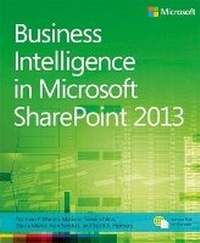
Business Intelligence in Microsoft SharePoint 2013
Published on 15. May 2013
Book
Paperback/Softback
408 pages
978-0-7356-7543-8 (ISBN)
Description
Dive into the business intelligence features in SharePoint 2013-and use the right combination of tools to deliver compelling solutions.
Take control of business intelligence (BI) with the tools offered by SharePoint 2013 and Microsoft SQL Server 2012. Led by a group of BI and SharePoint experts, you'll get step-by-step instructions for understanding how to use these technologies best in specific BI scenarios-whether you're a SharePoint administrator, SQL Server developer, or business analyst.
Discover how to:
Manage the entire BI lifecycle, from determining key performance indicators to building dashboards
Use web-based Microsoft Excel services and publish workbooks on a SharePoint Server
Mash up data from multiple sources and create Data Analysis Expressions (DAX) using PowerPivot
Create data-driven diagrams that provide interactive processes and context with Microsoft Visio Services
Use dashboards, scorecards, reports, and key performance indicators to monitor and analyze your business
Use SharePoint to view BI reports side by side, no matter which tools were used to produced them
Take control of business intelligence (BI) with the tools offered by SharePoint 2013 and Microsoft SQL Server 2012. Led by a group of BI and SharePoint experts, you'll get step-by-step instructions for understanding how to use these technologies best in specific BI scenarios-whether you're a SharePoint administrator, SQL Server developer, or business analyst.
Discover how to:
Manage the entire BI lifecycle, from determining key performance indicators to building dashboards
Use web-based Microsoft Excel services and publish workbooks on a SharePoint Server
Mash up data from multiple sources and create Data Analysis Expressions (DAX) using PowerPivot
Create data-driven diagrams that provide interactive processes and context with Microsoft Visio Services
Use dashboards, scorecards, reports, and key performance indicators to monitor and analyze your business
Use SharePoint to view BI reports side by side, no matter which tools were used to produced them
More details
Other editions
Previous edition
Norm Warren | Mariano Neto | John Campbell
Business Intelligence in Microsoft SharePoint 2010
Book
04/2011
Microsoft Press
€54.65
Article exhausted; check for reprint
Persons
Ivan Sanders is a Microsoft MVP for SharePoint and independent consultant focused on delivering Microsoft SharePoint solutions.
Content
Introduction
Chapter 1: Business intelligence in SharePoint
Chapter 2: Planning for business intelligence adoption
Chapter 3: The lifecycle of a business intelligence implementation
Chapter 4: Using PowerPivot in Excel 2013
Chapter 5: Using Power View in Excel 2013
Chapter 6: Business intelligence with Excel Services 2013
Chapter 7: Using PowerPivot for SharePoint 2013
Chapter 8: Using PerformancePoint Services
Chapter 9: Using Visio and Visio Services
Chapter 10: Bringing it all together
Running scripts to set up a demonstration environment
Microsoft and "Big Data"
About the Authors
Chapter 1: Business intelligence in SharePoint
Chapter 2: Planning for business intelligence adoption
Chapter 3: The lifecycle of a business intelligence implementation
Chapter 4: Using PowerPivot in Excel 2013
Chapter 5: Using Power View in Excel 2013
Chapter 6: Business intelligence with Excel Services 2013
Chapter 7: Using PowerPivot for SharePoint 2013
Chapter 8: Using PerformancePoint Services
Chapter 9: Using Visio and Visio Services
Chapter 10: Bringing it all together
Running scripts to set up a demonstration environment
Microsoft and "Big Data"
About the Authors