

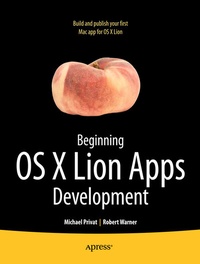
Beginning OS X Lion Apps Development
Published on 18. November 2011
Book
Paperback/Softback
XV, 392 pages
978-1-4302-3720-4 (ISBN)
Description
With the Mac App Store launch in early 2011, a new age in Mac development began. Look for many of the cool apps for iPhone and iPad coming to an iMac or MacBook Pro near you!
Beginning OS X Lion Apps Development explains how to develop OS X Lion-based apps and publish them in the Mac App Store. It begins with the basics of Objective-C and Cocoa, and then moves through all the topics necessary to build and publish your first successful Mac apps!
Get started with Objective-C and Xcode
Build your first complete apps that integrate well with Mac OS X
Publish your apps on the Mac App Store
If you're new to Mac or new to iPhone or iPad apps development, and looking to develop apps for the Macbook Pro or Mac desktop, this book is for you!
More details
Edition
1st ed.
Language
English
Place of publication
Berkeley
United States
Target group
Popular/general
Product notice
Paperback (trade)
Unsewn / adhesive bound
Illustrations
XV, 392 p.
Dimensions
Height: 242 mm
Width: 195 mm
Thickness: 25 mm
Weight
662 gr
ISBN-13
978-1-4302-3720-4 (9781430237204)
DOI
10.1007/978-1-4302-3721-1
Schweitzer Classification
Other editions
Additional editions
Robert Warner | Michael Privat
Beginning OS X Lion Apps Development
E-Book
01/2012
APress
€36.99
Available for download
Persons
Rob Warner is a senior technical staff member for Availity, LLC, based in Jacksonville, Florida, where he works with various teams and technologies to deliver solutions in the healthcare sector. He co-authored emThe Definitive Guide to SWT and JFace/em (Apress, 2004), and he blogs at a href="http://www.Grailbox.com"Grailbox.com/a. He earned his bachelor s degree in English from Brigham Young University in Provo, Utah. He lives in Jacksonville with his wife, Sherry, and their five children.
Content
* Building a Graphiing Calculator * Laying Out the User Interface * Handling User Input * Pimp My UI * Storing and Retrieving Data * Using Core Data * Integrating Graphique into the Mac OS X Desktop * Creating Help * Printing