

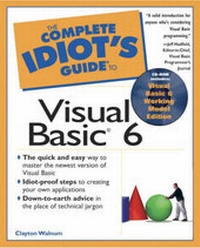
Complete Idiot's Guide to Visual Basic 6
Published on 30. December 1998
Book
Mixed media product
352 pages
978-0-7897-1812-9 (ISBN)
Unfortunately, price unknown
No shipping information available
Description
This book will show the reader the basics of Visual Basic through friendly, task oriented examples and a hands on approach. This book and series is specifically designed for the new Visual Basic user and the tasks that they will want to accomplish. The text is written in a straight-forward conversational tone with detailed instructions outlining important tasks you need to get the most from Visual Basic. Topics include: Events, variables, arrays, forms, classes and modules; Visual Basic design environment; Message Box Object and Input Box Object; BAS Modules; File Input and Output; Graphics and Multimedia; Controls and Properties; Levels, Buttons, and Text Boxes; Looping; List Boxes and Data Lists; Menus; Toolbars; and Distributing Your Application.
More details
Language
English
Place of publication
United States
Publishing group
Pearson Education (US)
Target group
Primary & secondary/elementary & high school
Dimensions
Height: 230 mm
Width: 186 mm
Thickness: 21 mm
Weight
610 gr
ISBN-13
978-0-7897-1812-9 (9780789718129)
Copyright in bibliographic data and cover images is held by Nielsen Book Services Limited or by the publishers or by their respective licensors: all rights reserved.
Schweitzer Classification
Person
Clayton Walnum started programming computers in 1982, when he traded an IBM Selectric typewriter to buy an Atari 400 computer (16K of RAM!). Clay has since acquired a degree in computer science, and written over 30 books (translated into many languages) covering everything from computer gaming to 3D graphics programming. He's also written hundreds of magazine articles and software reviews, as well as countless programs.
Content
Introduction. I. FIRST STEPS. 1. An Introduction to Programming: A Walk on the Wild Side. The Surprising Secret. Why Learn to Program? What's a Computer Program? Programming Languages. The Programming Process. Is Programming Easy? 2. Cranking Up Visual Basic: What Does This Thing Do? Starting Visual Basic. Starting and Loading Projects. The Parts of the Visual Basic Window. The Code Window. Menus and the Toolbar. 3. Creating Projects: This Stuff Really Works! Three Programming Steps. Step 1: Creating the User Interface. Adding the Program Source Code. Creating Your Program's Executable File. II. WRITING BASIC PROGRAM CODE. 4. Variables and I/O: A Programming Secret Revealed. Computer Programs and I/O. Variables. Variables and Input. Declaring Variables. Labeling Your Text Boxes. Labeling Your Text Boxes. Fun with Input and Output. 5. Visual Basic Mathematics: It's Easier Than You Think! Variables and Math. Beyond Addition. Order of Operations. Data Types. Mixing Data Types. 6. Strings and Text: A Frank Textual Discussion. Joining Strings. The Length of a String. Extracting a Substring. Finding Substrings. Changing Case. Converting Numbers to Strings. 7. If, Then, and Else: Decisions, Decisions, Decisions. Program Flow and Branching. The If/Then Statement. Multi-Line If/Then Statements. Relational Operators. Logical Operators. The Infamous GoTo. 8. Select Case: Another Way to Decide. Introducing Select Case. Digging into Select Case. Digging Even Deeper. Ranges and Select Case. 9. Looping with For/Next: Counting the Computer Way. The For/Next Loop. Adding the Step Clause. Using Variables in Loops. 10. Looping with Do, While, and Until: Around and Around We Go. The Do While Loop. The Do Until Loop. The Do/Loop While Loop.The Do/Loop Until Loop. 11. Arrays: Tricky Problems with Clever Solutions. An Introduction to Arrays. Using a Variable as a Subscript. Control Arrays. String Arrays. 12. File Handling: The Ol' Data I/O Shuffle. Steps in Accessing a File. Opening a File. Saving Data to the File. Closing the File. Trying It Out. Trying It Out. Loading Data from a File. Appending Data to a File. 13. Procedures and Functions: Breaking Things Down. The Top-Down Approach to Programming. Using Procedures. Variable Scope. Using Functions. 14. Printing: Your Own Edition of Hard Copy. The Printer Object. Printing Multiple Pages. Positioning Tex. 15. The Art of Bug Extermination: Raid for the New Millennium. Program Debugging. Stepping Through a Program. Stepping Through a Program. Watching Variables. III. THE ELEMENTS OF VISUAL BASIC WINDOWS PROGRAMS. 16. Controls and Objects: There's a Difference? Thinking About Objects. Thinking About Controls. 17. Properties, Methods, and Events: Controls and Objects' Inner Workings. Introducing Properties. Setting Properties. Introducing Methods. Calling Methods. Introducing Events. Writing Event Procedures. 18. Forms and Containers: Places to Put Controls. The Form Object. Form Properties. Using Form Properties. Form Methods. Form Events. IV. WRITING WINDOWS APPLICATIONS. 19. Button Controls: Clicking Your Way to Success. Command Button Controls. Command Button Properties. Command Button Methods. Command Button Events. CheckBox Controls. CheckBox Properties. CheckBox Methods and Events. OptionButton Controls. OptionButton Properties. CheckBox Methods and Events. 20. Text Controls: Computers and the English Language. Label Controls. Label Properties. Textbox Controls. Textbox Properties. Textbox Methods and Events. 21. List Controls: It's the User's Choice. ListBox Controls. ListBox Properties. ListBox Methods and Events. ComboBox Controls. ComboBox Properties. ComboBox Methods and Events. 22. Scrolling Controls: Getting from Here to There. Scrollbar Controls. Scrollbar Properties. Scrollbar Methods and Events. The Promised Sample Program. 23. Graphical Controls: Get the Picture, Dude? Line Controls. Line Properties. Line Methods and Events. Shape Controls. Shape Properties. Shape Methods and Events. PictureBox Controls. PictureBox Properties. PictureBox Methods and Events. 24. The Timer Control: Tick, Tick, Tick, Tick... The Timer Control. Timer Properties, Methods, and Events. A Single Timer Event. Digging In. Multiple Timer Events. Playing the Game. Digging In (Reprise). 25. Message Boxes and Dialog Boxes: Your Program Speaks Out! The Message Box. Message Box Icons. Message Box Buttons. Message Box Titles. Putting It All Together. 26. Menus: Great Selections at a Great Price. Introducing Menu Bars. Visual Basic's Menu Editor. Responding to Menu Commands. Appendix A. Installing Visual Basic. Installing the Visual Basic Working Model. Appendix B. Speak Like a Geek: The Complete Archive. Index.