

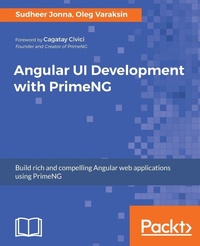
Angular UI Development with PrimeNG
Build rich UI for Angular applications using PrimeNG
Published on 27. July 2017
Book
Paperback/Softback
384 pages
978-1-78829-957-2 (ISBN)
Description
Unleash the power of PrimeNG components to design compelling user interface for your Angular applications
Key Features
Detailed insights into PrimeNG concepts, components and features with examples to help you make excellent User Interfaces for Angular web apps.
Get familiar with themes, layouts and customization in real world applications.
Develop Angular applications rapidly using advance tools and standards with best practices.
Book DescriptionPrimeNG is a leading UI component library for Angular applications with 80+ rich UI components. PrimeNG was a huge success in the Angular world and very quickly. It is a rapidly evolving library that is aligned with the last Angular release. In comparison with competitors, PrimeNG was created with enterprise applications in mind. This book provides a head-start to help readers develop real-world, single-page applications using the popular development stack.
This book consists of 10 chapters and starts with a short introduction to single-page applications. TypeScript and Angular fundamentals are important first steps for subsequent PrimeNG topics. Later we discuss how to set up and configure a PrimeNG application in different ways as a kick-start. Once the environment is ready then it is time to learn PrimeNG development, starting from theming concepts and responsive layouts. Readers will learn enhanced input, select, button components followed by the various panels, data iteration, overlays, messages and menu components. The validation of form elements will be covered too. An extra chapter demonstrates how to create map and chart components for real-world applications. Apart from built-in UI components and their features, the readers will learn how to customize components to meet their requirements.
Miscellaneous use cases are discussed in a separate chapter, including: file uploading, drag and drop, blocking page pieces during AJAX calls, CRUD sample implementations, and more. This chapter goes beyond common topics, implements a custom component, and discusses a popular state management with @ngrx/store. The final chapter describes unit and end-to-end testing. To make sure Angular and PrimeNG development are flawless, we explain full-fledged testing frameworks with systematic examples. Tips for speeding up unit testing and debugging Angular applications end this book.
The book is also focused on how to avoid some common pitfalls, and shows best practices with tips and tricks for efficient Angular and PrimeNG development. At the end of this book, the readers will know the ins and outs of how to use PrimeNG in Angular applications and will be ready to create real- world Angular applications using rich PrimeNG components.
What you will learn
- Setup PrimeNG projects with SystemJS, Webpack, and Angular CLI.
- Use theming concepts and layouts with grid systems and Bootstrap.
- Work with enhanced input, select, button and panel components.
- Apply countless DataTable features: sorting, filtering, grouping, and templating.
- Meet data iteration components: DataList, DataGrid, Tree, and so on.
- Build endless menu variations: SlideMenu, TieredMenu, MegaMenu, and so on.
- Visualize your data representations with PrimeNG charts and GMap components.
- Adopt best practices such as state management with @ngrx/store.
- Write unit and end-to-end tests with Jasmine, Karma, and Protractor.
Who this book is forThis book is for everybody who would like to learn or create modern Angular based single page applications using PrimeNG component library. This book is a good choice for beginners to advanced users who are serious to learn modern Angular applications. The prerequisites for this book are some basic knowledge on the Angular 2+ version with TypeScript and CSS skills.
Key Features
Detailed insights into PrimeNG concepts, components and features with examples to help you make excellent User Interfaces for Angular web apps.
Get familiar with themes, layouts and customization in real world applications.
Develop Angular applications rapidly using advance tools and standards with best practices.
Book DescriptionPrimeNG is a leading UI component library for Angular applications with 80+ rich UI components. PrimeNG was a huge success in the Angular world and very quickly. It is a rapidly evolving library that is aligned with the last Angular release. In comparison with competitors, PrimeNG was created with enterprise applications in mind. This book provides a head-start to help readers develop real-world, single-page applications using the popular development stack.
This book consists of 10 chapters and starts with a short introduction to single-page applications. TypeScript and Angular fundamentals are important first steps for subsequent PrimeNG topics. Later we discuss how to set up and configure a PrimeNG application in different ways as a kick-start. Once the environment is ready then it is time to learn PrimeNG development, starting from theming concepts and responsive layouts. Readers will learn enhanced input, select, button components followed by the various panels, data iteration, overlays, messages and menu components. The validation of form elements will be covered too. An extra chapter demonstrates how to create map and chart components for real-world applications. Apart from built-in UI components and their features, the readers will learn how to customize components to meet their requirements.
Miscellaneous use cases are discussed in a separate chapter, including: file uploading, drag and drop, blocking page pieces during AJAX calls, CRUD sample implementations, and more. This chapter goes beyond common topics, implements a custom component, and discusses a popular state management with @ngrx/store. The final chapter describes unit and end-to-end testing. To make sure Angular and PrimeNG development are flawless, we explain full-fledged testing frameworks with systematic examples. Tips for speeding up unit testing and debugging Angular applications end this book.
The book is also focused on how to avoid some common pitfalls, and shows best practices with tips and tricks for efficient Angular and PrimeNG development. At the end of this book, the readers will know the ins and outs of how to use PrimeNG in Angular applications and will be ready to create real- world Angular applications using rich PrimeNG components.
What you will learn
- Setup PrimeNG projects with SystemJS, Webpack, and Angular CLI.
- Use theming concepts and layouts with grid systems and Bootstrap.
- Work with enhanced input, select, button and panel components.
- Apply countless DataTable features: sorting, filtering, grouping, and templating.
- Meet data iteration components: DataList, DataGrid, Tree, and so on.
- Build endless menu variations: SlideMenu, TieredMenu, MegaMenu, and so on.
- Visualize your data representations with PrimeNG charts and GMap components.
- Adopt best practices such as state management with @ngrx/store.
- Write unit and end-to-end tests with Jasmine, Karma, and Protractor.
Who this book is forThis book is for everybody who would like to learn or create modern Angular based single page applications using PrimeNG component library. This book is a good choice for beginners to advanced users who are serious to learn modern Angular applications. The prerequisites for this book are some basic knowledge on the Angular 2+ version with TypeScript and CSS skills.
More details
Language
English
Place of publication
Birmingham
United Kingdom
Dimensions
Height: 235 mm
Width: 191 mm
Thickness: 21 mm
Weight
715 gr
ISBN-13
978-1-78829-957-2 (9781788299572)
Copyright in bibliographic data and cover images is held by Nielsen Book Services Limited or by the publishers or by their respective licensors: all rights reserved.
Schweitzer Classification
Other editions
Additional editions
Oleg Varaksin | Sudheer Jonna
Angular UI Development with PrimeNG
Build rich UI for Angular applications using PrimeNG
E-Book
07/2025
Packt Publishing
from
€37.19
Available for download
Persons
Oleg Varaksin is a senior software engineer living in the Black Forest, Germany. He is a graduate computer scientist who studied informatics at Russian and German universities. His main occupation and "daily bread" in the last few years has consisted of building various Java-and JavaScript-based web applications based on JSF, PrimeFaces, Spring, REST, JavaScript, jQuery, Angular, and HTML5. Currently, he is working at Swiss Federal Railways on a new ticket webshop. Oleg is an experienced and passionate web developer and has been working with the Prime UI libraries from the beginning. He is also a well-known member of the PrimeFaces community, creator of the PrimeFaces Extensions project, and the author of the PrimeFaces Cookbook. Oleg loves JavaScript, new ECMAScript standards, TypeScript, Angular, PrimeNG, RxJS, and Redux architecture. He has a deep understanding of web usability and accessibility. Oleg normally shares the knowledge he has acquired on his blog. His Twitter handle is @OlegVaraksin. Sudheer Jonna, hailing from Nellore, India, is a seasoned lead software developer currently based in Singapore. With expertise in Java and JavaScript, he specializes in architecting and developing large-scale applications, prioritizing robust architectures and high performance. Sudheer's comprehensive knowledge spans Single Page Applications (ReactJS/VueJS/Angular), backend API development, SQL, and containerization, enabling him to assist developers in advancing their careers. Besides his professional role, Sudheer is a published author, speaker, trainer, blogger, and an active member of public forums.
Content
Table of Contents
Getting Started with Angular and PrimeNG
Theming Concepts and Layouts
Enhanced Inputs and Selects
Button and Panel Components
Data Iteration Components
Amazing Overlays and Messages
Endless Menu Variations
Creating Charts and Maps
Miscellaneous Use Cases and Best Practices
Creating Robust Applications
Getting Started with Angular and PrimeNG
Theming Concepts and Layouts
Enhanced Inputs and Selects
Button and Panel Components
Data Iteration Components
Amazing Overlays and Messages
Endless Menu Variations
Creating Charts and Maps
Miscellaneous Use Cases and Best Practices
Creating Robust Applications