

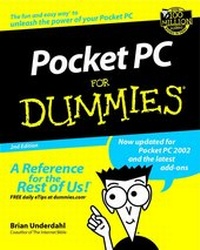
Pocket PC For Dummies
2nd Edition
Published on 28. June 2002
Book
Paperback/Softback
XVIII, 366 pages
978-0-7645-1640-5 (ISBN)
Description
Who would have thought that so much computing power could fit into a package that easily fits into your pocket? The Pocket PC is an extremely capable and easy-to-use computer that is, quite honestly, amazing. In a package that weighs just a few ounces, you've got computing power that rivals the huge filing cabinet-sized systems of a decade ago.
Pocket PC For Dummies, 2nd Edition, is your road map to using your Pocket PC. This is a hands-on guide that uses real-world examples to show you just what you need to know about Pocket PCs and why you want to know it. You won't find a lot of hype or jargon. You will find useful information presented clearly and concisely. This book is for anyone who wants to
* Manage appointments
* Keep up with e-mail while on the go
* Take digital images and music files anywhere
* Organize and keep track of important notes
This book will help you lay a solid foundation for getting to know your Pocket PC and how it compares with other computers you may have used in the past. From there, you'll find out how to take advantage of the Pocket PC's unique features. This friendly and comprehensive guide covers the following topics, and more:
* Using the touch screen
* Handwriting and your Pocket PC
* Printing from your Pocket PC
* Understanding synchronization
* Pocket Word, Pocket Excel, and more great tools
* Connecting to the Internet
* Downloading eBooks
* Editing photos
Pocket PC For Dummies, 2nd Edition, is about the new Pocket PC 2002 systems. It has been fully updated to cover the new ways of doing things on the Pocket PC 2002 units, and you will find all sorts of new products covered that simply didn't exist a short time ago.
Pocket PC For Dummies, 2nd Edition, is your road map to using your Pocket PC. This is a hands-on guide that uses real-world examples to show you just what you need to know about Pocket PCs and why you want to know it. You won't find a lot of hype or jargon. You will find useful information presented clearly and concisely. This book is for anyone who wants to
* Manage appointments
* Keep up with e-mail while on the go
* Take digital images and music files anywhere
* Organize and keep track of important notes
This book will help you lay a solid foundation for getting to know your Pocket PC and how it compares with other computers you may have used in the past. From there, you'll find out how to take advantage of the Pocket PC's unique features. This friendly and comprehensive guide covers the following topics, and more:
* Using the touch screen
* Handwriting and your Pocket PC
* Printing from your Pocket PC
* Understanding synchronization
* Pocket Word, Pocket Excel, and more great tools
* Connecting to the Internet
* Downloading eBooks
* Editing photos
Pocket PC For Dummies, 2nd Edition, is about the new Pocket PC 2002 systems. It has been fully updated to cover the new ways of doing things on the Pocket PC 2002 units, and you will find all sorts of new products covered that simply didn't exist a short time ago.
Reviews / Votes
"...three star rating...offers a lot to the mobile computer user..." (Personal Computer World, April 2003)More details
Edition
2., Auflage
Language
English
Place of publication
Foster City
United States
Publishing group
John Wiley & Sons Inc
Target group
College/higher education
Professional and scholarly
Edition type
New edition
Dimensions
Height: 23.4 cm
Width: 18.8 cm
Thickness: 2.2 cm
Weight
575 gr
ISBN-13
978-0-7645-1640-5 (9780764516405)
Schweitzer Classification
Other editions
Previous edition

Brian Underdahl
Pocket PCs For Dummies
Book
01/2001
Hungry Minds Inc,U.S.
€27.90
Article exhausted; check for reprint
Person
Brian Underdahl has written or cowritten more than 50 computer books, including The Internet Bible, Excel 2002 Bible, Alan Simpson's Windows XP Bible, and many more.
Content
Introduction.
About This Book.
Conventions Used in This Book.
What You're Not to Read.
Foolish Assumptions.
How This Book Is Organized.
Part I: What You Can Do with a Pocket PC.
Part II: Personal Organization with Your Pocket PC.
Part III: Putting Your Pocket PC Tools to Work.
Part IV: The Pocket PC and the Internet.
Part V: Multimedia Time.
Part VI: Working with Pocket PC Add-ons.
Part VII: The Part of Tens.
Icons in This Book.
Where to Go from Here.
Part I: What You Can Do with a Pocket PC.
Chapter 1: Getting to Know the Pocket PC.
Chapter 2: Understanding the Basics.
Chapter 3: Entering Information into Your Pocket PC.
Part II: Personal Organization with Your Pocket PC.
Chapter 4: Keeping Your Address Book.
Chapter 5: Taking Some Notes.
Chapter 6: Keeping Your Mobile Calendar.
Chapter 7: Keeping It in Sync.
Part III: Putting Your Pocket PC Tools to Work.
Chapter 8: Working with Pocket Word.
Chapter 9: The Pocket Excel Numbers Game.
Chapter 10: Managing Your Money.
Chapter 11: Calculating the Hard Numbers Easily.
Part IV: The Pocket PC and the Internet.
Chapter 12: Connecting Your Pocket PC.
Chapter 13: Surfing with Pocket Internet Explorer.
Chapter 14: Keeping Track of Your E-Mail.
Part V: Multimedia Time.
Chapter 15: Reading eBooks.
Chapter 16: Using Your Pocket PC for Music.
Chapter 17: More Pocket PC Multimedia.
Chapter 18: Playing Around with Your Pocket PC.
Part VI: Working with Pocket PC Add-ons.
Chapter 19: Finding Pocket PC Applications.
Chapter 20: Traveling with Your Pocket PC.
Part VII: The Part of Tens.
Chapter 21: Ten Great Pocket PC Accessories.
Chapter 22: Ten Great Pocket PC Business Programs.
Chapter 23: Ten Great Pocket PC Games.
Index.
Book Registration Information.
About This Book.
Conventions Used in This Book.
What You're Not to Read.
Foolish Assumptions.
How This Book Is Organized.
Part I: What You Can Do with a Pocket PC.
Part II: Personal Organization with Your Pocket PC.
Part III: Putting Your Pocket PC Tools to Work.
Part IV: The Pocket PC and the Internet.
Part V: Multimedia Time.
Part VI: Working with Pocket PC Add-ons.
Part VII: The Part of Tens.
Icons in This Book.
Where to Go from Here.
Part I: What You Can Do with a Pocket PC.
Chapter 1: Getting to Know the Pocket PC.
Chapter 2: Understanding the Basics.
Chapter 3: Entering Information into Your Pocket PC.
Part II: Personal Organization with Your Pocket PC.
Chapter 4: Keeping Your Address Book.
Chapter 5: Taking Some Notes.
Chapter 6: Keeping Your Mobile Calendar.
Chapter 7: Keeping It in Sync.
Part III: Putting Your Pocket PC Tools to Work.
Chapter 8: Working with Pocket Word.
Chapter 9: The Pocket Excel Numbers Game.
Chapter 10: Managing Your Money.
Chapter 11: Calculating the Hard Numbers Easily.
Part IV: The Pocket PC and the Internet.
Chapter 12: Connecting Your Pocket PC.
Chapter 13: Surfing with Pocket Internet Explorer.
Chapter 14: Keeping Track of Your E-Mail.
Part V: Multimedia Time.
Chapter 15: Reading eBooks.
Chapter 16: Using Your Pocket PC for Music.
Chapter 17: More Pocket PC Multimedia.
Chapter 18: Playing Around with Your Pocket PC.
Part VI: Working with Pocket PC Add-ons.
Chapter 19: Finding Pocket PC Applications.
Chapter 20: Traveling with Your Pocket PC.
Part VII: The Part of Tens.
Chapter 21: Ten Great Pocket PC Accessories.
Chapter 22: Ten Great Pocket PC Business Programs.
Chapter 23: Ten Great Pocket PC Games.
Index.
Book Registration Information.