

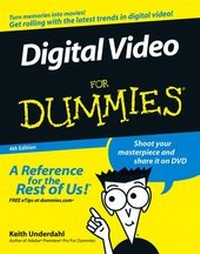
Digital Video For Dummies
4th Edition
Published on 6. February 2006
Book
Paperback/Softback
384 pages
978-0-471-78278-0 (ISBN)
Description
Shoot and edit great movies--no experience required!
Use iMovie, Windows Movie Maker, or Adobe Premiere Elements to add special effects and your own soundtrack
When your parents took home movies, no one ever confused those films with professional productions. But with today's digital camcorders and editing software, who knows what you can create? This book helps you choose a good camcorder, shoot better video, publish your movies online, and speak the industry technobabble like a Hollywood pro.
Discover how to
* Choose the right video camera
* Include still shots in your movies
* Add your own narration or music
* Digitize old VHS videotapes
* Share your video on DVD or online
Reviews / Votes
"...gets to the stuff you really want to know...required reading." (Nothern Echo, August 2006)More details
Other editions
Previous edition
Keith Underdahl
Digital Video For Dummies
Book
08/2003
3rd Edition
Hungry Minds Inc,U.S.
€27.90
Article exhausted; check for reprint
Person
Keith Underdahl is a video developer who has created numerous kiosk and marketing videos for Ages Software. He's also shared his videography expertise in Adobe Premiere Elements For Dummies.
Content
Introduction.
Part I: Getting Ready for Digital Video.
Chapter 1: Introducing Digital Video.
Chapter 2: Getting Your Computer Ready for Digital Video.
Chapter 3: Gearing Up for Digital Video.
Part II: Gathering Footage.
Chapter 4: Shooting Better Video.
Chapter 5: Capturing Digital Video.
Chapter 6: Capturing Analog Video.
Chapter 7: Importing Audio.
Part III: Editing Your Movie.
Chapter 8: Bringing Hollywood Home with Basic Editing.
Chapter 9: Using Transitions and Titles.
Chapter 10: Working with Audio.
Chapter 11: Advanced Video Editing.
Chapter 12: Working with Still Photos and Graphics.
Chapter 13: Wrapping Up Your Movie.
Part IV: Sharing Your Video.
Chapter 14: Putting Your Movies on the Internet.
Chapter 15: Exporting Movies to Tape.
Chapter 16: Making DVDs.
Part V: The Part of Tens.
Chapter 17: Ten Advanced Video Techniques.
Chapter 18: Ten Tools for Digital Video.
Chapter 19: Comparing Ten Video-Editing Programs.
Part VI: Appendixes.
Appendix A: Glossary.
Appendix B: Using Apple iMovie.
Appendix C: Using Windows Movie Maker.
Appendix D: Installing and Configuring Adobe Premiere Elements.
Index.