

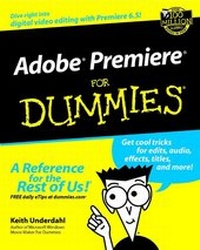
Adobe Premiere For Dummies
1st Edition
Published on 12. September 2002
Book
Paperback/Softback
XVIII, 342 pages
978-0-7645-1644-3 (ISBN)
Description
Adobe Premiere For Dummies reviews the basics of digital video and video editing including installing a video card and/or hooking up a digital camcorder to the computer as well as basic information on the world of digital video in general - frame rates, aspect ratios, time codes, and more.
This book helps the confused beginner by making sense out of all the video editing terms and jargon that fills the manual and the other picture/lesson books covering Premiere.
Adobe Premiere For Dummies covers the tools used for a typical video editing project including importing clips, editing clips, applying transitions, mixing in audio, adding superimpositions, creating titles and exporting files to various output sources.
This book helps the confused beginner by making sense out of all the video editing terms and jargon that fills the manual and the other picture/lesson books covering Premiere.
Adobe Premiere For Dummies covers the tools used for a typical video editing project including importing clips, editing clips, applying transitions, mixing in audio, adding superimpositions, creating titles and exporting files to various output sources.
More details
Edition
1., Auflage
Language
English
Place of publication
Foster City
United States
Publishing group
John Wiley & Sons Inc
Target group
Professional and scholarly
Illustrations
illustrations
Dimensions
Height: 23.4 cm
Width: 19 cm
Thickness: 2 cm
Weight
521 gr
ISBN-13
978-0-7645-1644-3 (9780764516443)
Schweitzer Classification
Person
Keith Underdahl is a veteran computer book author whose titles include Microsoft Windows Movie Maker For Dummies.
Content
Introduction.
Part I: Introducing Digital Video and Adobe Premiere.
Chapter 1: Introducing Adobe Premiere.
Chapter 2: Setting Up Your Production Studio.
Chapter 3: Preparing Adobe Premiere.
Part II: Beginning a Video Production.
Chapter 4: A Crash Course in Video Production.
Chapter 5: Starting and Managing Your Movie Projects.
Chapter 6: Capturing, Importing, and Managing Media.
Part III: Editing in Premiere.
Chapter 7: Editing Clips.
Chapter 8: Working with the Timeline.
Chapter 9: The Fine Art of Transitioning and Compositing.
Chapter 10: Affecting Effects in Your Movies.
Chapter 11: Working with Audio.
Part IV: Wrapping Up Your Project.
Chapter 12: Giving Credit with Titles.
Chapter 13: Finalizing the Project.
Chapter 14: Sending Your Project to the World.
Part V: The Part of Tens.
Chapter 15: Ten Online Resources.
Chapter 16: Ten Plug-ins for Adobe Premiere.
Chapter 17: Ten Tools (And Toys) for Your Production Studio.
Part VI: Appendixes.
Appendix A: Glossary.
Appendix B: Finding Help!
Index.
Part I: Introducing Digital Video and Adobe Premiere.
Chapter 1: Introducing Adobe Premiere.
Chapter 2: Setting Up Your Production Studio.
Chapter 3: Preparing Adobe Premiere.
Part II: Beginning a Video Production.
Chapter 4: A Crash Course in Video Production.
Chapter 5: Starting and Managing Your Movie Projects.
Chapter 6: Capturing, Importing, and Managing Media.
Part III: Editing in Premiere.
Chapter 7: Editing Clips.
Chapter 8: Working with the Timeline.
Chapter 9: The Fine Art of Transitioning and Compositing.
Chapter 10: Affecting Effects in Your Movies.
Chapter 11: Working with Audio.
Part IV: Wrapping Up Your Project.
Chapter 12: Giving Credit with Titles.
Chapter 13: Finalizing the Project.
Chapter 14: Sending Your Project to the World.
Part V: The Part of Tens.
Chapter 15: Ten Online Resources.
Chapter 16: Ten Plug-ins for Adobe Premiere.
Chapter 17: Ten Tools (And Toys) for Your Production Studio.
Part VI: Appendixes.
Appendix A: Glossary.
Appendix B: Finding Help!
Index.