

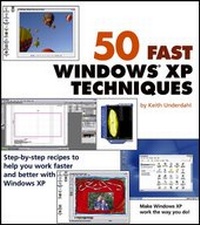
50 Fast Windows XP Techniques
1st Edition
Published on 5. April 2004
Book
Paperback/Softback
302 pages
978-0-7645-5823-8 (ISBN)
Description
* The proven, step-by-step format of the 50 Fast series shows readers how to master fifty easy and useful Windows XP techniques
* Ideal for anyone who already uses Windows XP, but wants to learn helpful techniques that will improve their computing skills and save them time and effort
* Topics covered include improving performance with toolbar enhancements, stretching laptop battery life, using system restore points, setting up wireless networking, encrypting files, playing music and videos, and many more
* Shows readers how to customize Windows XP and make it work the way they want it to work-not the other way around
* Ideal for anyone who already uses Windows XP, but wants to learn helpful techniques that will improve their computing skills and save them time and effort
* Topics covered include improving performance with toolbar enhancements, stretching laptop battery life, using system restore points, setting up wireless networking, encrypting files, playing music and videos, and many more
* Shows readers how to customize Windows XP and make it work the way they want it to work-not the other way around
More details
Series
Edition
1., Auflage
Language
English
Place of publication
Foster City
United States
Publishing group
John Wiley & Sons Inc
Target group
College/higher education
Professional and scholarly
Illustrations
ill
Dimensions
Height: 23 cm
Width: 20.4 cm
Thickness: 20 mm
Weight
624 gr
ISBN-13
978-0-7645-5823-8 (9780764558238)
Schweitzer Classification
Person
Keith Underdahl is an interface designer, electronic publisher, multimedia specialist, and technology author. His experience ranges from publishing historic texts on CD-ROM for various platforms to editing a motorcycle magazine. He is also the author of Adobe(r) Premiere(r) For Dummies(r) and coauthor of the Internet Bible, 2nd Edition, both published by Wiley.
Content
Preface.
Acknowledgments.
Chapter 1: Taking Command of Windows XP.
Technique 1:Managing User Accounts.
Technique 2: Controlling Startup Items.
Technique 3: Changing the Way Files Open.
Technique 4: Tracking Errors and Events.
Technique 5:Managing Memory.
Chapter 2: Customizing Windows XP's Interface.
Technique 6: Switching Between New Interface and Classic.
Technique 7: Enhancing the Taskbar.
Technique 8:Making Your Own Screen Saver.
Technique 9:Making Windows XP Accessible.
Technique 10: Tweaking Your Interface with TweakUI.
Technique 11: Skinning Your Windows.
Technique 12: Exploring Windows Your Own Way.
Chapter 3: Boosting Window XP's Performance.
Technique 13: Tuning-Up Hard Drive Performance.
Technique 14: Creating Multiple Partitions.
Technique 15: Stretching Laptop Battery Life.
Technique 16: Seeing Double with Dual Monitors.
Technique 17:Managing System Services.
Chapter 4: Maintaining Your System in Top Condition.
Technique 18: Using System Restore Points.
Technique 19:Making Regular Backups.
Technique 20: Running in Safe Mode.
Technique 21: Installing the Recovery Console.
Technique 22: Adding Hardware.
Chapter 5: Managing Your Network.
Technique 23: Configuring Your Network.
Technique 24: Sharing Your Internet Connection.
Technique 25: Networking with a Macintosh.
Technique 26: Using Wireless Networking.
Technique 27: Sharing Files.
Technique 28: Sharing Printers.
Technique 29: Running Your Own Web Site.
Technique 30: Diagnosing Network Problems.
Chapter 6: Tightening Up Security.
Technique 31:Managing Passwords.
Technique 32: Controlling File Access.
Technique 33: Updating Windows Software.
Technique 34: Guarding Your System Against Viruses.
Technique 35: Protecting Your Internet Connection with Firewalls.
Technique 36: Encrypting Files.
Technique 37: Permanently Remove Files from Your Hard Drive.
Technique 38: Squashing Pop-Ups.
Technique 39:Managing the Cookie Monster.
Technique 40: Finding and Destroying Spyware.
Technique 41: Safeguarding E-mail in Outlook Express.
Chapter 7: Mastering Digital Media.
Technique 42: Stocking and Managing Your Music Jukebox.
Technique 43: Creating Home Movies.
Technique 44:Working with Digital Photographs.
Technique 45: Turning Windows Media Player into a DVD Player.
Technique 46: Building a Home Media Server.
Chapter 8: Using Windows XP Add-Ons.
Technique 47: Communicating with Windows Messenger.
Technique 48: Using PowerToys for Windows XP.
Technique 49: Using Windows Fun Packs.
Technique 50: Using Microsoft Plus!
Appendix A: Windows XP Keyboard Commands.
Appendix B: Web Sites Mentioned in this Book.
Index.
About the Author.
Colophon.
Acknowledgments.
Chapter 1: Taking Command of Windows XP.
Technique 1:Managing User Accounts.
Technique 2: Controlling Startup Items.
Technique 3: Changing the Way Files Open.
Technique 4: Tracking Errors and Events.
Technique 5:Managing Memory.
Chapter 2: Customizing Windows XP's Interface.
Technique 6: Switching Between New Interface and Classic.
Technique 7: Enhancing the Taskbar.
Technique 8:Making Your Own Screen Saver.
Technique 9:Making Windows XP Accessible.
Technique 10: Tweaking Your Interface with TweakUI.
Technique 11: Skinning Your Windows.
Technique 12: Exploring Windows Your Own Way.
Chapter 3: Boosting Window XP's Performance.
Technique 13: Tuning-Up Hard Drive Performance.
Technique 14: Creating Multiple Partitions.
Technique 15: Stretching Laptop Battery Life.
Technique 16: Seeing Double with Dual Monitors.
Technique 17:Managing System Services.
Chapter 4: Maintaining Your System in Top Condition.
Technique 18: Using System Restore Points.
Technique 19:Making Regular Backups.
Technique 20: Running in Safe Mode.
Technique 21: Installing the Recovery Console.
Technique 22: Adding Hardware.
Chapter 5: Managing Your Network.
Technique 23: Configuring Your Network.
Technique 24: Sharing Your Internet Connection.
Technique 25: Networking with a Macintosh.
Technique 26: Using Wireless Networking.
Technique 27: Sharing Files.
Technique 28: Sharing Printers.
Technique 29: Running Your Own Web Site.
Technique 30: Diagnosing Network Problems.
Chapter 6: Tightening Up Security.
Technique 31:Managing Passwords.
Technique 32: Controlling File Access.
Technique 33: Updating Windows Software.
Technique 34: Guarding Your System Against Viruses.
Technique 35: Protecting Your Internet Connection with Firewalls.
Technique 36: Encrypting Files.
Technique 37: Permanently Remove Files from Your Hard Drive.
Technique 38: Squashing Pop-Ups.
Technique 39:Managing the Cookie Monster.
Technique 40: Finding and Destroying Spyware.
Technique 41: Safeguarding E-mail in Outlook Express.
Chapter 7: Mastering Digital Media.
Technique 42: Stocking and Managing Your Music Jukebox.
Technique 43: Creating Home Movies.
Technique 44:Working with Digital Photographs.
Technique 45: Turning Windows Media Player into a DVD Player.
Technique 46: Building a Home Media Server.
Chapter 8: Using Windows XP Add-Ons.
Technique 47: Communicating with Windows Messenger.
Technique 48: Using PowerToys for Windows XP.
Technique 49: Using Windows Fun Packs.
Technique 50: Using Microsoft Plus!
Appendix A: Windows XP Keyboard Commands.
Appendix B: Web Sites Mentioned in this Book.
Index.
About the Author.
Colophon.