


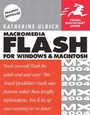
Macromedia Flash MX for Windows and Macintosh
Visual QuickStart Guide
Published on 10. June 2002
Book
Paperback/Softback
640 pages
978-0-201-79481-6 (ISBN)
Description
Long the industry standard for creating high-impact interactive Web sites, Macromedia Flash has just gotten a whole lot better--faster, easier, even more powerful--with the release of Flash MX. Whether you're a Flash pro looking to get up to speed quickly on this latest release or a novice eager to tap the power of MX for the first time, the task-based visual approach of this Visual QuickStart Guide is just what you need to make the most out of Flash MX.
In this volume, veteran journalist and author Katherine Ulrich covers it all--from the basics of vector animation to sophisticated interaction and transition effects--in the clear, concise prose readers have come to expect from this popular series. Beginners will want to devour the volume from cover to cover, while more experienced Flash users will be able to easily find just what they need, including complete coverage of all of the program's new features: a revamped interface, enhanced integration with Macromedia ColdFusion, dual authoring modes for designers and developers, and more. Loaded with tips and visual aids to reinforce the text, Macromedia Flash MX for Windows and Macintosh: Visual QuickStart Guide will be your constant companion as you use Flash MX to take your Web pages to the next level.
In this volume, veteran journalist and author Katherine Ulrich covers it all--from the basics of vector animation to sophisticated interaction and transition effects--in the clear, concise prose readers have come to expect from this popular series. Beginners will want to devour the volume from cover to cover, while more experienced Flash users will be able to easily find just what they need, including complete coverage of all of the program's new features: a revamped interface, enhanced integration with Macromedia ColdFusion, dual authoring modes for designers and developers, and more. Loaded with tips and visual aids to reinforce the text, Macromedia Flash MX for Windows and Macintosh: Visual QuickStart Guide will be your constant companion as you use Flash MX to take your Web pages to the next level.
More details
Language
English
Place of publication
Berkeley
United States
Publishing group
Pearson Education (US)
Dimensions
Width: 227 mm
Thickness: 32 mm
Weight
971 gr
ISBN-13
978-0-201-79481-6 (9780201794816)
Copyright in bibliographic data is held by Nielsen Book Services Limited or its licensors: all rights reserved.
Schweitzer Classification
Other editions
New editions
Book
12/2003
Peachpit Press Publications
€23.55
Article exhausted; check for reprint
Previous edition
Book
10/2000
3rd Edition
Peachpit Press Publications
€21.07
Article exhausted; check for reprint
Person
Katherine Ulrich is a writer and editor specializing in graphics, publishing, and multimedia software. Her career includes a 12-year stint at Macworld magazine, where, as a developmental editor, Katherine helped to develop and direct Macworld's how-to sections. She is the author of all previous editions of this book.
Content
Introduction.
1. The Flash Authoring Tool.
2. Creating Simple Graphics.
3. Modifying Simple Graphics.
4. Complex Graphics on a Single Layer.
5. Graphics on Multiple Layers.
6. Saving and Reusing Graphic Elements.
7. Using Non-Flash Graphics.
8. Frame-by-Frame Animations.
9. Animation with Motion Tweening.
10. Animation with Shape Tweening.
11. More-Complex Animation Tasks.
12. Interactivity with Simple Frame Actions.
13. Interactivity with Objects.
14. Adding Sound and Video.
15. Introducing Complex Interactivity.
16. Delivering Movies to Your Audience.
Appendix A. Keyboard Shortcuts.
Index.
1. The Flash Authoring Tool.
2. Creating Simple Graphics.
3. Modifying Simple Graphics.
4. Complex Graphics on a Single Layer.
5. Graphics on Multiple Layers.
6. Saving and Reusing Graphic Elements.
7. Using Non-Flash Graphics.
8. Frame-by-Frame Animations.
9. Animation with Motion Tweening.
10. Animation with Shape Tweening.
11. More-Complex Animation Tasks.
12. Interactivity with Simple Frame Actions.
13. Interactivity with Objects.
14. Adding Sound and Video.
15. Introducing Complex Interactivity.
16. Delivering Movies to Your Audience.
Appendix A. Keyboard Shortcuts.
Index.