

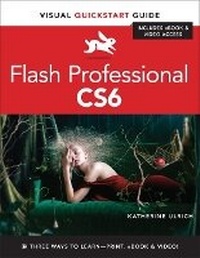
Flash Professional CS6
Visual QuickStart Guide
Published on 30. August 2012
Book
Mixed media product
480 pages
978-0-321-83219-1 (ISBN)
Description
Flash Professional CS6 is such a powerful program that it can seem overwhelming to new or occasional users. With Flash Professional CS6: Visual QuickStart Guide, readers get a solid grounding in the fundamentals of the most recent version of the software.
Highlights include new user options for setting document properties when creating or modifying documents; new layout and options in the Publish Settings dialog; working with tabbed text in Flash's text-layout framework; copying and pasting Timeline layers. Plus, learn about new options for exporting assets created in Flash as a PNG sequence; as a spite sheet, or as JavaScript and HTML5, via the CreateJS extension.
Includes eBook and Video Access
In addition to concise, step-by-step explanations of core tools and tasks, with plenty of helpful screen shots to keep you on track as you work, Flash Professional CS6: Visual QuickStart Guide includes an hour-long HD video and eBook. In addition to reading about how to use the tool, you can watch it in action. You can also download digital versions of this book to load on the mobile device of your choice so that you can continue learning whenever and wherever you are. We provide you with both the ePub and PDF to ensure that you get the experience that best suits your viewing needs.
Highlights include new user options for setting document properties when creating or modifying documents; new layout and options in the Publish Settings dialog; working with tabbed text in Flash's text-layout framework; copying and pasting Timeline layers. Plus, learn about new options for exporting assets created in Flash as a PNG sequence; as a spite sheet, or as JavaScript and HTML5, via the CreateJS extension.
Includes eBook and Video Access
In addition to concise, step-by-step explanations of core tools and tasks, with plenty of helpful screen shots to keep you on track as you work, Flash Professional CS6: Visual QuickStart Guide includes an hour-long HD video and eBook. In addition to reading about how to use the tool, you can watch it in action. You can also download digital versions of this book to load on the mobile device of your choice so that you can continue learning whenever and wherever you are. We provide you with both the ePub and PDF to ensure that you get the experience that best suits your viewing needs.
More details
Other editions
Previous edition
Book
07/2010
Peachpit Press Publications
€27.22
Article exhausted; check for reprint
Content
Introduction
Chapter 1 The Flash Authoring Tool
Chapter 2 Creating Simple Graphics
Chapter 3 Working with Text
Chapter 4 Modifying Simple Graphics
Chapter 5 Complex Graphics on a Single Layer
Chapter 6 Graphics on Multiple Layers
Chapter 7 Working with Symbols
Chapter 8 Frame-by-Frame Animations
Chapter 9 Animation with Classic Tweening
Chapter 10 Animation with Shape Tweening
Chapter 11 Animation with Motion Tweening
Chapter 12 Intermediate Animation Tasks
Chapter 13 Intro to Inverse Kinematics
Chapter 14 Building Buttons for Interactivity
Chapter 15 Basic Interactivity
Chapter 16 Adding Sound and Video
Chapter 17 Delivering Movies to Your Audience
Chapter 1 The Flash Authoring Tool
Chapter 2 Creating Simple Graphics
Chapter 3 Working with Text
Chapter 4 Modifying Simple Graphics
Chapter 5 Complex Graphics on a Single Layer
Chapter 6 Graphics on Multiple Layers
Chapter 7 Working with Symbols
Chapter 8 Frame-by-Frame Animations
Chapter 9 Animation with Classic Tweening
Chapter 10 Animation with Shape Tweening
Chapter 11 Animation with Motion Tweening
Chapter 12 Intermediate Animation Tasks
Chapter 13 Intro to Inverse Kinematics
Chapter 14 Building Buttons for Interactivity
Chapter 15 Basic Interactivity
Chapter 16 Adding Sound and Video
Chapter 17 Delivering Movies to Your Audience