

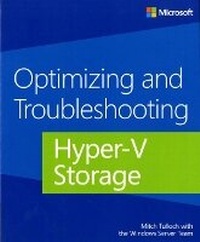
Optimizing and Troubleshooting Hyper-V Storage
Published on 15. July 2013
Book
Paperback/Softback
152 pages
978-0-7356-7898-9 (ISBN)
Description
This scenario-focused title provides concise technical guidance and insights for troubleshooting and optimizing storage with Hyper-V. Written by experienced virtualization professionals, this little book packs a lot of value into a few pages, offering a lean read with lots of real-world insights and best practices for Hyper-V storage optimization.
Focused guide extends your knowledge and capabilities with Hyper-V storage in Windows Server 2012
Shares hands-on insights from a team of Microsoft virtualization experts
Provides pragmatic troubleshooting and optimization guidance from the field
Focused guide extends your knowledge and capabilities with Hyper-V storage in Windows Server 2012
Shares hands-on insights from a team of Microsoft virtualization experts
Provides pragmatic troubleshooting and optimization guidance from the field
More details
Persons
The author team includes Mitch Tulloch, series editor, and various individuals at Microsoft including Support Escalation Engineers, Premier Field Engineers, and experts from Microsoft Consulting Services.
Content
Introduction
Chapter 1: Hyper-V storage fundamentals
Chapter 2: Storage sizing
Chapter 3: Pass-through disks
Chapter 4: Virtual machine snapshots
Chapter 5: File system alignment
Chapter 6: Virtual disk fragmentation
Chapter 7: Migrating VHD to VHDX
Chapter 8: Monitoring storage performance
Chapter 9: Cluster Shared Volumes
Chapter 10: Live Migration
Chapter 11: Virtual Fibre Channel
Chapter 12: Event logs
Chapter 13: SMB storage
Chapter 14: SMB Multichannel
Chapter 15: Online backup
Chapter 16: Antivirus exclusions
Chapter 17: Windows PowerShell tips
Chapter 18: Best Practices Analyzer
Chapter 19: Storage Spaces
Chapter 20: Building a demo environment
Chapter 1: Hyper-V storage fundamentals
Chapter 2: Storage sizing
Chapter 3: Pass-through disks
Chapter 4: Virtual machine snapshots
Chapter 5: File system alignment
Chapter 6: Virtual disk fragmentation
Chapter 7: Migrating VHD to VHDX
Chapter 8: Monitoring storage performance
Chapter 9: Cluster Shared Volumes
Chapter 10: Live Migration
Chapter 11: Virtual Fibre Channel
Chapter 12: Event logs
Chapter 13: SMB storage
Chapter 14: SMB Multichannel
Chapter 15: Online backup
Chapter 16: Antivirus exclusions
Chapter 17: Windows PowerShell tips
Chapter 18: Best Practices Analyzer
Chapter 19: Storage Spaces
Chapter 20: Building a demo environment