

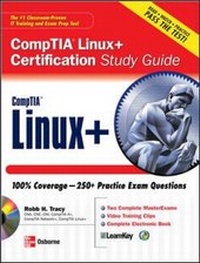
Linux+ Certification Study Guide
Published on 16. October 2007
Book
1038 pages
978-0-07-148874-7 (ISBN)
Description
The most exam-focused CompTIA Linux+ study guide available
This fully integrated study system delivers trusted and up-to-date coverage of the newly revised CompTIA Linux+ certification exam. Featuring more than 200 review questions, step-by-step exercises, and in-depth explanations, this is the only study guide to include platform-independent practice exams. The CD-ROM contains sample questions, video training, and more.
This fully integrated study system delivers trusted and up-to-date coverage of the newly revised CompTIA Linux+ certification exam. Featuring more than 200 review questions, step-by-step exercises, and in-depth explanations, this is the only study guide to include platform-independent practice exams. The CD-ROM contains sample questions, video training, and more.
More details
Series
Language
English
Place of publication
United States
Publishing group
McGraw-Hill Education - Europe
Target group
Professional and scholarly
Illustrations
156 Illustrations
Dimensions
Height: 241 mm
Width: 196 mm
Thickness: 62 mm
Weight
1990 gr
ISBN-13
978-0-07-148874-7 (9780071488747)
Copyright in bibliographic data and cover images is held by Nielsen Book Services Limited or by the publishers or by their respective licensors: all rights reserved.
Schweitzer Classification
Person
Robb H. Tracy (Santaquin, UT), CNE, A+, Network+, Linux+ has designed and implemented technical training products and curricula for major hardware and software vendors including Novell, Micron Technology, and NextPage, Inc. Robb has also served on industry-wide certification committees, and is a co-founder of Nebo Technical Institute, Inc., a leading provider of information technology training and consulting. Rob is the author of Novell Certified Linux Engineer (Novell CLE) Study Guide and Novell Certified Linux Engineer 9 (CLE 9) Study Guide from Novell Press. Rob was also a contributing author to SUSE Linux 10 Unleashed.
Content
Chapter 1: Introducing Linux
Chapter 2: Working with PC Hardware
Chapter 3: Working with PC Hardware
Chapter 4: Getting Help
Chapter 5: Using Linux Text Editors
Chapter 6: Managing the Linux File System
Chapter 7: Working with Linux Users and Groups
Chapter 8: Installing and Managing Software on Linux
Chapter 9: Using the Linux Shell
Chapter 10: Managing Linux Processes and Services
Chapter 11: Managing the Linux Boot Process
Chapter 12: Configuring Hardware
Chapter 13: Configuring Network Boards
Chapter 14: Configuring Linux Network Services
Chapter 15: Configuring Linux Security
Chapter 16: Documenting and Troubleshooting the System
Glossary
About the CD
Index
Chapter 2: Working with PC Hardware
Chapter 3: Working with PC Hardware
Chapter 4: Getting Help
Chapter 5: Using Linux Text Editors
Chapter 6: Managing the Linux File System
Chapter 7: Working with Linux Users and Groups
Chapter 8: Installing and Managing Software on Linux
Chapter 9: Using the Linux Shell
Chapter 10: Managing Linux Processes and Services
Chapter 11: Managing the Linux Boot Process
Chapter 12: Configuring Hardware
Chapter 13: Configuring Network Boards
Chapter 14: Configuring Linux Network Services
Chapter 15: Configuring Linux Security
Chapter 16: Documenting and Troubleshooting the System
Glossary
About the CD
Index