

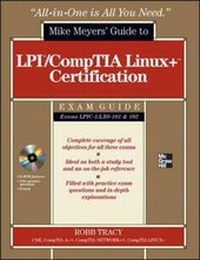
LPIC-1/CompTIA Linux+ Certification All-in-One Exam Guide (Exams LPIC-1/LX0-101 & LX0-102)
Published on 16. October 2011
Book
Mixed media product
848 pages
978-0-07-177157-3 (ISBN)
Description
LPIC-1/CompTIA Linux+ Certification All-in-One Exam Guide, Exams LPIC-1/LXO-101 & LXO-102Get complete coverage of all the objectives included on the LPIC-1 and CompTIA LXO-101 and LXO-102 exams inside this comprehensive resource. Written by a Linux expert and technology trainer, LPIC-1/CompTIA Linux+ Certification All-in-One Exam Guide includes learning objectives at the beginning of each chapter, exam tips, practice exam questions, and in-depth explanations. Designed to help you pass all three exams with ease, this comprehensive guide also serves as an essential on-the-job reference.
COVERS ALL EXAM TOPICS, INCLUDING HOW TO:
Work with the Linux shellUse the vi text editorManage Linux files and directoriesInstall Linux and manage the boot processConfigure the graphical environmentManage software and hardwareManage users, groups, file systems, and processesAdminister ownership, permissions, and quotasWrite shell scriptsManage network settings and servicesSecure Linux and use encryption
CD-ROM FEATURES:
150+ practice exam questionsPDF copy of the book50+ video training clips from the author
Robb Tracy, CNE, CompTIA A+, CompTIA Network+, CompTIA Linux+, has designed and implemented technical training products and curricula for major hardware and software vendors, including Novell, Micron Technology, and Messaging Architects, Inc. He has also served on industry-wide certification committees and is a cofounder of Nebo Technical Institute, Inc., a leading provider of information technology training and consulting. Robb is the author of CompTIA Linux+ Certification Study Guide and other books.
COVERS ALL EXAM TOPICS, INCLUDING HOW TO:
Work with the Linux shellUse the vi text editorManage Linux files and directoriesInstall Linux and manage the boot processConfigure the graphical environmentManage software and hardwareManage users, groups, file systems, and processesAdminister ownership, permissions, and quotasWrite shell scriptsManage network settings and servicesSecure Linux and use encryption
CD-ROM FEATURES:
150+ practice exam questionsPDF copy of the book50+ video training clips from the author
Robb Tracy, CNE, CompTIA A+, CompTIA Network+, CompTIA Linux+, has designed and implemented technical training products and curricula for major hardware and software vendors, including Novell, Micron Technology, and Messaging Architects, Inc. He has also served on industry-wide certification committees and is a cofounder of Nebo Technical Institute, Inc., a leading provider of information technology training and consulting. Robb is the author of CompTIA Linux+ Certification Study Guide and other books.
More details
Series
Language
English
Place of publication
United States
Publishing group
McGraw-Hill Education - Europe
Target group
Professional and scholarly
Illustrations
300 Illustrations
Dimensions
Height: 239 mm
Width: 196 mm
Thickness: 48 mm
Weight
1581 gr
ISBN-13
978-0-07-177157-3 (9780071771573)
Copyright in bibliographic data and cover images is held by Nielsen Book Services Limited or by the publishers or by their respective licensors: all rights reserved.
Schweitzer Classification
Person
Robb H. Tracy (Santaquin, UT), CNE, A+, Network+, Linux+ has designed and implemented technical training products and curricula for major hardware and software vendors including Novell, Micron Technology, and NextPage, Inc. Robb has also served on industry-wide certification committees, and is a co-founder of Nebo Technical Institute, Inc., a leading provider of information technology training and consulting. Rob is the author of Novell Certified Linux Engineer (Novell CLE) Study Guide and Novell Certified Linux Engineer 9 (CLE 9) Study Guide from Novell Press. Rob was also a contributing author to SUSE Linux 10 Unleashed.
Content
Chapter 1. Introduction to Linux
Chapter 2. Working with the Linux Shell
Chapter 3. Using the vi Text Editor
Chapter 4. Managing Linux Files and Directories
Chapter 5. Installing Linux
Chapter 6. Managing the Linux Boot Process
Chapter 7. Managing the Graphical Environment
Chapter 8. Managing Linux Software
Chapter 9. Managing Linux Users and Groups
Chapter 10. Managing Linux File Systems
Chapter 11. Managing Ownership, Permissions, and Quotas
Chapter 12. Managing Hardware Under Linux
Chapter 13. Managing Linux Processes
Chapter 14. Writing Shell Scripts
Chapter 15. Managing Linux Network Settings
Chapter 16. Managing Network Services on Linux
Chapter 17. Securing Linux
Appendix A. Exam Objective Reference
Appendix B. About the CD
Index
Chapter 2. Working with the Linux Shell
Chapter 3. Using the vi Text Editor
Chapter 4. Managing Linux Files and Directories
Chapter 5. Installing Linux
Chapter 6. Managing the Linux Boot Process
Chapter 7. Managing the Graphical Environment
Chapter 8. Managing Linux Software
Chapter 9. Managing Linux Users and Groups
Chapter 10. Managing Linux File Systems
Chapter 11. Managing Ownership, Permissions, and Quotas
Chapter 12. Managing Hardware Under Linux
Chapter 13. Managing Linux Processes
Chapter 14. Writing Shell Scripts
Chapter 15. Managing Linux Network Settings
Chapter 16. Managing Network Services on Linux
Chapter 17. Securing Linux
Appendix A. Exam Objective Reference
Appendix B. About the CD
Index