

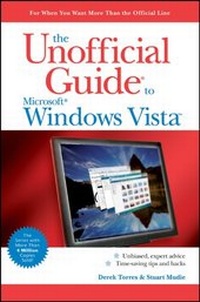
The Unofficial Guide to Windows Vista
1st Edition
Published on 2. February 2007
Book
Paperback/Softback
628 pages
978-0-470-04576-3 (ISBN)
Description
The inside scoop.for when you want more than the official line!
Microsoft Vista may be the hot new operating system, but to use it with confidence, you'll need to know its quirks and shortcuts. Find out what the manual doesn't always tell you in this insider's guide to using Vista in the real world. How can you customize the desktop? What's the best way to prevent crashes? From setting up a home network to working with data, first get the official way, then the best way from two experts.
Unbiased coverage of how to get the most out of Vista, from the new user interface and "live" icons to the revamped Control Panel
Savvy, real-world advice from mastering multimedia with Vista and editing "secret settings" to synching data with your laptop and handheld
Time-saving techniques and practical guidance on working around Vista quirks, avoiding pitfalls, and increasing your productivity
Tips and hacks on Gadgets, how to launch Instant Search, and ways to use a USB flash drive as extended memory
Sidebars and tables on Internet Explorer 7, tough new parental controls, and backing up data with enhanced Vista tools
Watch for these graphic icons in every chapter to guide you to specific practicalinformation. Bright Ideas are smart innovations that will save you time or hassle. Hacks are insider tips and shortcuts that increase productivity. When you see Watch Out! heed the cautions or warnings to help you avoid commonpitfalls. And finally, check out Inside Scoops for practical insights from the author. It's like having your own expert at your side!
Microsoft Vista may be the hot new operating system, but to use it with confidence, you'll need to know its quirks and shortcuts. Find out what the manual doesn't always tell you in this insider's guide to using Vista in the real world. How can you customize the desktop? What's the best way to prevent crashes? From setting up a home network to working with data, first get the official way, then the best way from two experts.
Unbiased coverage of how to get the most out of Vista, from the new user interface and "live" icons to the revamped Control Panel
Savvy, real-world advice from mastering multimedia with Vista and editing "secret settings" to synching data with your laptop and handheld
Time-saving techniques and practical guidance on working around Vista quirks, avoiding pitfalls, and increasing your productivity
Tips and hacks on Gadgets, how to launch Instant Search, and ways to use a USB flash drive as extended memory
Sidebars and tables on Internet Explorer 7, tough new parental controls, and backing up data with enhanced Vista tools
Watch for these graphic icons in every chapter to guide you to specific practicalinformation. Bright Ideas are smart innovations that will save you time or hassle. Hacks are insider tips and shortcuts that increase productivity. When you see Watch Out! heed the cautions or warnings to help you avoid commonpitfalls. And finally, check out Inside Scoops for practical insights from the author. It's like having your own expert at your side!
More details
Edition
1., Auflage
Language
English
Place of publication
Chichester
United Kingdom
Publishing group
John Wiley and Sons Ltd
Target group
Professional and scholarly
Illustrations
Illustrations
Dimensions
Height: 22.8 cm
Width: 15.4 cm
Thickness: 41 mm
Weight
725 gr
ISBN-13
978-0-470-04576-3 (9780470045763)
Schweitzer Classification
Other editions
Additional editions
Derek Torres | Stuart Mudie
The Unofficial Guide to Windows Vista
E-Book
06/2008
Wiley
€17.30
Available for download
Persons
Derek Torres is a technical communicator and author. He is the coauthor of The Unofficial Guide to Windows XP and is the author of ASP.NET 2.0: Your visual blueprint for developing Web applications. He is also a contributor to Microsoft's Work Essentials Web site and Windows Vista Expert Zone. When he's not writing, he enjoys traveling, gastronomy, and doing nothing. He is currently based in Washington DC and tracks his activities at www.derektorres.net.
Stuart Mudie is a Scot living in Paris, France. A professional communicator since 1995, he has worked with numerous companies in the IT and Telecommunications sectors in such fields as mobile applications and services, Web content management systems, and business intelligence. He has been blogging regularly about all of this (and also about food, wine, languages and music, just a few of his other loves) since 2001 at www.blethers.com.
Stuart Mudie is a Scot living in Paris, France. A professional communicator since 1995, he has worked with numerous companies in the IT and Telecommunications sectors in such fields as mobile applications and services, Web content management systems, and business intelligence. He has been blogging regularly about all of this (and also about food, wine, languages and music, just a few of his other loves) since 2001 at www.blethers.com.
Content
Introduction.
I Installation, Configuration, and Customization.
1 The Road to Windows Vista.
2 Preparing for Installation.
3 Installing Windows Vista.
4 Managing the Windows Desktop.
II Manage the Vista Enviroment.
5 Managing Users.
6 Managing Files and Folders.
7 Managing Security.
8 Mastering Multimedia with Windows Vista.
III Networking with Windows Vista.
9 Networking and the Internet.
10 Working with Windows Internet Explorer 7.
11 Working with Network Services.
12 Integrating with Active Directory.
IV Manage the Hardware Environment.
13 Working with Windows Internals.
14 Working with Hard Drives.
15 Managing Portable Computers.
16 Troubleshooting Windows Vista.
V Appendixes.
Appendix A: Supported Video Cards.
Appendix B: Upgrade Checklist.
Appendix C: Differences between Windows Vista and Windows XP.
Appendix D: Keyboard Shortcuts.
Appendix E: Online Resources.
Index.
I Installation, Configuration, and Customization.
1 The Road to Windows Vista.
2 Preparing for Installation.
3 Installing Windows Vista.
4 Managing the Windows Desktop.
II Manage the Vista Enviroment.
5 Managing Users.
6 Managing Files and Folders.
7 Managing Security.
8 Mastering Multimedia with Windows Vista.
III Networking with Windows Vista.
9 Networking and the Internet.
10 Working with Windows Internet Explorer 7.
11 Working with Network Services.
12 Integrating with Active Directory.
IV Manage the Hardware Environment.
13 Working with Windows Internals.
14 Working with Hard Drives.
15 Managing Portable Computers.
16 Troubleshooting Windows Vista.
V Appendixes.
Appendix A: Supported Video Cards.
Appendix B: Upgrade Checklist.
Appendix C: Differences between Windows Vista and Windows XP.
Appendix D: Keyboard Shortcuts.
Appendix E: Online Resources.
Index.