

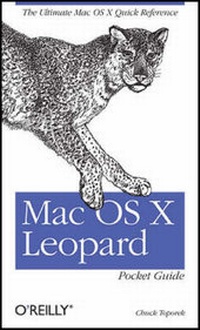
Mac OS X Leopard Pocket Guide
The Ultimate Mac OS X Quick Reference Guide
1st Edition
Published on 11. December 2007
Book
Paperback/Softback
223 pages
978-0-596-52981-9 (ISBN)
Description
No matter how much Mac experience you have, Mac OS X Leopard requires that you get reacquainted. This little guide is packed with more than 300 tips and techniques to help you do just that. You get all details you need to learn Leopard's new features, configure your system, and get the most out of your Mac. Pronto.
Mac OS X Leopard Pocket Guide offers an easy-to-read format for users of all levels. If you're a Mac newcomer, there's a Survival Guide that explains how to adapt, and a chapter on Mac OS X's key features. Experienced Mac users can go right to the heart of Leopard with chapters on system preferences, applications and utilities, and configuring. In all, plenty of tables, concise descriptions, and step-by-step instructions explain:
* What's new in Leopard, including the Time Machine
* How to use Leopard's totally revamped Finder
* All about Spaces and how to quickly flip between them
* How to search for and find things with Spotlight
* How to use Leopard's enhanced Parental Controls
* Handy keyboard shortcuts to help you be more efficient
* Quick tips for setting up and configuring your Mac to make it your own
If you're ready to tame Apple's new cat, this is the guide you want.
More details
Other editions
Additional editions
Chuck Toporek
Mac OS X Leopard Pocket Guide
E-Book
11/2007
1st Edition
O'Reilly
€12.49
Available for download
E-Book
11/2007
1st Edition
O'Reilly
€9.49
Available for download
Person
Chuck Toporek cut his teeth on a Mac II system when he got his first job in publishing in 1988, and has been using them ever since. He is the author/editor of Inside .Mac, the Mac OS X Panther Pocket Guide, and co-author of Mac OS X Panther in a Nutshell. Chuck resides in Portland, Oregon with his wife, cat, and far too many books.
Content
Inhaltsverzeichnis
Introduction
What's New in Leopard?
Cool New Features in Leopard
Chapter 2:. Mac OS X Survival Guide
Your User Account
Security
Force Quitting Applications
Relaunching the Finder
Keyboard Shortcuts
Mac OS X Basics
The Menu Bar
Window Controls
The Dock
Trash
The Finder
Creating New Folders
The Services Menu
Exposé
The Dashboard
Spotlight
Get Info and File Permissions
Chapter 4:. System Preferences
Searching for Preferences
System Preferences Overview
Chapter 5:. Applications and Utilities
Applications
Utilities
Chapter 6:. Configuring Your Mac
AirPort and Wireless Networking
Customizing the System
Files and Folders
Fonts and Font Management
.Mac
Mail.app
Maintenance and Troubleshooting
Networking
Obtaining Information About the System
Printer Configuration and Printing
Spotlight and Searching for Files
Safari and the Internet
Special Characters
Index