

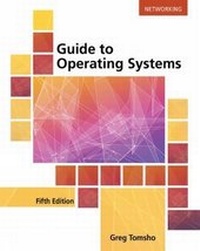
Guide to Operating Systems
5th Edition
Published on 30. August 2016
Book
Paperback/Softback
688 pages
978-1-305-10764-9 (ISBN)
Description
Discover the latest information for working on Windows, Mac OS, and UNIX/Linux platforms with GUIDE TO OPERATING SYSTEMS, 5E. You examine operating system theory, installation, upgrading, configuring operating system and hardware, file systems, virtualization, security, hardware options, storage, resource sharing, network connectivity, maintenance, and troubleshooting. Easily understood and highly practical, GUIDE TO OPERATING SYSTEMS, 5E is the resource you need to deepen your understanding of different operating systems.
This edition helps you understand the fundamental concepts of computer operating systems. The book specifically addresses Windows 10 and earlier Windows client OSs, Windows Server 2012 R2 and earlier Windows server OSs with a preview of Windows Server 2016, Fedora Linux, and Mac OS X El Capitan and earlier. In addition, general information prepares you to work with many other operating systems.
This edition helps you understand the fundamental concepts of computer operating systems. The book specifically addresses Windows 10 and earlier Windows client OSs, Windows Server 2012 R2 and earlier Windows server OSs with a preview of Windows Server 2016, Fedora Linux, and Mac OS X El Capitan and earlier. In addition, general information prepares you to work with many other operating systems.
More details
Edition
5th edition
Language
English
Place of publication
Boston, MA
United States
Publishing group
Cengage Learning, Inc
Target group
ELT/ESL
College/higher education
Dimensions
Height: 33 mm
Width: 182 mm
Thickness: 228 mm
Weight
1021 gr
ISBN-13
978-1-305-10764-9 (9781305107649)
Copyright in bibliographic data and cover images is held by Nielsen Book Services Limited or by the publishers or by their respective licensors: all rights reserved.
Schweitzer Classification
Other editions
New editions
Greg Tomsho
Guide to Operating Systems
Book
06/2020
6th Edition
Course Technology Inc
€236.50
Shipment within 15-20 days
Person
Greg Tomsho is recently retired from the position of Director of the Computer Networking/Cybersecurity department and Cisco Academy at Yavapai College in Prescott, Arizona. He has earned the CCNA, MCTS, MCSA, A+, Network+, Security+, Server+ and Linux+ certifications. A former software engineer, technical support manager and IT director, he has almost 40 years of computer and networking experience. He is the author of numerous other leading books, including "Microsoft Exam AZ-800: Guide to Administering Windows Server Hybrid Core Infrastructure"; "Microsoft Exam AZ-801: Guide to Configuring Windows Server Hybrid Advanced Services"; "Guide to Operating Systems"; "MCSA Guide to Installation, Storage, and Compute with Windows Server 2016"; "MCSA Guide to Networking with Windows Server 2016"; "MCSA Guide to Identity with Windows Server 2016"; "MCSA Guide to Installing and Configuring Microsoft Windows Server 2012/R2"; "MCSA Guide to Administering Microsoft Windows Server 2012/R2"; "MCSA Guide to Configuring Advanced Microsoft Windows Server 2012/R2 Services"; "MCTS Guide to Windows Server 2008 Active Directory Configuration"; "MCTS Guide to Microsoft Windows Server 2008 Applications Infrastructure Configuration"; "Guide to Network Support and Troubleshooting" and "A+ Course Prep Exam Guide."
Content
1. Operating System Fundamentals.
2. Popular Operating Systems.
3. The Central Processing Unit (CPU).
4. File Systems.
5. Installing and Upgrading Operating Systems.
6. Configuring Input and Output Devices.
7. Using and Configuring Storage Devices.
8. Virtualization and Cloud Computing Fundamentals.
9. Configuring a Network Connection.
10. File and Printer Sharing.
11. Operating System Management and Maintenance.
Appendix A: Operating System Command-Line Commands.
Glossary.
Index.
2. Popular Operating Systems.
3. The Central Processing Unit (CPU).
4. File Systems.
5. Installing and Upgrading Operating Systems.
6. Configuring Input and Output Devices.
7. Using and Configuring Storage Devices.
8. Virtualization and Cloud Computing Fundamentals.
9. Configuring a Network Connection.
10. File and Printer Sharing.
11. Operating System Management and Maintenance.
Appendix A: Operating System Command-Line Commands.
Glossary.
Index.