

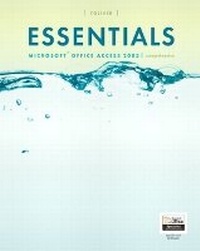
Essentials
Microsoft Access 2003, Comprehensive
4th Edition
Published on 28. July 2004
Book
Paperback/Softback
768 pages
978-0-13-143557-5 (ISBN)
Description
For Microsoft applications courses at the undergraduate, vocational and technical school levels, as well as Continuing Education.
Skils-oriented: each lesson is a skill followed by extensive end-of-chapter material. Information is broken down into bite-sized pieces so the student can learn and master the skill. Comprehensive information for students at various levels of experience, hands-on exercises and a flexible binding make this a must-have series for applications essentials. Backed with over 20 years of writing, teaching and professional experience with electronic spreadsheets, the authors have perfected the format and presentation of Microsoft applications material to suit every type of learning style.
Skils-oriented: each lesson is a skill followed by extensive end-of-chapter material. Information is broken down into bite-sized pieces so the student can learn and master the skill. Comprehensive information for students at various levels of experience, hands-on exercises and a flexible binding make this a must-have series for applications essentials. Backed with over 20 years of writing, teaching and professional experience with electronic spreadsheets, the authors have perfected the format and presentation of Microsoft applications material to suit every type of learning style.
More details
Edition
4th edition
Language
English
Place of publication
United States
Publishing group
Pearson Education (US)
Target group
Professional and scholarly
Dimensions
Height: 236 mm
Width: 271 mm
Thickness: 28 mm
Weight
1524 gr
ISBN-13
978-0-13-143557-5 (9780131435575)
Copyright in bibliographic data and cover images is held by Nielsen Book Services Limited or by the publishers or by their respective licensors: all rights reserved.
Schweitzer Classification
Other editions
Previous edition
Book
09/2002
Pearson
€22.27
Article exhausted; check for reprint
Content
(NOTE: Each Part concludes with an Integrating Projects, Task Guide, Glossary and Index section.) ACCESS, LEVEL 1.
1. Taking a Tour of Access.
2. Building A Database.
3. Maintaining a Database.
4. Modifying Tables and Creating Relationships.
5. Querying a Database.
6. Customizing Input Forms.
7. Creating Custom Reports.
8. Integrating Access with Other Applications and the Internet.
ACCESS, LEVEL 2.
1. Designing a Relational Database.
2. Creating Complex Queries.
3. Customizing Forms.
4. Customizing Reports.
5. Customizing the Database Interface and Setting Security.
6. Integrating Access with the Web.
7. Automating Access Databases Using Macros.
8. Integrating Access with Other Applications.
1. Taking a Tour of Access.
2. Building A Database.
3. Maintaining a Database.
4. Modifying Tables and Creating Relationships.
5. Querying a Database.
6. Customizing Input Forms.
7. Creating Custom Reports.
8. Integrating Access with Other Applications and the Internet.
ACCESS, LEVEL 2.
1. Designing a Relational Database.
2. Creating Complex Queries.
3. Customizing Forms.
4. Customizing Reports.
5. Customizing the Database Interface and Setting Security.
6. Integrating Access with the Web.
7. Automating Access Databases Using Macros.
8. Integrating Access with Other Applications.