

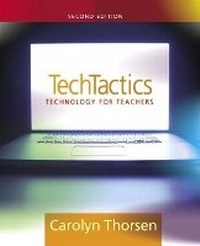
Tech Tactics
Instructional Models for Educational Computing
2nd Edition
Published on 9. June 2005
Book
Paperback/Softback
312 pages
978-0-205-45722-9 (ISBN)
Description
/*0205457223, Thorsen, TechTactics 2e*/This concise and practical text describes the major educational computer applications and provides methods for using computer tools effectively in the teaching/learning process. The author focuses on the word processor, database, spreadsheet, Internet, and hypermedia software<197>tools that all classrooms with computers have. The text is independent of hardware and equally applicable to Macs or PCs, and speaks to methods that apply across grade levels and disciplines. The text has been extensively class tested and written from the perspective of what will work for teachers. Many helpful models, lesson plans, skill<197>building tips and activities are included to allow students to pick up this book and put it to use in the classroom right away.
More details
Edition
2nd edition
Language
English
Place of publication
United States
Publishing group
Pearson Education (US)
Target group
Professional and scholarly
Dimensions
Height: 190 mm
Width: 235 mm
Thickness: 15 mm
Weight
526 gr
ISBN-13
978-0-205-45722-9 (9780205457229)
Copyright in bibliographic data and cover images is held by Nielsen Book Services Limited or by the publishers or by their respective licensors: all rights reserved.
Schweitzer Classification
Other editions
New editions

Book
02/2008
3rd Edition
Pearson
€91.97
Article is exhausted; no reprint
Previous edition
Book
04/2003
Pearson
€50.94
Article exhausted; check for reprint
Content
I. A STARTING POINT.
1. Computers in Classrooms.
2. An Introduction to Computers and the Teaching and Learning Process.
II. THE INTERNET: INFORMATION RETRIEVAL AND COMMUNICATION.
3. Information Retrieval.
4. E-mail and Discussion Boards.
III. DISPLAYING INFORMATION.
5. Presentation Software.
6. Graphic and Interface Design for Computers.
7. Outlines, Idea Maps, and Storyboards.
8. Evaluation of Student Presentations.
9. Educational Applications of Word Processing.
IV. ANALYZING DATA WITH DATABASES AND SPREADSHEETS.
10. Databases-What They Are for and How They Work.
11. Building a Database-Supported Lesson.
12. Acquiring Data.
13. Using Spreadsheets to Think About Numbers.
Appendix A: Your Network.
Appendix B: File Management.
Appendix C: Synchronous Internet Communication: Chat and Internet Conferencing and Chat.
Appendix D: Concept Maps.
Appendix E: Sample Database for an English Class.
1. Computers in Classrooms.
2. An Introduction to Computers and the Teaching and Learning Process.
II. THE INTERNET: INFORMATION RETRIEVAL AND COMMUNICATION.
3. Information Retrieval.
4. E-mail and Discussion Boards.
III. DISPLAYING INFORMATION.
5. Presentation Software.
6. Graphic and Interface Design for Computers.
7. Outlines, Idea Maps, and Storyboards.
8. Evaluation of Student Presentations.
9. Educational Applications of Word Processing.
IV. ANALYZING DATA WITH DATABASES AND SPREADSHEETS.
10. Databases-What They Are for and How They Work.
11. Building a Database-Supported Lesson.
12. Acquiring Data.
13. Using Spreadsheets to Think About Numbers.
Appendix A: Your Network.
Appendix B: File Management.
Appendix C: Synchronous Internet Communication: Chat and Internet Conferencing and Chat.
Appendix D: Concept Maps.
Appendix E: Sample Database for an English Class.