

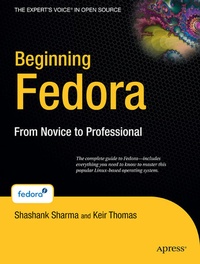
Beginning Fedora
From Novice to Professional
Published on 6. August 2007
Book
Mixed media product
XXVII, 519 pages
978-1-59059-855-9 (ISBN)
Description
Beginning Fedora: From Novice to Professional guides you through the tasks most new Linux users desire to perform, while explaining potentially confusing concepts along the way. It will steer you through system customization opportunities and common tasks like listening to audio CDs and MP3s, watching movies, and performing office- and Internet-related jobs. A large part of the book is dedicated to advanced command-line techniques necessary to maintain your system and become a true Linux master!
Highlights of this title include the following:
- Provides an illustrated, step-by-step guide to Fedora installation and hardware configuration
- Includes a DVD consisting of the latest Fedora operating system. Just place the disk into your drive and begin!
- Eases the transition from the Windows to the Linux desktop by focusing on key everyday tasks such as file management, peripheral configuration, MP3/video playback, and office tasks
More details
Edition
1st ed.
Language
English
Place of publication
Berkeley
United States
Target group
Popular/general
Illustrations
XXVII, 519 p. With DVD.
Dimensions
Height: 254 mm
Width: 178 mm
Thickness: 30 mm
Weight
1032 gr
ISBN-13
978-1-59059-855-9 (9781590598559)
DOI
10.1007/978-1-4302-0297-4
Schweitzer Classification
Other editions
Additional editions
E-Book
02/2008
APress
€35.30
Available for download
Persons
Keir Thomas is an award-winning author who has written several best-selling beginning-level Linux titles for Apress. A former computer magazine editor, he has been writing about computers, operating systems, and software for a decade. He has also edited many computing titles and works as a full-time author. He lives on the side of a mountain in England, and his hobbies include hiking and playing musical instruments.
Content
Introducing the World of Linux.- Welcome!.- A History and Politics Lesson.- The Realities of Running Linux.- Installing Fedora.- Preinstallation Steps.- Installing Fedora.- Solving Installation Problems.- The No-Nonsense Getting Started Guide.- Booting Fedora for the First Time.- Getting Everything Up and Running.- How to Secure Your Computer.- Personalizing Fedora: Getting Everything Just Right.- Fedora Replacements for Windows Programs.- Managing Your Files.- The Shell and Beyound.- Introducing the BASH Shell.- Understanding Linux Files and Users.- Working with Text Files.- Taking Control of the System.- Cool Shell Tricks.- Multimedia.- Digital Music.- Movies and Multimedia.- Image Editing.- Office Tasks.- Making the Move to OpenOffice.org.- OpenOffice.org Overview.- In Depth: Writer.- In Depth: Calc.- In Depth: Impress.- In Depth: Base.- In Depth: Evolution.- Keeping Your System Running.- Installing and Removing Software.- Managing Users.- Optimizing Your System.- Backing Up Data.-Scheduling Tasks.- Accessing Computers Remotely.