

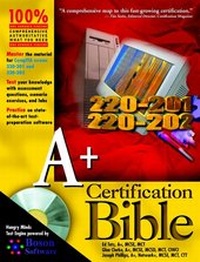
A+ Certification Bible
1st Edition
Published on 15. August 2001
Book
Paperback/Softback
1178 pages
978-0-7645-4810-9 (ISBN)
Description
Built around the exam objectives for easy reference during specific objective focus, A+ Certification Bible contains extensive self-evaluation opportunities to help you determine what areas need additional study. Comprehensive coverage allows you to maximize the information, and tailor your study to your own needs at any level of experience.
Covers: Exam 220-201 and 220-202
Covers: Exam 220-201 and 220-202
More details
Persons
About the Authors Ed Tetz, A+, MCSE, MCT, has written several guides to MCSE certification. He is an instructor/IT Co-Coordinator at the Halifax, Nova Scotia branch of PBSC, an IBM subsidiary that is one of Canada's premier computer training companies. Glen E. Clarke, A+, MCSE, MCSD, MCT, CIWCI, is a technical instructor at the Halifax, Nova Scotia branch of PBSC with over 4 years of certification teaching experience. Joseph Phillips, A+, Network+, MCSE, MCT, CTT, has written several books on the MCSE certification path. He is an independent trainer and consultant based in Indianapolis, Indiana.
Content
Preface.
Acknowledgments.
PART I: Hardware Basics.
Chapter 1: Basic Terms, Concepts, and Functions of System Modules.
Chapter 2: Popular CPU Chips and their Characteristics.
Chapter 3: Motherboards: Components and Architecture.
Chapter 4: RAM Terminology.
Chapter 5: CMOS Basic Parameters.
Chapter 6: Ports, Cables, and Connectors.
Chapter 7: Printer Operations and Components.
Chapter 8: System Resources Used By Devices.
PART II: Installing and Configuring Hardware.
Chapter 9: Internal Devices.
Chapter 10: Installing and Configuring Peripheral Devices.
Chapter 11: Portable Devices.
PART III: Maintenance and Troubleshooting.
Chapter 12: Preventive Maintenance and Safety Procedures.
Chapter 13: Managing Replaceable Components.
Chapter 14: Maintaining Printers.
Chapter 15: Troubleshooting Procedures and Guidelines.
PART IV: Operating System Basics.
Chapter 16: Operating System Functions.
Chapter 17: Command Prompt Procedures.
Chapter 18: Major System Files and their Purpose.
Chapter 19: Managing Files and Directories.
Chapter 20: Managing Disks.
PART V: Installing and Configuring Operating Systems.
Chapter 21: Installing and Upgrading Windows.
Chapter 22: Boot Sequences and Methods.
Chapter 23: Loading and Configuring Device Drivers.
Chapter 24: Working with Applications.
PART VI: Troubleshooting Operating Systems.
Chapter 25: Managing Error Codes and Startup Messages.
Chapter 26: Managing Common Problems.
Chapter 27: Using Windows-Based Utilities.
PART VII: Networking.
Chapter 28: Basic Networking Concepts.
Chapter 29: Understanding Networking at the Operating System Level.
Chapter 30: Configuring Internet Access.
Appendix A: What's on the CD-ROM.
Appendix B: Objective Mapping Table.
Appendix C: Sample Exams.
Appendix D: Exam-Taking Tips.
Glossary.
Index.
Hungry Minds, Inc. End-User License Agreement.
CD-ROM Installation Instructions.
Acknowledgments.
PART I: Hardware Basics.
Chapter 1: Basic Terms, Concepts, and Functions of System Modules.
Chapter 2: Popular CPU Chips and their Characteristics.
Chapter 3: Motherboards: Components and Architecture.
Chapter 4: RAM Terminology.
Chapter 5: CMOS Basic Parameters.
Chapter 6: Ports, Cables, and Connectors.
Chapter 7: Printer Operations and Components.
Chapter 8: System Resources Used By Devices.
PART II: Installing and Configuring Hardware.
Chapter 9: Internal Devices.
Chapter 10: Installing and Configuring Peripheral Devices.
Chapter 11: Portable Devices.
PART III: Maintenance and Troubleshooting.
Chapter 12: Preventive Maintenance and Safety Procedures.
Chapter 13: Managing Replaceable Components.
Chapter 14: Maintaining Printers.
Chapter 15: Troubleshooting Procedures and Guidelines.
PART IV: Operating System Basics.
Chapter 16: Operating System Functions.
Chapter 17: Command Prompt Procedures.
Chapter 18: Major System Files and their Purpose.
Chapter 19: Managing Files and Directories.
Chapter 20: Managing Disks.
PART V: Installing and Configuring Operating Systems.
Chapter 21: Installing and Upgrading Windows.
Chapter 22: Boot Sequences and Methods.
Chapter 23: Loading and Configuring Device Drivers.
Chapter 24: Working with Applications.
PART VI: Troubleshooting Operating Systems.
Chapter 25: Managing Error Codes and Startup Messages.
Chapter 26: Managing Common Problems.
Chapter 27: Using Windows-Based Utilities.
PART VII: Networking.
Chapter 28: Basic Networking Concepts.
Chapter 29: Understanding Networking at the Operating System Level.
Chapter 30: Configuring Internet Access.
Appendix A: What's on the CD-ROM.
Appendix B: Objective Mapping Table.
Appendix C: Sample Exams.
Appendix D: Exam-Taking Tips.
Glossary.
Index.
Hungry Minds, Inc. End-User License Agreement.
CD-ROM Installation Instructions.