

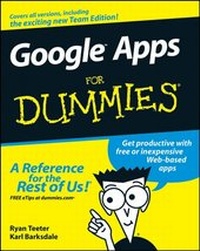
Google Apps For Dummies
1st Edition
Published on 24. April 2008
Book
Paperback/Softback
388 pages
978-0-470-18958-0 (ISBN)
Description
Get down to business with these online office tools
Create documents and spreadsheets, keep your calendar, use Gmail, and more
There's more than one way to do office stuff. Google Apps are Web-based, low-cost (or free!) office productivity tools that do everything those big guys do, and you can access them from any computer with an Internet connection. This book boosts your "app-titude" with the lowdown on choosing, setting up, and using them for work and play.
Discover how to:
*
Choose among the different editions
*
Register a new domain
*
Use Gmail and Google Talk
*
Create and collaborate on documents
*
Import events into your calendar
*
Build cool presentations
More details
Product info
PB
Edition
1., Auflage
Language
English
Place of publication
United States
Publishing group
John Wiley & Sons Inc
Target group
Professional and scholarly
Product notice
Paperback (trade)
Unsewn / adhesive bound
Dimensions
Height: 231 mm
Width: 190 mm
Thickness: 20 mm
Weight
579 gr
ISBN-13
978-0-470-18958-0 (9780470189580)
Schweitzer Classification
Other editions
Additional editions
Ryan Teeter | Karl Barksdale
Google Apps For Dummies
E-Book
02/2011
Wiley
€19.99
Available for download
Ryan Teeter | Karl Barksdale
Google Apps For Dummies
E-Book
04/2008
Wiley
€19.99
Available for download
Persons
Ryan Teeter is an accomplished writer and technology trainer. He has worked closely with business teachers throughout the country and consulted with the National Business Education Association, businesses, and school districts on Google Apps implementation. Ryan spent time working at Google in Mountain View, California, as an External Training Specialist, developing curriculum used for training Fortune 500 companies. When he's not conducting training workshops or writing, Ryan's pursuing his passion for teaching as a doctoral student at Rutgers University, where he's completing a PhD in accounting information systems. (www.ryanteeter.com,www.technonerd.info)
Karl Barksdale was a former Development Manager for the Training and Certification team at WordPerfect Corporation and a Marketing Manager in the Consumer Products division. He was also the External Training Manager for Google's Online Sales and Operations division. He's best known for authoring and co-authoring 59 business and computer education textbooks. Albeit, the job he enjoys most is teaching at the Utah County Academy of Sciences, an early college high school on the Utah Valley University campus. (www.karlbarksdale.com)
Content
Introduction.
Part I: Up and Going with Google Apps.
Chapter 1: Introducing Google Apps.
Chapter 2: Signing Up for Google Apps.
Chapter 3: The Start Page.
Part II: Keeping in Touch and on Time: Gmail, Talk, and Calendar.
Chapter 4: Connecting with Gmail.
Chapter 5: Discovering Advanced Gmail Tools.
Chapter 6: Keeping in Touch with the Contacts List.
Chapter 7: Chatting with Gmail Chat and Google Talk.
Chapter 8: Filling Your Calendar.
Chapter 9: Sharing Your Calendar with Others.
Part III: Getting to Work: Documents, spreadsheets, and Presentations.
Chapter 10: Finding Your Way around the Google Docs Home.
Chapter 11: Word Processing with Google Docs.
Chapter 12: Crunching Numbers with Google Spreadsheets.
Chapter 13: Creating Amazing Google Presentations.
Part IV: Popping the Hood: Google Apps Administration.
Chapter 14; The Dashboard.
Chapter 15: Start Page Configuration and Administration.
Chapter 16: Creating a Web Site for Your Organization.
Chapter 17: Tweaking Your Apps.
Part V: The Part of Tens.
Chapter 18: Ten Solutions to Common Problems.
Chapter 19: Ten More Google Apps for Your Business, Group, or Organization.
Index.