

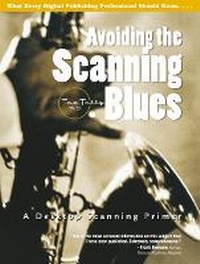
Avoiding the Scanning Blues
A Desktop Scanning Primer
Published on 1. November 2000
Book
Paperback/Softback
320 pages
978-0-13-087322-4 (ISBN)
Description
The complete, practical professional's guide to making the most of your scanner -- Mac or PC! In Avoiding the Scanning Blues, legendary graphic arts trainer Taz Tally offers thorough explanations and step-by-step instructions that can help you make the most of your scanner -- no matter what platform, software, or output medium you're using. From scanning fundamentals to sophisticated color, calibration, and Tally's "Top 100 Line Art and B&W Photo Scanning Tips," this is the expert scanning guide every graphics professional needs. Avoiding the Scanning Blues is supported by a companion Web site containing images from the book, resources, bonus Tips & Tricks, links to leading hardware and software manufacturers, updates, and more.
Reviews / Votes
"This is the most accurate information on this subject that I have seen published. Extremely comprehensive." - Frank Romano, founder, Electronic Publishing Magazine "...A voice that communicates technical information without jargonizing readers. Taz is an insatiable learner and trainer." - Howie Fenton, Senior Technical Consultant, Graphic Arts Technical FoundationMore details
Language
English
Place of publication
Upper Saddle River
United States
Publishing group
Pearson Education (US)
Target group
College/higher education
Dimensions
Height: 235 mm
Width: 177 mm
Thickness: 20 mm
Weight
635 gr
ISBN-13
978-0-13-087322-4 (9780130873224)
Copyright in bibliographic data and cover images is held by Nielsen Book Services Limited or by the publishers or by their respective licensors: all rights reserved.
Schweitzer Classification
Person
TAZ TALLY, Ph.D. is founder of Taz Tally Seminars, a leading electronic publishing, consulting, and training company, and the author of Avoiding the Output Blues, a complete guide to electronic publishing and PostScript fundamentals. He is a frequent guest at trade shows and seminars throughout the U.S., renowned for his entertaining, content-rich seminars and ability to present complex materials simply and clearly.
Content
I. INTRODUCTION TO SCANNING.
Challenges. Learning the Fundamentals. Output Knowledge. Scanning Tools.
Scanning Challenges.
Visualization. Goals of Scanning. Scanning Variables.
Scanned Image Fundamentals.
Computerese Defined. Image Building Blocks. Resolving Resolution. Creating, RIPing, and Printing Images. Digital Terminology.
Printing Scanned Images.
The Postscript RIP. Image Reproduction: Screening Technology. Output Resolution Comparison.
Scanning Tools.
Scanning System Requirements. System / Station Recommendations. Software Overview. Part I Review.
II. SCANNING STEP BY STEP.
Step-By-Step Introduction.
Scanning for Use. Visualize the Process.
Line Art Step by Step.
Line Art Scanning.
Step-By-Step Grayscale Photos.
Grayscale Photo (Contone) Scanning. Grayscale Contone Scanning.
Color Contones Step by Step.
Color Photo (Contone) Scanning. Color Contone Scanning (Reflective).
Transparencies Step by Step.
Transparency Scanning. Transparency Scanning (Positives). Transparency Scanning (Negatives). Transparency Problems.
Screened Images Step by Step.
Previously Printed/Screened Images.
Color Management.
Automated Color Matching and Correction.
Miscellaneous Scanning Issues.
Contone Scanning Resolutions. Dot Gain. Multiple Scans. Scans for Web Images. Technical Support. Training Support. Scanning Environment. Scanner Maintenance and Safety. Part II Review.
III. AFTER THE SCAN.
Part III. After the Scan.
After the scan.
Line Art Editing.
Pixel-to-Vector Conversion. High-Detail Line Art Editing.
Geometric Manipulations.
Geometric Manipulations.
Correcting Scanned Images.
Introduction. Adjusting Image Brightness. Adjusting Image Contrast. Adjusting Image Sharpness. Fixing Color Casts.
Preparing for Output.
Introduction. Dot Gain Correction. RGB to CMYK Conversion. Converting Images for Web Use. Part III Review.
IV. APPENDICES.
Appendix A. Scanning Glossary.
Appendix B. Taz's Top Ten Scanning Tips.
Appendix C. Resolution and Grayscale.
Line Screen, Resolution, and Grayscale. Halftone Dots, Image Spots and Shades of Gray.
Appendix D. File Format Guide.
File Formats.
Appendix E. Resources.
Books. Periodicals. Web Resources. Special Calibration Target Offer. Educational Resource Order Form. Taz Tally Seminars. Taz Tally Training & Consulting. Other Prentice Hall Books by Taz. Companion Website Resource List.
Index List.
Author Bio.
Color Plates.
Practice Images.
Images to Scan.
Challenges. Learning the Fundamentals. Output Knowledge. Scanning Tools.
Scanning Challenges.
Visualization. Goals of Scanning. Scanning Variables.
Scanned Image Fundamentals.
Computerese Defined. Image Building Blocks. Resolving Resolution. Creating, RIPing, and Printing Images. Digital Terminology.
Printing Scanned Images.
The Postscript RIP. Image Reproduction: Screening Technology. Output Resolution Comparison.
Scanning Tools.
Scanning System Requirements. System / Station Recommendations. Software Overview. Part I Review.
II. SCANNING STEP BY STEP.
Step-By-Step Introduction.
Scanning for Use. Visualize the Process.
Line Art Step by Step.
Line Art Scanning.
Step-By-Step Grayscale Photos.
Grayscale Photo (Contone) Scanning. Grayscale Contone Scanning.
Color Contones Step by Step.
Color Photo (Contone) Scanning. Color Contone Scanning (Reflective).
Transparencies Step by Step.
Transparency Scanning. Transparency Scanning (Positives). Transparency Scanning (Negatives). Transparency Problems.
Screened Images Step by Step.
Previously Printed/Screened Images.
Color Management.
Automated Color Matching and Correction.
Miscellaneous Scanning Issues.
Contone Scanning Resolutions. Dot Gain. Multiple Scans. Scans for Web Images. Technical Support. Training Support. Scanning Environment. Scanner Maintenance and Safety. Part II Review.
III. AFTER THE SCAN.
Part III. After the Scan.
After the scan.
Line Art Editing.
Pixel-to-Vector Conversion. High-Detail Line Art Editing.
Geometric Manipulations.
Geometric Manipulations.
Correcting Scanned Images.
Introduction. Adjusting Image Brightness. Adjusting Image Contrast. Adjusting Image Sharpness. Fixing Color Casts.
Preparing for Output.
Introduction. Dot Gain Correction. RGB to CMYK Conversion. Converting Images for Web Use. Part III Review.
IV. APPENDICES.
Appendix A. Scanning Glossary.
Appendix B. Taz's Top Ten Scanning Tips.
Appendix C. Resolution and Grayscale.
Line Screen, Resolution, and Grayscale. Halftone Dots, Image Spots and Shades of Gray.
Appendix D. File Format Guide.
File Formats.
Appendix E. Resources.
Books. Periodicals. Web Resources. Special Calibration Target Offer. Educational Resource Order Form. Taz Tally Seminars. Taz Tally Training & Consulting. Other Prentice Hall Books by Taz. Companion Website Resource List.
Index List.
Author Bio.
Color Plates.
Practice Images.
Images to Scan.