

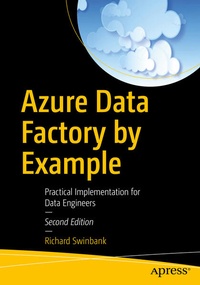
Azure Data Factory by Example
Practical Implementation for Data Engineers
2nd Edition
Published on 23. March 2024
Book
Paperback/Softback
XXIII, 421 pages
979-8-8688-0217-1 (ISBN)
Description
Data engineers who need to hit the ground running will use this book to build skills in Azure Data Factory v2 (ADF). The tutorial-first approach to ADF taken in this book gets you working from the first chapter, explaining key ideas naturally as you encounter them. From creating your first data factory to building complex, metadata-driven nested pipelines, the book guides you through essential concepts in Microsoft's cloud-based ETL/ELT platform. It introduces components indispensable for the movement and transformation of data in the cloud. Then it demonstrates the tools necessary to orchestrate, monitor, and manage those components.
This edition, updated for 2024, includes the latest developments to the Azure Data Factory service:
What You Will Learn
Who This Book Is For
Data engineers and ETL developers taking their first steps in Azure Data Factory, SQL Server Integration Services users making the transition toward doing ETL in Microsoft's Azure cloud, and SQL Server database administrators involved in data warehousing and ETL operations
This edition, updated for 2024, includes the latest developments to the Azure Data Factory service:
- Enhancements to existing pipeline activities such as Execute Pipeline, along with the introduction of new activities such as Script, and activities designed specifically to interact with Azure Synapse Analytics.
- Improvements to flow control provided by activity deactivation and the Fail activity.
- The introduction of reusable data flow components such as user-defined functions and flowlets.
- Extensions to integration runtime capabilities including Managed VNet support.
- The ability to trigger pipelines in response to custom events.
- Tools for implementing boilerplate processes such as change data capture and metadata-driven data copying.
What You Will Learn
- Create pipelines, activities, datasets, and linked services
- Build reusable components using variables, parameters, and expressions
- Move data into and around Azure services automatically
- Transform data natively using ADF data flows and Power Query data wrangling
- Master flow-of-control and triggers for tightly orchestrated pipeline execution
- Publish and monitor pipelines easily and with confidence
Who This Book Is For
Data engineers and ETL developers taking their first steps in Azure Data Factory, SQL Server Integration Services users making the transition toward doing ETL in Microsoft's Azure cloud, and SQL Server database administrators involved in data warehousing and ETL operations
More details
Edition
Second Edition
Language
English
Place of publication
Berkeley
United States
Publishing group
Springer-Verlag Berlin and Heidelberg GmbH & Co. KG
Target group
Professional and scholarly
Edition type
Revised edition
Illustrations
206 s/w Abbildungen
XXIII, 421 p. 206 illus.
Dimensions
Height: 254 mm
Width: 178 mm
Thickness: 25 mm
Weight
837 gr
ISBN-13
979-8-8688-0217-1 (9798868802171)
DOI
10.1007/979-8-8688-0218-8
Schweitzer Classification
Other editions
Additional editions
E-Book
03/2024
2nd Edition
APress
€62.99
Available for download
Previous edition
Book
06/2021
1st Edition
APress
€64.19
Article exhausted; check for reprint
Person
Richard Swinbank
is a data engineer and Microsoft Data Platform MVP. He specializes in building and automating analytics platforms using Microsoft technologies from the SQL Server stack to the Azure cloud. He is a fervent advocate of DataOps, with a technical focus on bringing automation to both analytics development and operations. An active member of the data community and keen knowledge-sharer, Richard is a volunteer, organizer, speaker, blogger, open source contributor, and author. He holds a PhD in computer science from the University of Birmingham (UK).
Content
1. Creating an Azure Data Factory Instance.- 2. Your First Pipeline.- 3. The Copy Data Activity.- 4. Expressions.- 5. Parameters.- 6. Controlling Flow.- 7. Data Flows.- 8. Integration Runtimes.- 9. Power Query in ADF.- 10. Publishing to ADF.- 11. Triggers.- 12. Change Monitoring.- 13. Tools and Other Services.