

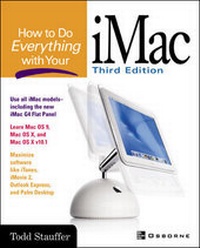
How to Do Everything with Your iMac
3rd Edition
Published on 16. October 2001
Book
Paperback/Softback
612 pages
978-0-07-213172-7 (ISBN)
Description
Here is a fully updated version of the best-seller that launched our extremely successful How to Do Everything series. This friendly, solutions-oriented book is filled with step-by-step examples for using your iMac and offers coverage of Mac OS X as well as the latest versions of iTools, iMovie, QuickTime, AppleWorks, Palm Desktop, Quicken, and much more.
More details
Edition
3rd edition
Language
English
Place of publication
United States
Publishing group
McGraw-Hill Education - Europe
Target group
College/higher education
Professional and scholarly
Illustrations
1, black & white illustrations
Dimensions
Height: 231 mm
Width: 183 mm
Thickness: 34 mm
Weight
1202 gr
ISBN-13
978-0-07-213172-7 (9780072131727)
Copyright in bibliographic data and cover images is held by Nielsen Book Services Limited or by the publishers or by their respective licensors: all rights reserved.
Schweitzer Classification
Other editions
New editions
Todd Stauffer
How to Do Everything with Your iMac
Book
05/2004
4th Edition
McGraw-Hill Professional
€18.56
Article exhausted; check different version
Previous edition
Todd Stauffer
How to Do Everything with Your iMac
Book
01/2000
2nd Edition
McGraw-Hill Professional
€19.80
Article exhausted; check for reprint
Person
Todd Stauffer is the author or co-author of over 20 books on computing, including How to Do Everything with Your IMac (1st and 2nd editions), Macworld Mac Upgrade and Repair Bible, and The Complete Idiot's Guide to Mac OS 8.5. He's a contributing editor for MacCentral.com and has written for a number of publications, including MacTech, MacAddict, and CMP Online. He's the publisher of Mac-Upgrade.com as well as the writer and co-host of the Emmy-winning television program 'Disk Doctors'.
Content
I: Get Started 1: Welcome to iMac 2: Get Acquainted with iMac 3: Manage Your Files with Finder 4: Pull Down the Apple Menu 5: Work With Applications and the Application Menu 6: Search for Things 7: Get Help II: Get Things Done 8: Work with AppleWorks and Create Printed Documents 9: Working With Numbers and Building Charts 10: File Information and Ideas with Databases 11: Paint, Draw and Create Presentations 12: Using AppleWorks for Layout 13: Manage Your Finances with Quicken 14: Movies, Sounds and Images 15: Edit Your Own Movies 16: Play Games 17: Tracking Your Schedule and Contacts III: Get Online 18: Get Your Email 19: Surf with Internet Explorer and Netscape 20: Use iTools 21: Master Files Online 22: Get on America Online 23: Customize the Internet and Go Faster IV: Customize and Maintain Your iMac 24: Change iMac's Appearance and Attitude 25: Set Up Your iMac for Multiple Users 26: Print Your Documents, Manage Fonts and Send Faxes 27: Upgrade Your iMac 28: Network Your iMac 29: Work with DOS and Windows Files and Programs 30: Troubleshoot, Upgrade and Maintain Your iMac