

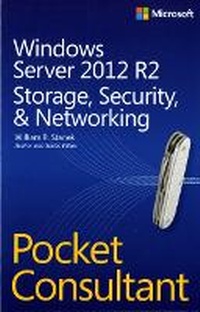
Windows Server 2012 R2 Pocket Consultant Volume 2
Storage, Security, & Networking
Published on 15. January 2014
Book
Paperback/Softback
416 pages
978-0-7356-8259-7 (ISBN)
Description
Portable and precise, this pocket-sized guide delivers ready answers for administering storage, security, and networking features in Windows Server 2012 R2. Zero in on core tasks through quick-reference tables, instructions, and lists. You'll get the focused information you need to save time and get the job done - whether at your desk or in the field.
Coverage includes:
Managing file systems and drives
Configuring storage
Data sharing
Managing TCP/IP networking
Running DHCP clients and servers
Optimizing DNS
Administering network printers and print services
Security, compliance, and auditing
Backup and recovery
Coverage includes:
Managing file systems and drives
Configuring storage
Data sharing
Managing TCP/IP networking
Running DHCP clients and servers
Optimizing DNS
Administering network printers and print services
Security, compliance, and auditing
Backup and recovery
More details
Other editions
Previous edition
William Stanek
Windows Server 2012 Pocket Consultant
Book
09/2012
Microsoft Press
€52.18
Article exhausted; check for reprint
Person
William R. Stanek is a Microsoft MVP with 20+ years of experience in systems management and advanced programming. He is an award-winning author who's written more than 100 books, including Windows Server 2012 Pocket Consultant and Microsoft SQL Server 2012 Pocket Consultant.
Content
Acknowledgments
Introduction
Chapter 1: Managing file systems and drives
Chapter 2: Configuring storage
Chapter 3: Data sharing and redundancy
Chapter 4: Data security and auditing
Chapter 5: Enhancing computer security
Chapter 6: Managing users and computers with Group Policy
Chapter 7: Managing TCP/IP networking
Chapter 8: Running DHCP clients and servers
Chapter 9: Optimizing DNS
Chapter 10: Administering network printers and print services
Chapter 11: Data backup and recovery
About the author
Introduction
Chapter 1: Managing file systems and drives
Chapter 2: Configuring storage
Chapter 3: Data sharing and redundancy
Chapter 4: Data security and auditing
Chapter 5: Enhancing computer security
Chapter 6: Managing users and computers with Group Policy
Chapter 7: Managing TCP/IP networking
Chapter 8: Running DHCP clients and servers
Chapter 9: Optimizing DNS
Chapter 10: Administering network printers and print services
Chapter 11: Data backup and recovery
About the author