


Windows Server 2012 Inside Out
Published on 15. January 2013
Book
Paperback/Softback
1584 pages
978-0-7356-6631-3 (ISBN)
Description
Dive in-and discover how to really put Windows Server 2012 to work! This supremely organized reference packs the details you need to plan and manage a Windows Server 2012 implementation-including hundreds of timesaving solutions, troubleshooting tips, and workarounds. Learn how the experts tackle Windows Server 2012-and challenge yourself to new levels of mastery. Topics include:
Managing Windows Server 2012 systems
Storage and file systems
TCP/IP networking
DHCP and DNS
Active Directory
Group Policy
Security and access
Troubleshooting hardware
Performance monitoring and tuning
Backup and recovery
Managing Windows Server 2012 systems
Storage and file systems
TCP/IP networking
DHCP and DNS
Active Directory
Group Policy
Security and access
Troubleshooting hardware
Performance monitoring and tuning
Backup and recovery
More details
Language
English
Place of publication
Redmond
United States
Target group
Professional and scholarly
Dimensions
Height: 229 mm
Width: 187 mm
Thickness: 51 mm
Weight
1970 gr
ISBN-13
978-0-7356-6631-3 (9780735666313)
Copyright in bibliographic data and cover images is held by Nielsen Book Services Limited or by the publishers or by their respective licensors: all rights reserved.
Schweitzer Classification
Other editions
New editions
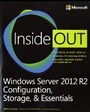
Book
02/2014
Microsoft Press
€75.07
Article exhausted; check for reprint
Previous edition
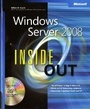
William Stanek
Windows Server 2008 Inside Out
Book
02/2008
Microsoft Press
€65.79
Article exhausted; check for reprint
Person
William R. Stanek is a Microsoft MVP with 20+ years of experience in systems management and advanced programming. He is an award-winning author who's written more than 100 books, including Windows Server 2012 Pocket Consultant and Microsoft SQL Server 2012 Pocket Consultant.
Content
Introduction
Part 1: Windows Server 2012 Overview
Chapter 1: Introducing Windows Server 2012
Chapter 2: Deploying Windows Server 2012
Chapter 3: Boot Configuration
Part 2: Managing Windows Server 2012 Systems
Chapter 4: Managing Windows Server 2012
Chapter 5: Windows Server 2012 MMC Administration
Chapter 6: Configuring Roles, Role Services, and Features
Chapter 7: Managing and Troubleshooting Hardware
Chapter 8: Managing the Registry
Chapter 9: Software and User Account Control Administration
Chapter 10: Performance Monitoring and Tuning
Chapter 11: Comprehensive Performance Analysis and Logging
Part 3: Managing Windows Server 2012 Storage and File Systems
Chapter 12: Storage Management
Chapter 13: TPM and BitLocker Drive Encryption
Chapter 14: Managing File Systems and Storage
Chapter 15: File Sharing and Security
Chapter 16: Managing File Screening and Storage Reporting
Chapter 17: Backup and Recovery
Part 4: Managing Windows Server 2012 Networking and Domain Services
Chapter 18: Networking with TCP/IP
Chapter 19: Managing TCP/IP Networking
Chapter 20: Managing DHCP
Chapter 21: Architecting DNS Infrastructure
Chapter 22: Implementing and Managing DNS
Chapter 23: Implementing and Maintaining WINS
Part 5: Managing Active Directory and Security
Chapter 24: Active Directory Architecture
Chapter 25: Designing and Managing the Domain Environment
Chapter 26: Organizing Active Directory
Chapter 27: Configuring Active Directory Sites and Replication
Chapter 28: Implementing Active Directory Domain Services
Chapter 29: Deploying Read-only Domain Controllers
Chapter 30: Managing Users, Groups, and Computers
Chapter 31: Managing Group Policy
Chapter 32: Active Directory Site Administration
Index to Troubleshooting Topics
Part 1: Windows Server 2012 Overview
Chapter 1: Introducing Windows Server 2012
Chapter 2: Deploying Windows Server 2012
Chapter 3: Boot Configuration
Part 2: Managing Windows Server 2012 Systems
Chapter 4: Managing Windows Server 2012
Chapter 5: Windows Server 2012 MMC Administration
Chapter 6: Configuring Roles, Role Services, and Features
Chapter 7: Managing and Troubleshooting Hardware
Chapter 8: Managing the Registry
Chapter 9: Software and User Account Control Administration
Chapter 10: Performance Monitoring and Tuning
Chapter 11: Comprehensive Performance Analysis and Logging
Part 3: Managing Windows Server 2012 Storage and File Systems
Chapter 12: Storage Management
Chapter 13: TPM and BitLocker Drive Encryption
Chapter 14: Managing File Systems and Storage
Chapter 15: File Sharing and Security
Chapter 16: Managing File Screening and Storage Reporting
Chapter 17: Backup and Recovery
Part 4: Managing Windows Server 2012 Networking and Domain Services
Chapter 18: Networking with TCP/IP
Chapter 19: Managing TCP/IP Networking
Chapter 20: Managing DHCP
Chapter 21: Architecting DNS Infrastructure
Chapter 22: Implementing and Managing DNS
Chapter 23: Implementing and Maintaining WINS
Part 5: Managing Active Directory and Security
Chapter 24: Active Directory Architecture
Chapter 25: Designing and Managing the Domain Environment
Chapter 26: Organizing Active Directory
Chapter 27: Configuring Active Directory Sites and Replication
Chapter 28: Implementing Active Directory Domain Services
Chapter 29: Deploying Read-only Domain Controllers
Chapter 30: Managing Users, Groups, and Computers
Chapter 31: Managing Group Policy
Chapter 32: Active Directory Site Administration
Index to Troubleshooting Topics