

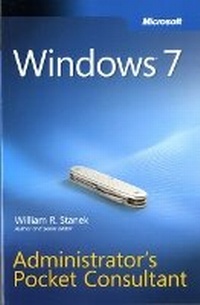
Windows 7 Administrator's Pocket Consultant
Published on 26. August 2009
Book
Paperback/Softback
704 pages
978-0-7356-2699-7 (ISBN)
Description
Portable and precise, this pocket-sized guide delivers immediate answers for the day-to-day administration of Windows 7-from desktop configuration and management to networking and security issues. Zero in on core support and maintenance tasks by using quick-reference tables, instructions, and lists. You'll get the precise information you need to solve problems and get the job done-whether at your desk or in the field!
More details
Other editions
New editions
William Stanek
Windows 8 Administration Pocket Consultant
Book
09/2012
Microsoft Press
€47.27
Article is exhausted; no reprint
Person
William R. Stanek is a Microsoft MVP with 20+ years of experience in systems management and advanced programming. He is an award-winning author who's written more than 100 books, including Windows Server 2012 Pocket Consultant and Microsoft SQL Server 2012 Pocket Consultant.
Content
Introduction
Chapter 1: Introduction to Windows 7 Administration
Chapter 2: Deploying Windows 7
Chapter 3: Configuring User and Computer Policies
Chapter 4: Automating Windows 7 Configuration
Chapter 5: Managing User Access and Security
Chapter 6: Configuring Windows 7 Computers
Chapter 7: Customizing the Desktop and the User Interface
Chapter 8: Managing Hardware Devices and Drivers
Chapter 9: Installing and Maintaining Programs
Chapter 10: Managing Firmware, Boot Configuration, and Startup
Chapter 11: Using TPM and BitLocker Drive Encryption
Chapter 12: Managing Disk Drives and File Systems
Chapter 13: Managing File Security and Resource Sharing
Chapter 14: Maintaining Data Access and Availability
Chapter 15: Configuring and Troubleshooting TCP/IP Networking
Chapter 16: Managing Mobile Networking and Remote Access
Chapter 17: Handling Maintenance and Support Tasks
Chapter 1: Introduction to Windows 7 Administration
Chapter 2: Deploying Windows 7
Chapter 3: Configuring User and Computer Policies
Chapter 4: Automating Windows 7 Configuration
Chapter 5: Managing User Access and Security
Chapter 6: Configuring Windows 7 Computers
Chapter 7: Customizing the Desktop and the User Interface
Chapter 8: Managing Hardware Devices and Drivers
Chapter 9: Installing and Maintaining Programs
Chapter 10: Managing Firmware, Boot Configuration, and Startup
Chapter 11: Using TPM and BitLocker Drive Encryption
Chapter 12: Managing Disk Drives and File Systems
Chapter 13: Managing File Security and Resource Sharing
Chapter 14: Maintaining Data Access and Availability
Chapter 15: Configuring and Troubleshooting TCP/IP Networking
Chapter 16: Managing Mobile Networking and Remote Access
Chapter 17: Handling Maintenance and Support Tasks