

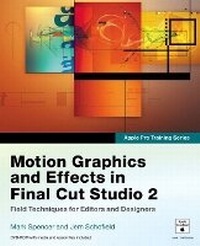
Apple Pro Training Series
Motion Graphics and Effects in Final Cut Studio 2
Published on 21. June 2007
Book
Mixed media product
624 pages
978-0-321-50940-6 (ISBN)
Description
This practical book focuses on just the parts of Final Cut Studio that editors and designers need to create motion graphics in their daily work. Using footage from the BBC archives along with Motion, Final Cut Pro, and Live Type (all included in Final Cut Studio), you'll build broadcast-quality titles, motion menus, show bumpers, and news opens. As with the other titles in the Apple Pro Training Series, each chapter in this Apple-authorized guide represents a complete lesson--with projects to complete and a review section to reinforce the lessons. Author and video editor/producers Mark Spencer and Jem Schofield begin by introducing the basics of creating an animated title sequence with Final Cut Pro. From there, you'll learn everything from text animation, compositing, and keyframing to 3D set creation and camera animation. Step-by-step exercises and a DVD with project and media files will have you creating stunning motion graphics in no time.
More details
Series
Language
English
Place of publication
Berkeley
United States
Publishing group
Pearson Education (US)
Target group
College/higher education
Dimensions
Height: 187 mm
Width: 231 mm
Thickness: 27 mm
Weight
1220 gr
ISBN-13
978-0-321-50940-6 (9780321509406)
Copyright in bibliographic data and cover images is held by Nielsen Book Services Limited or by the publishers or by their respective licensors: all rights reserved.
Schweitzer Classification
Persons
Mark Spencer, a San Francisco-based film and video editor and producer, has been editing with Final Cut Pro since its introduction in 1999. He owns Day Street Productions, a production and post studio focused on corporate video, with customers such as Trend Micro, Applied Biosystems, and YCI-TV. Mark also has experience cutting documentaries (Girl Beat), short films (Tripoli Sun) and animation (Alligator Planet). He is an Apple Certified instructor in Final Cut Pro, DVD Studio Pro, and Motion, and the author of Motion Visual Quick Start Guide. Mark holds an MBA in finance from the Wharton School of the University of Pennsylvania.
Jem Schofield is a producer and creative director and the owner of Buttons Productions, a production house that produces video, motion graphics, DVD, and audio projects. Jem is also an Apple Certified Trainer who consults on and teaches production and post-production solutions throughout the United States. He is a contributing writer to Video Systems and Studio Monthly magazines.
Jem Schofield is a producer and creative director and the owner of Buttons Productions, a production house that produces video, motion graphics, DVD, and audio projects. Jem is also an Apple Certified Trainer who consults on and teaches production and post-production solutions throughout the United States. He is a contributing writer to Video Systems and Studio Monthly magazines.
Content
Creative Titling
Lesson 1 Compositing and Animating Text in Final Cut Pro
Lesson 2 Creating an Animated Lower Third
Lesson 3 Final Cut to Motion and Back: Building an Animated Title Sequence
Lesson 4 Creating Motion Templates for Final Cut Pro
Creating a DVD Motion Menu
Lesson 5 Creating a Motion Menu Background
Lesson 6 Creating Custom Text Animations
Lesson 7 Working with Particle Systems
Lesson 8 From Motion to DVD Studio Pro
Building a Station ID
Lesson 9 Working with Shapes
Lesson 10 Creating Animated Background Elements
Lesson 11 Using Masks
Lesson 12 Building a Multilayered Text Effect
Introduction to 3D
Lesson 13 Creating a News Open:Working in a 3D World
Lesson 14 Show Open: Deconstructing a 3D Project More Field Techniques
Lesson 15 Manipulating Video
Lesson 16 More of Motion
Glossary
Index
Lesson 1 Compositing and Animating Text in Final Cut Pro
Lesson 2 Creating an Animated Lower Third
Lesson 3 Final Cut to Motion and Back: Building an Animated Title Sequence
Lesson 4 Creating Motion Templates for Final Cut Pro
Creating a DVD Motion Menu
Lesson 5 Creating a Motion Menu Background
Lesson 6 Creating Custom Text Animations
Lesson 7 Working with Particle Systems
Lesson 8 From Motion to DVD Studio Pro
Building a Station ID
Lesson 9 Working with Shapes
Lesson 10 Creating Animated Background Elements
Lesson 11 Using Masks
Lesson 12 Building a Multilayered Text Effect
Introduction to 3D
Lesson 13 Creating a News Open:Working in a 3D World
Lesson 14 Show Open: Deconstructing a 3D Project More Field Techniques
Lesson 15 Manipulating Video
Lesson 16 More of Motion
Glossary
Index