

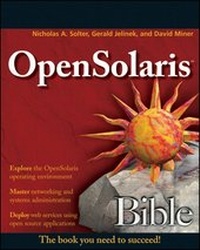
OpenSolaris Bible
Published on 6. February 2009
Book
Paperback/Softback
1008 pages
978-0-470-38548-7 (ISBN)
Description
After a beginning overview of the history of OpenSolaris, its open-source licensing, and the community development model, this book then goes on to highlight the aspects of OpenSolaris that differ from more familiar operating systems. You'll learn how to become a power user of OpenSolaris by maximizing the abilities of advanced features like Dtrace, the fault management architecture, ZFS, the service management facility, and Zones. Authors provide insider tips, unique tricks, and practical examples to help you stay sharp with the latest features of OpenSolaris.
More details
Other editions
Additional editions
Nicholas A. Solter | Jerry Jelinek | David Miner
OpenSolaris Bible
E-Book
03/2011
Wiley
€34.99
Available for download
Nicholas A. Solter | Jerry Jelinek | David Miner
OpenSolaris Bible
E-Book
04/2009
Wiley
€34.99
Available for download
Persons
Nicholas A. Solter is an engineer at Sun Microsystems and core contributor to the OpenSolaris HA Clubsters community group. He is lead author of Professional C++.
Gerald Jelinek is an engineer on the Zones team at Sun and a core contributor to the OpenSolaris Zones community group.
David Miner is an engineer at Sun, a co-lead for the OpenSolaris distribution, and architect of the Caiman installer.
Gerald Jelinek is an engineer on the Zones team at Sun and a core contributor to the OpenSolaris Zones community group.
David Miner is an engineer at Sun, a co-lead for the OpenSolaris distribution, and architect of the Caiman installer.
Content
I. Introduction to OpenSolaris.
1. What Is OpenSolaris?
2. Installing OpenSolaris.
3. OpenSolaris Crash Course.
II. Using OpenSolaris
4. The Desktop.
5. Printers and Peripherals.
6. Software Management.
III. OpenSolaris File Systems, Networking, and Security.
7. Disks, Local File Systems, and the Volume Manager.
8. ZFS.
9. Networking.
10. Network File Systems and Directory Services.
11. Security.
IV. OpenSolaris Reliability, Availability, and Serviceability.
12. Fault Management.
13. Service Management.
14. Monitoring and Observability.
15. DTrace.
16. Clustering for High Availability.
V. OpenSolaris Virtualization.
17. Virtualization Overview.
18. Resource Management.
19. Zones.
20. xVM Hypervisor.
21. Logical Domains (LDoms).
22. VirtualBox.
VI. Developing and Deploying on OpenSolaris.
23. Deploying a Web Stack on OpenSolaris.
24. Developing on OpenSolaris.
1. What Is OpenSolaris?
2. Installing OpenSolaris.
3. OpenSolaris Crash Course.
II. Using OpenSolaris
4. The Desktop.
5. Printers and Peripherals.
6. Software Management.
III. OpenSolaris File Systems, Networking, and Security.
7. Disks, Local File Systems, and the Volume Manager.
8. ZFS.
9. Networking.
10. Network File Systems and Directory Services.
11. Security.
IV. OpenSolaris Reliability, Availability, and Serviceability.
12. Fault Management.
13. Service Management.
14. Monitoring and Observability.
15. DTrace.
16. Clustering for High Availability.
V. OpenSolaris Virtualization.
17. Virtualization Overview.
18. Resource Management.
19. Zones.
20. xVM Hypervisor.
21. Logical Domains (LDoms).
22. VirtualBox.
VI. Developing and Deploying on OpenSolaris.
23. Deploying a Web Stack on OpenSolaris.
24. Developing on OpenSolaris.