

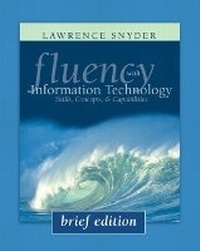
Fluency with Information Technology, Brief Edition
Published on 7. April 2004
Book
Paperback/Softback
368 pages
978-0-321-26846-4 (ISBN)
Description
Inspired by the National Research Council's report Being Fluent with Information Technology this text takes an adaptive style of learning where readers immediately begin to apply the text's content into everyday activities and interface with technology with newfound confidence and understanding. Unlike computer literacy, which teaches only immediately useful skills, Fluency with Information Technology adds problem solving, reasoning and complexity management to prepare students to use computers today and to be effective technology users tomorrow.
More details
Language
English
Place of publication
United States
Publishing group
Pearson Education (US)
Target group
College/higher education
Dimensions
Height: 252 mm
Width: 202 mm
Thickness: 13 mm
Weight
635 gr
ISBN-13
978-0-321-26846-4 (9780321268464)
Copyright in bibliographic data and cover images is held by Nielsen Book Services Limited or by the publishers or by their respective licensors: all rights reserved.
Schweitzer Classification
Content
I. BECOMING SKILLED AT INFORMATION TECHNOLOGY.
1. Terms of Endearment: Defining Information Technology.
Why Know Just the Right Word in Information Technology?
Where's the Start Button?
Where is the Computer?
How Soft is Software?
The Words for Ideas.
Analytical Thinking.
2. What the Digerati Know: Exploring the Human-Computer Interface.
Learning about Technology.
Basic Metaphors of Software.
Standard GUI Functionality.
"Clicking Around".
"Blazing Away".
"Watching Others".
A Basic Principle: Form Follows Function.
Searching Text Using Find.
Editing Text Using Substitution.
Thinking about Information Technology Abstractly.
3. Making the Connection: The Basics of Networking.
Networked Computers Change Our Lives.
Communication Types: Some Comparisons.
The Medium of the Message.
The World Wide Web.
File Structure.
The Internet and the Web.
4. Marking Up with HTML: A Hypertext Markup Language Primer.
Marking Up with HTML.
Structuring Documents.
Marking Links with Anchor Tags.
Including Pictures with Image Tags.
Handling Color.
Handling Lists.
Handling Tables.
HTML Wrap-Up.
5. Searching for Truth: Locating Information on the WWW.
Searching in All the Right Places.
How Is Information Organized?
How Is Web Site Information Organized?
Searching the Web for Information.
Web Information: Truth or Fiction?
The Burmese Mountain Dog Page.
6. Searching for Guinea Pig: Case Study in Online Research.
Getting Started on Online Research.
Primary Sources.
Chronfile and Everything I Know.
Resolving Questions.
Secondary Sources.
Exploring Side Questions.
Case Study Wrap-Up.
II. ALGORITHMS AND DIGITIZING INFORMATION.
7. To Err Is Human: An Introduction to Debugging.
Precision: The High Standards of IT.
Exactly How Accurate is "Precise"?
Debugging: What's the Problem?
A Dialog About Debugging.
Debugging Recap.
Butterflies and Bugs: A Case Study.
No Printer Output: A Classic Scenario.
8. Bits and the "Why" of Bytes: Representing Information Digitally.
Digitizing Discrete Information.
Encoding with Dice.
The Fundamental Representation of Information.
Hex Explained.
Digitizing Text.
The Oxford English Dictionary.
9. Following Instructions: Principles of Computer Operation.
Instruction Execution Engines.
The Fetch/Execute Cycle.
Anatomy of a Computer.
The Program Counter: The PC's PC.
Instruction Interpretation.
Cycling the F/E Cycle.
Many, Many Simple Operations.
Integrated Circuits.
How Semiconductor Technology Works.
Combining the Ideas.
10. What's the Plan?: Algorithmic Thinking.
Algorithm: A Familiar Idea.
An Algorithm: Alphabetizing CDs.
Analyzing Alphabetize CD Algorithm.
Abstraction in Algorithmic Thinking.
11. Sound, Lights, Magic: Representing Multimedia Digitally.
Digitizing Color.
Computing on Representations.
Digitizing Sound.
Digital Images and Video.
Optical Character Recognition.
Virtual Reality: Fooling the Senses.
1. Terms of Endearment: Defining Information Technology.
Why Know Just the Right Word in Information Technology?
Where's the Start Button?
Where is the Computer?
How Soft is Software?
The Words for Ideas.
Analytical Thinking.
2. What the Digerati Know: Exploring the Human-Computer Interface.
Learning about Technology.
Basic Metaphors of Software.
Standard GUI Functionality.
"Clicking Around".
"Blazing Away".
"Watching Others".
A Basic Principle: Form Follows Function.
Searching Text Using Find.
Editing Text Using Substitution.
Thinking about Information Technology Abstractly.
3. Making the Connection: The Basics of Networking.
Networked Computers Change Our Lives.
Communication Types: Some Comparisons.
The Medium of the Message.
The World Wide Web.
File Structure.
The Internet and the Web.
4. Marking Up with HTML: A Hypertext Markup Language Primer.
Marking Up with HTML.
Structuring Documents.
Marking Links with Anchor Tags.
Including Pictures with Image Tags.
Handling Color.
Handling Lists.
Handling Tables.
HTML Wrap-Up.
5. Searching for Truth: Locating Information on the WWW.
Searching in All the Right Places.
How Is Information Organized?
How Is Web Site Information Organized?
Searching the Web for Information.
Web Information: Truth or Fiction?
The Burmese Mountain Dog Page.
6. Searching for Guinea Pig: Case Study in Online Research.
Getting Started on Online Research.
Primary Sources.
Chronfile and Everything I Know.
Resolving Questions.
Secondary Sources.
Exploring Side Questions.
Case Study Wrap-Up.
II. ALGORITHMS AND DIGITIZING INFORMATION.
7. To Err Is Human: An Introduction to Debugging.
Precision: The High Standards of IT.
Exactly How Accurate is "Precise"?
Debugging: What's the Problem?
A Dialog About Debugging.
Debugging Recap.
Butterflies and Bugs: A Case Study.
No Printer Output: A Classic Scenario.
8. Bits and the "Why" of Bytes: Representing Information Digitally.
Digitizing Discrete Information.
Encoding with Dice.
The Fundamental Representation of Information.
Hex Explained.
Digitizing Text.
The Oxford English Dictionary.
9. Following Instructions: Principles of Computer Operation.
Instruction Execution Engines.
The Fetch/Execute Cycle.
Anatomy of a Computer.
The Program Counter: The PC's PC.
Instruction Interpretation.
Cycling the F/E Cycle.
Many, Many Simple Operations.
Integrated Circuits.
How Semiconductor Technology Works.
Combining the Ideas.
10. What's the Plan?: Algorithmic Thinking.
Algorithm: A Familiar Idea.
An Algorithm: Alphabetizing CDs.
Analyzing Alphabetize CD Algorithm.
Abstraction in Algorithmic Thinking.
11. Sound, Lights, Magic: Representing Multimedia Digitally.
Digitizing Color.
Computing on Representations.
Digitizing Sound.
Digital Images and Video.
Optical Character Recognition.
Virtual Reality: Fooling the Senses.