

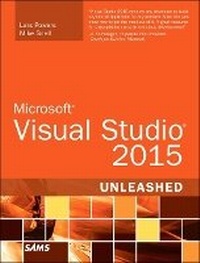
Microsoft Visual Studio 2015 Unleashed
3rd Edition
Published on 10. September 2015
Book
Paperback/Softback
1328 pages
978-0-672-33736-9 (ISBN)
Description
Microsoft Visual Studio 2015 empowers you to write next-generation applications for any modern environment: mobile, web, cloud, universal Windows 10/8.x, database, and beyond. This end-to-end deep dive will help working developers squeeze maximum productivity out of Microsoft's powerful new toolset.
The authors combine authoritative and detailed information about Microsoft's latest IDE, with extensive insights and best practices drawn from decades of development experience. Developers will quickly get comfortable with Visual Studio 2015's updated interface, master its new capabilities, leverage its extensive new support for open standards, and discover multiple opportunities to leverage its .NET 4.6 platform and language improvements.
By focusing entirely on Visual Studio 2015 Professional, the authors go deeper into Microsoft's core product than ever before. You'll find expert coverage of everything from debugging through deploying to Azure, IDE extension and automation through cross-platform mobile development. Throughout, this book's focus is relentlessly practical: how to apply Microsoft's tools to build better software, faster.
Detailed information on how to...
Master Visual Studio 2015's updated interface and key tools: Solutions, Projects, Browsers, Explorers, Editors, and Designers to improve productivity
Develop robust cross-platform mobile apps for Windows, iOS, and Android using Apache Cordova templates for Visual Studio
Use the new ASP.NET 5 to build modern web solutions that run on Windows, Mac, or Linux
Develop Single Page Applications (SPAs) based on HTML5 and rich client-side JavaScript frameworks such as Knockout, AngularJS, Bootstrap, and more
Accelerate cloud development with the Azure SDK, QuickStart templates, and Azure management portal
Create mobile service solutions using ASP.NET Web API and WCF
Streamline data development across multiple platforms with Entity Framework 7
Develop modern Microsoft Office business applications
Perform robust, automated unit testing as you code, increasing your confidence in changes and refactoring
Extend the VS 2015 IDE and Code Editor by creating custom, productivity-enhancing solutions
Download all examples and source code presented in this book from informit.com/title/9780672337369 as they become available.
The authors combine authoritative and detailed information about Microsoft's latest IDE, with extensive insights and best practices drawn from decades of development experience. Developers will quickly get comfortable with Visual Studio 2015's updated interface, master its new capabilities, leverage its extensive new support for open standards, and discover multiple opportunities to leverage its .NET 4.6 platform and language improvements.
By focusing entirely on Visual Studio 2015 Professional, the authors go deeper into Microsoft's core product than ever before. You'll find expert coverage of everything from debugging through deploying to Azure, IDE extension and automation through cross-platform mobile development. Throughout, this book's focus is relentlessly practical: how to apply Microsoft's tools to build better software, faster.
Detailed information on how to...
Master Visual Studio 2015's updated interface and key tools: Solutions, Projects, Browsers, Explorers, Editors, and Designers to improve productivity
Develop robust cross-platform mobile apps for Windows, iOS, and Android using Apache Cordova templates for Visual Studio
Use the new ASP.NET 5 to build modern web solutions that run on Windows, Mac, or Linux
Develop Single Page Applications (SPAs) based on HTML5 and rich client-side JavaScript frameworks such as Knockout, AngularJS, Bootstrap, and more
Accelerate cloud development with the Azure SDK, QuickStart templates, and Azure management portal
Create mobile service solutions using ASP.NET Web API and WCF
Streamline data development across multiple platforms with Entity Framework 7
Develop modern Microsoft Office business applications
Perform robust, automated unit testing as you code, increasing your confidence in changes and refactoring
Extend the VS 2015 IDE and Code Editor by creating custom, productivity-enhancing solutions
Download all examples and source code presented in this book from informit.com/title/9780672337369 as they become available.
More details
Series
Edition
3rd edition
Language
English
Place of publication
Indianapolis
United States
Publishing group
Pearson Education (US)
Target group
Professional and scholarly
Dimensions
Height: 229 mm
Width: 179 mm
Thickness: 52 mm
Weight
1900 gr
ISBN-13
978-0-672-33736-9 (9780672337369)
Schweitzer Classification
Other editions
Previous edition
Mike Snell | Lars Powers
Microsoft Visual Studio 2012 Unleashed
Book
11/2012
2nd Edition
Sams Publishing
€38.37
Article exhausted; check for reprint
Persons
Mike Snell spends his work life helping teams build great software that exceeds the expectations of end users. He runs the Solutions division at CEI ( www.ceiamerica.com ). Mike and his team deliver architecture, consulting, and mentoring to clients looking for help with enterprise projects, commercial software, mobile applications, or cloud-based solutions. He is also a Microsoft Regional director.
Lars Powers is currently the director of application development at Newgistics, Inc. Prior to Newgistics, he held various technical management positions at 3M and spent many years with Microsoft as a platform evangelist focused on emerging technologies.
Lars Powers is currently the director of application development at Newgistics, Inc. Prior to Newgistics, he held various technical management positions at 3M and spent many years with Microsoft as a platform evangelist focused on emerging technologies.
Content
1 A Quick Tour of Visual Studio 2015
2 The Visual Studio IDE
3 The .NET Languages
4 Solutions and Projects
5 Browsers and Explorers
6 Introducing the Editors and Designers
7 Working with Visual Studio's Productivity Aids
8 Testing Code
9 Refactoring Code
10 Debugging Code
11 Deploying Code
12 Developing Applications in the Cloud with Windows Azure
13 Working with Databases
14 Introducing the Automation Object Model
15 Extending the IDE
16 Extending the Code Editor
17 Building Modern Websites with ASP.NET 5
18 Using JavaScript and Client-Side Frameworks
19 Building and Consuming Services with Web API and WCF
20 Building Windows Forms Applications
21 Building WPF Applications
22 Developing Office Business Applications
23 Developing Windows Store Applications
24 Creating Windows Phone Applications
25 Writing Cross-Platform Mobile Applications with Apache Cordova
Index
2 The Visual Studio IDE
3 The .NET Languages
4 Solutions and Projects
5 Browsers and Explorers
6 Introducing the Editors and Designers
7 Working with Visual Studio's Productivity Aids
8 Testing Code
9 Refactoring Code
10 Debugging Code
11 Deploying Code
12 Developing Applications in the Cloud with Windows Azure
13 Working with Databases
14 Introducing the Automation Object Model
15 Extending the IDE
16 Extending the Code Editor
17 Building Modern Websites with ASP.NET 5
18 Using JavaScript and Client-Side Frameworks
19 Building and Consuming Services with Web API and WCF
20 Building Windows Forms Applications
21 Building WPF Applications
22 Developing Office Business Applications
23 Developing Windows Store Applications
24 Creating Windows Phone Applications
25 Writing Cross-Platform Mobile Applications with Apache Cordova
Index