

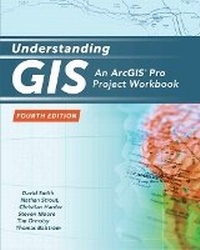
Understanding GIS
An ArcGIS Pro Project Workbook
4th Edition
Published on 31. July 2018
Book
Paperback/Softback
380 pages
978-1-58948-526-6 (ISBN)
Description
The first single-project GIS textbook on the market, Understanding GIS: An ArcGIS (R) Pro Project Workbook, Fourth Edition is an excellent resource for students and educators seeking a guide for an advanced, single-project-based course that incorporates GIS across a wide range of disciplines. In this third edition, readers progress through nine lessons (35 exercises), using ArcGIS Pro software from Esri to find the best location for a new park along the Los Angeles River in Southern California.
Each exercise offers step-by-step instructions, graphics to confirm exercise results, and explanations of key concepts. The book includes access to ArcGIS Desktop software, which includes ArcGIS Pro. Project data-real data, all of it updated-is downloadable from the book's resource web page.
Each exercise offers step-by-step instructions, graphics to confirm exercise results, and explanations of key concepts. The book includes access to ArcGIS Desktop software, which includes ArcGIS Pro. Project data-real data, all of it updated-is downloadable from the book's resource web page.
More details
Edition
4th Revised edition
Language
English
Place of publication
Redlands
United States
Target group
Professional and scholarly
Edition type
Revised edition
Illustrations
386 illustrations
Dimensions
Height: 254 mm
Width: 203 mm
ISBN-13
978-1-58948-526-6 (9781589485266)
Copyright in bibliographic data and cover images is held by Nielsen Book Services Limited or by the publishers or by their respective licensors: all rights reserved.
Schweitzer Classification
Other editions
Previous edition
Book
09/2017
3rd Edition
Environmental Systems Research Institute Inc.,U.S.
€101.70
Article exhausted; check for reprint
Persons
David Smith is the spatial instruction manager of the Center for Spatial Studies at the University of Redlands. He specializes in innovative curriculum design using geospatial technology, with a primary focus on the adoption of spatial thinking and GIS across multiple disciplines. He also conducts periodic workshops on desktop and Web GIS, mobile mapping, GPS, and visualization applications.
Nathan Strout is the director of spatial technology for the Center for Spatial Studies at the University of Redlands. Strout is a GIS educator, researcher, and developer with a passion for effective communication and decision-making through the use of geospatial technology and GIS.
Christian Harder is a technology writer and information designer at Esri. He is the author or coauthor of numerous books on GIS, including The ArcGIS BookThe ArcGIS Imagery Book (Esri Press, 2016).
Dr Steven Moore is the director of the Center for Spatial Studies at the University of Redlands. In that role, he oversees spatial research, instruction, fund development, and operational support activities.
Tim Ormsby is a technical writer at Esri and has created and contributed to ArcGIS training courses for both the classroom and online learning. Ormsby coauthored Esri Press's best-selling workbook Getting to Know ArcGIS Desktop (2010).
Thomas Balstrom is an associate professor in geoinformatics at the Department of Geosciences and Natural Resources Management, University of Copenhagen, Denmark. He has MSc and PhD degrees in physical geography focusing on GIS and land evaluations. Currently, his research is on storm water screening of urban and rural areas.
Nathan Strout is the director of spatial technology for the Center for Spatial Studies at the University of Redlands. Strout is a GIS educator, researcher, and developer with a passion for effective communication and decision-making through the use of geospatial technology and GIS.
Christian Harder is a technology writer and information designer at Esri. He is the author or coauthor of numerous books on GIS, including The ArcGIS BookThe ArcGIS Imagery Book (Esri Press, 2016).
Dr Steven Moore is the director of the Center for Spatial Studies at the University of Redlands. In that role, he oversees spatial research, instruction, fund development, and operational support activities.
Tim Ormsby is a technical writer at Esri and has created and contributed to ArcGIS training courses for both the classroom and online learning. Ormsby coauthored Esri Press's best-selling workbook Getting to Know ArcGIS Desktop (2010).
Thomas Balstrom is an associate professor in geoinformatics at the Department of Geosciences and Natural Resources Management, University of Copenhagen, Denmark. He has MSc and PhD degrees in physical geography focusing on GIS and land evaluations. Currently, his research is on storm water screening of urban and rural areas.
Content
Foreword
Preface
Lesson 1 Frame the problem and explore the study area
Exercise 1a: Explore the study area
Exercise 1b: Do exploratory data analysis
Lesson 2 Preview the data
Exercise 2a: List the data requirements
Exercise 2b: Examine the data
Exercise 2c: Reframe the problem statement
Lesson 3 Choose the data
Exercise 3a: Choose the datasets
Exercise 3b: Choose a coordinate system
Lesson 4 Build the database
Exercise 4a: Project a shapefile
Exercise 4b: Copy a feature class
Exercise 4c: Prepare the city and county data
Exercise 4d: Prepare the river data
Exercise 4e: Prepare the park data
Exercise 4f: Prepare the block group data
Exercise 4g: Prepare the parcel data
Lesson 5 Edit the data
Exercise 5a: Edit a feature
Exercise 5b: Create a new park feature
Lesson 6 Conduct the analysis
Exercise 6a: Establish proximity zones
Exercise 6b: Apply demographic constraints
Exercise 6c: Select suitable parcels
Exercise 6d: Clean up the map and geodatabase
Exercise 6e: Evaluate your results
Lesson 7 Automate the analysis
Exercise 7a: Set up the model
Exercise 7b: Build the model (part 1)
Exercise 7c: Build the model (part 2)
Exercise 7d: Run the model as a tool
Lesson 8 Present your analysis results
Exercise 8a: Create the main map
Exercise 8b: Create a layout using the LA River and inset maps
Exercise 8c: Finish the map
Lesson 9 Share your results online
Exercise 9a: Publish web layers to ArcGISSM Online
Exercise 9b: Create a web map
Exercise 9c: Change web layer styles
Exercise 9d: Create Map Notes
Exercise 9e: Add bookmarks
Exercise 9f: Configure pop-up windows
Exercise 9g: Create Basic Viewer web mapping app
Exercise 9h: Create a Story Map Journal Series app
Appendix A Data and image credits
Index
Preface
Lesson 1 Frame the problem and explore the study area
Exercise 1a: Explore the study area
Exercise 1b: Do exploratory data analysis
Lesson 2 Preview the data
Exercise 2a: List the data requirements
Exercise 2b: Examine the data
Exercise 2c: Reframe the problem statement
Lesson 3 Choose the data
Exercise 3a: Choose the datasets
Exercise 3b: Choose a coordinate system
Lesson 4 Build the database
Exercise 4a: Project a shapefile
Exercise 4b: Copy a feature class
Exercise 4c: Prepare the city and county data
Exercise 4d: Prepare the river data
Exercise 4e: Prepare the park data
Exercise 4f: Prepare the block group data
Exercise 4g: Prepare the parcel data
Lesson 5 Edit the data
Exercise 5a: Edit a feature
Exercise 5b: Create a new park feature
Lesson 6 Conduct the analysis
Exercise 6a: Establish proximity zones
Exercise 6b: Apply demographic constraints
Exercise 6c: Select suitable parcels
Exercise 6d: Clean up the map and geodatabase
Exercise 6e: Evaluate your results
Lesson 7 Automate the analysis
Exercise 7a: Set up the model
Exercise 7b: Build the model (part 1)
Exercise 7c: Build the model (part 2)
Exercise 7d: Run the model as a tool
Lesson 8 Present your analysis results
Exercise 8a: Create the main map
Exercise 8b: Create a layout using the LA River and inset maps
Exercise 8c: Finish the map
Lesson 9 Share your results online
Exercise 9a: Publish web layers to ArcGISSM Online
Exercise 9b: Create a web map
Exercise 9c: Change web layer styles
Exercise 9d: Create Map Notes
Exercise 9e: Add bookmarks
Exercise 9f: Configure pop-up windows
Exercise 9g: Create Basic Viewer web mapping app
Exercise 9h: Create a Story Map Journal Series app
Appendix A Data and image credits
Index