

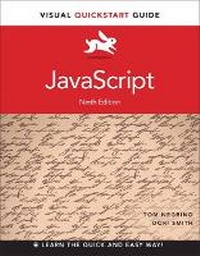
JavaScript
Visual QuickStart Guide
9th Edition
Published on 14. August 2014
Book
Paperback/Softback
552 pages
978-0-321-99670-1 (ISBN)
Description
With the proliferation of new, standards-compliant browsers, virtually all users and Web sites can successfully use the latest JavaScript techniques. This task-based, visual-reference guide has been fully revised and uses step-by-step instructions and plenty of screenshots to give beginning and intermediate scripters what they need to know to keep their skills up-to-date. Readers can start from the beginning to get a tour of the programming language, or look up specific tasks to learn just what they need to know. In this updated ninth edition, readers will find new information on scripting for mobile devices and updated code to work with the latest versions of all major browsers. Readers will also find an expanded focus on getting their JavaScript done quickly by using the near-ubiquitous jQuery library.
More details
Other editions
Previous edition
Book
08/2011
8th Edition
Peachpit Press Publications
€28.46
Article exhausted; check for reprint
Persons
Tom Negrino is the author of dozens of books including Visual QuickStart Guides covering Keynote and Contribute, and Visual QuickProject Guides on PowerPoint, Quicken, and upgrading Mac OS X. Dori Smith is the author of Java 2: Visual QuickStart Guide. She is a frequent speaker at industry conferences, publisher of the Wise-Women's Web community, and a founding member of the Web Standards Project. Together they've written Styling Web Pages with CSS: Visual QuickProject Guide and several best-selling editions of Dreamweaver: Visual QuickStart Guide. They have also written numerous print and online articles, and publish the Backup Brain weblog. Tom and Dori have lived in Northern California's wine country since they fled the Los Angeles area in 1999.
Content
Introduction
Chapter 1: Getting Acquainted with JavaScript
Chapter 2: Start Me Up!
Chapter 3: Your First Web App
Chapter 4: Working with Images
Chapter 5: Windows and Frames
Chapter 6: Form Handling
Chapter 7: Forms and Regular Expressions
Chapter 8: Handling Events
Chapter 9: JavaScript and Cookies
Chapter 10: Objects and the DOM
Chapter 11: Making Your Pages Dynamic
Chapter 12: Applied JavaScript
Chapter 13: Introducing Ajax
Chapter 14: Toolkits, Frameworks, and Libraries
Chapter 15: Designing with jQuery
Chapter 16: Building on jQuery
Chapter 17: Scripting Mobile Devices
Chapter 18: Bookmarklets
Appendix A: JavaScript Genealogy and Reference
Appendix B: JavaScript Reserved Words
Appendix C: Cascading Style Sheets Reference
Appendix D: Where to Learn More
Chapter 1: Getting Acquainted with JavaScript
Chapter 2: Start Me Up!
Chapter 3: Your First Web App
Chapter 4: Working with Images
Chapter 5: Windows and Frames
Chapter 6: Form Handling
Chapter 7: Forms and Regular Expressions
Chapter 8: Handling Events
Chapter 9: JavaScript and Cookies
Chapter 10: Objects and the DOM
Chapter 11: Making Your Pages Dynamic
Chapter 12: Applied JavaScript
Chapter 13: Introducing Ajax
Chapter 14: Toolkits, Frameworks, and Libraries
Chapter 15: Designing with jQuery
Chapter 16: Building on jQuery
Chapter 17: Scripting Mobile Devices
Chapter 18: Bookmarklets
Appendix A: JavaScript Genealogy and Reference
Appendix B: JavaScript Reserved Words
Appendix C: Cascading Style Sheets Reference
Appendix D: Where to Learn More