

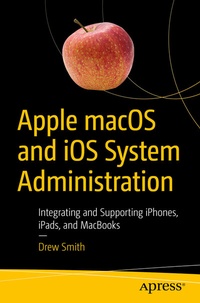
Apple macOS and iOS System Administration
Integrating and Supporting iPhones, iPads, and MacBooks
Published on 2. May 2020
Book
Paperback/Softback
XIX, 573 pages
978-1-4842-5819-4 (ISBN)
Description
Effectively manage Apple devices anywhere from a handful of Macs at one location to thousands of iPhones across many locations. This book is a comprehensive guide for supporting Mac and iOS devices in organizations of all sizes.
You'll learn how to control a fleet of macOS clients using tools like Profile Manager, Apple Device Enrollment Program (DEP), and Apple Remote Desktop. Then integrate your Mac clients into your existing Microsoft solutions for file sharing, print sharing, Exchange, and Active Directory authentication without having to deploy additional Mac-specific middle-ware or syncing between multiple directory services.
Apple macOS and iOS System Administration shows how to automate the software installation and upgrade process using the open source Munki platform and provides a scripted out-of-the box experience for large scale deployments of macOS endpoints in any organization. Finally, you'll see how to provision and manage thousands of iOS devices in a standardized and secure fashion with device restrictions and over-the-air configuration.
What You'll Learn
System or desktop administrators in enterprise organizations who need to integrate macOS or iOS clients into their existing IT infrastructure or set-up a new infrastructure for an Apple environment from scratch.
You'll learn how to control a fleet of macOS clients using tools like Profile Manager, Apple Device Enrollment Program (DEP), and Apple Remote Desktop. Then integrate your Mac clients into your existing Microsoft solutions for file sharing, print sharing, Exchange, and Active Directory authentication without having to deploy additional Mac-specific middle-ware or syncing between multiple directory services.
Apple macOS and iOS System Administration shows how to automate the software installation and upgrade process using the open source Munki platform and provides a scripted out-of-the box experience for large scale deployments of macOS endpoints in any organization. Finally, you'll see how to provision and manage thousands of iOS devices in a standardized and secure fashion with device restrictions and over-the-air configuration.
What You'll Learn
- Integrate macOS and iOS clients into enterprise Microsoft environments
- Use Apple's Volume Purchase Program to manage App installations and share pools of Apps across multiple users
- Mass deploy iOS devices with standard configurations
- Remotely manage a fleet of macOS devices using Apple's Remote Desktop
System or desktop administrators in enterprise organizations who need to integrate macOS or iOS clients into their existing IT infrastructure or set-up a new infrastructure for an Apple environment from scratch.
More details
Edition
First Edition
Language
English
Place of publication
Berkeley
United States
Target group
Professional and scholarly
Product notice
Paperback (trade)
Unsewn / adhesive bound
Illustrations
442 s/w Abbildungen
XIX, 573 p. 442 illus.
Dimensions
Height: 235 mm
Width: 155 mm
Thickness: 31 mm
Weight
890 gr
ISBN-13
978-1-4842-5819-4 (9781484258194)
DOI
10.1007/978-1-4842-5820-0
Schweitzer Classification
Other editions
Additional editions
Drew Smith
Apple macOS and iOS System Administration
Integrating and Supporting iPhones, iPads, and MacBooks
E-Book
05/2020
APress
€62.99
Available for download
Person
Drew Smith
has spent the last twenty years in system administration, providing technology support and designing solutions across the United States. He has been responsible for fleets as large as 6,000 macOS devices across 52 different locations. In 2012, he deployed over 30,000 iPads to higher-education students in 15 different states, at the time it was one of the largest iPad 1:1 deployments. Drew enjoys sharing best practices with others to help them simplify and streamline the management of Apple devices in multi-platform environments.
Content
Chapter 1: Introduction to Apple platforms.- Chapter 2: macOS Client Administration.- Chapter 3: macOS Security.- Chapter 4: iOS Client Administration.- Chapter 5: Managing Devices with Apple Configurator.- Chapter 6: Managing iOS Clients with Apple Remote Desktop.- Chapter 7: macOS Server.- Chapter 8: Mobile Device Management.- Chapter 9: Profile Manager.- Chapter 10: macOS Application Deployment with Munki.- Chapter 11: Microsoft Integration.- Chapter 12: Mass Provisioning of iOS Devices.- Chapter 13: Scripted Deployment of macOS Clients.