


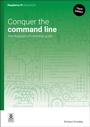
Conquer the command line
The Raspberry Pi terminal guide
3rd Edition
Published on 13. May 2025
Book
Paperback/Softback
144 pages
978-1-916868-38-0 (ISBN)
Description
Sometimes only words will do. Graphical user interfaces (GUIs) were a great advance, creating an easy route into computer use for many non-technical users. For complex tasks, though, the interface can become a limitation: blocking off choices, and leaving a circuitous route even for only moderately complicated jobs.
(Re-)Enter the command line: the blinking cursor that many thought had faded away in the 1990s. For getting instructions from user to computer - in a clear, quick, and unambiguous form - the command line is often the best way. It never disappeared on UNIX systems, and now, thanks to Raspberry Pi OS on the Raspberry Pi, a new generation is discovering the power of the command line to simplify complex tasks, or instantly carry out simple ones.
Master essential skills:
Read and write text files
Find & install software
Manage removable storage
Use Secure Shell for remote access
Create Raspberry Pi SD cards
Going online in the command line
and much, much more.
If you're not comfortable when faced with the $ prompt, then don't panic! In this fully updated book, we'll quickly make you feel at home, and able to find your way around the terminal on the Pi, or any other GNU/Linux computer: getting things done, and unlocking the power of the command line.
Updated for the latest Raspberry Pi devices and hardware, this book has everything you need to get started.
(Re-)Enter the command line: the blinking cursor that many thought had faded away in the 1990s. For getting instructions from user to computer - in a clear, quick, and unambiguous form - the command line is often the best way. It never disappeared on UNIX systems, and now, thanks to Raspberry Pi OS on the Raspberry Pi, a new generation is discovering the power of the command line to simplify complex tasks, or instantly carry out simple ones.
Master essential skills:
Read and write text files
Find & install software
Manage removable storage
Use Secure Shell for remote access
Create Raspberry Pi SD cards
Going online in the command line
and much, much more.
If you're not comfortable when faced with the $ prompt, then don't panic! In this fully updated book, we'll quickly make you feel at home, and able to find your way around the terminal on the Pi, or any other GNU/Linux computer: getting things done, and unlocking the power of the command line.
Updated for the latest Raspberry Pi devices and hardware, this book has everything you need to get started.
More details
Edition
3rd Revised edition
Language
English
Place of publication
Cambridge
United Kingdom
Edition type
Revised edition
Product notice
Paperback (trade)
Illustrations
Illustrations
Dimensions
Height: 205 mm
Width: 145 mm
Thickness: 12 mm
Weight
214 gr
ISBN-13
978-1-916868-38-0 (9781916868380)
Copyright in bibliographic data and cover images is held by Nielsen Book Services Limited or by the publishers or by their respective licensors: all rights reserved.
Schweitzer Classification
Other editions
Additional editions
E-Book
04/2025
3rd Edition
Raspberry Pi Press
€4.49
Available for download
Person
Since soldering together his first computer – a ZX81 kit – and gaining an amateur radio licence as GW6PCB, Richard Smedly has fallen in and out of love with technology. Swapping the ZX81 for a guitar, and dropping ham radio for organic horticulture, he eventually returned to the command line, beginning with a computer to run his own business, and progressing to running all the computers of an international sustainability institution. Now he writes about Free Software and teaches edible landscaping.
Content
- Don't panic
- Read and write text
- Permission to install
- Manipulating text
- Customise the command line
- Connecting disks
- Predictable networking
- Stopping a process
- Remote Raspberry Pi
- Downloading and installing
- Start and stop at your command
- Save it now
- Easy compilation
- Commanding the internet