

Apple Pro Training Series
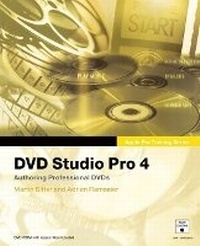
DVD Studio Pro 4
Published on 8. December 2005
Book
Mixed media product
744 pages
978-0-321-33482-4 (ISBN)
Description
Now the best-selling book on DVD Studio Pro is even better. Fully updated for DVD Studio Pro 4 and with complete coverage of the new version of Compressor, the industrial-strength encoder that dramatically speeds up encoding of MPEG-2 and H.264 HD DVD video, this self-paced guide is the fastest way to learn to author professional, interactive DVDs. Master trainers Martin Sitter and Adrian Ramseier begin with the basics of DVD authoring and take you all the way through DVD Studio Pro's powerful advanced features. Each chapter presents a complete lesson on an aspect of DVD creation, with hands-on projects for you to complete as you go. All the files are included on the accompanying DVD.
After learning how to storyboard a DVD and plan its interactions, you'll set chapter markers, build still, layered, and motion menus, and add subtitles and Web links. You'll also learn sophisticated techniques for juggling multiple audio tracks and camera angles, creating custom transitions, building advanced overlays, and scripting. By the end of the book, you'll have created four full DVDs.
The Apple Pro Training Series is both a self-paced learning tool and the official curriculum of the Apple Pro Training and Certification Program. Upon completing the course material in this book, you can become a certified Apple Pro b taking the certification exam at an Apple Authorized Training Center. To find an Authorized Training Center near you, go to www.apple.com/software/pro/training.
After learning how to storyboard a DVD and plan its interactions, you'll set chapter markers, build still, layered, and motion menus, and add subtitles and Web links. You'll also learn sophisticated techniques for juggling multiple audio tracks and camera angles, creating custom transitions, building advanced overlays, and scripting. By the end of the book, you'll have created four full DVDs.
The Apple Pro Training Series is both a self-paced learning tool and the official curriculum of the Apple Pro Training and Certification Program. Upon completing the course material in this book, you can become a certified Apple Pro b taking the certification exam at an Apple Authorized Training Center. To find an Authorized Training Center near you, go to www.apple.com/software/pro/training.
More details
Series
Language
English
Place of publication
Berkeley
United States
Publishing group
Pearson Education (US)
Target group
College/higher education
Dimensions
Height: 231 mm
Width: 188 mm
Thickness: 33 mm
Weight
1462 gr
ISBN-13
978-0-321-33482-4 (9780321334824)
Copyright in bibliographic data and cover images is held by Nielsen Book Services Limited or by the publishers or by their respective licensors: all rights reserved.
Schweitzer Classification
Other editions
New editions
Book
01/2008
2nd Edition
Peachpit Press Publications
€49.64
Article exhausted; check for reprint
Content
Contents at a Glance
Tiger Basic Project: Using the Basic Configuration
Lesson1 Preparing Your First DVD Project
Lesson 2 Exploring the Full Interface
Swiss Project: Creating a Simple DVD
Lesson 3 Setting Up a Simple DVD
Lesson 4 Creating Menus Within DVD Studio Pro
Lesson 5 Creating a Chapter Index Menu
Lesson 6 Creating a Slideshow
Lesson 7 Adding Subtitles
Lesson 8 DVD-ROM Content and DVD@ccess
Lesson 9 Finishing Your DVD
Tiger Project: Creating a Complex DVD
Lesson 10 Introduction to Encoding
Lesson 11 Creating Menus with Overlays
Lesson 12 Working with Markers and Stories
Lesson 13 Connections and Basic Scripting
Black Box Project: Advanced Authoring Techniques
Lesson 14 Advanced Menu Design
Lesson 15 Creating Menu Elements
Lesson 16 Creating Transitions
Lesson 17 Advanced MPEG Encoding
Lesson 18 Using Alternate Angles
Lesson 19 Audio Encoding
Lesson 20 Scripting
Appendix A Creating a Motion Menu in Final Cut Pro
Appendix B Bit Budgeting
Appendix C Final Cut Studio Workflows
Tiger Basic Project: Using the Basic Configuration
Lesson1 Preparing Your First DVD Project
Lesson 2 Exploring the Full Interface
Swiss Project: Creating a Simple DVD
Lesson 3 Setting Up a Simple DVD
Lesson 4 Creating Menus Within DVD Studio Pro
Lesson 5 Creating a Chapter Index Menu
Lesson 6 Creating a Slideshow
Lesson 7 Adding Subtitles
Lesson 8 DVD-ROM Content and DVD@ccess
Lesson 9 Finishing Your DVD
Tiger Project: Creating a Complex DVD
Lesson 10 Introduction to Encoding
Lesson 11 Creating Menus with Overlays
Lesson 12 Working with Markers and Stories
Lesson 13 Connections and Basic Scripting
Black Box Project: Advanced Authoring Techniques
Lesson 14 Advanced Menu Design
Lesson 15 Creating Menu Elements
Lesson 16 Creating Transitions
Lesson 17 Advanced MPEG Encoding
Lesson 18 Using Alternate Angles
Lesson 19 Audio Encoding
Lesson 20 Scripting
Appendix A Creating a Motion Menu in Final Cut Pro
Appendix B Bit Budgeting
Appendix C Final Cut Studio Workflows