

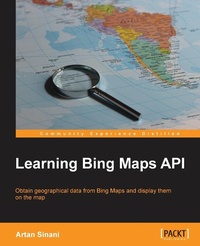
Learning Bing Maps API
Bing Maps are a great resource and very versatile when you know how. And this book will show you how, covering everything from embedding on a web page to customizing with your own styles and geo-data.
Published on 22. November 2013
Book
Paperback/Softback
116 pages
978-1-78355-037-1 (ISBN)
Description
Bing Maps are a great resource and very versatile when you know how. And this book will show you how, covering everything from embedding on a web page to customizing with your own styles and geo-data.
Key Features
Display address information for any point on the map through the location-based REST services API
Embed a map on a web page with a custom theme
Geocode with Spatial Data APIs and display the information on the map
Book DescriptionProvided as a part of Microsoft's Bing suite of search engines, Bing Maps is a web mapping service powered by the Bing Maps for Enterprise framework. The need for geospatial data has increased dramatically in the last few years. Adding a mapping context to any location-based data is becoming more and more common, and businesses are embracing it to improve their user experience with new data richness. Comprising of simple, follow-along examples, Learning Bing Maps API will show you how to use the many features of Bing Maps, from dropping a simple map on a web page, to fetching geospatial data from the Microsoft servers. Through the course of this book you will build a solid foundation for creating your own geo-applications.Following the hands-on recipes of this book, you will build a different web app in each chapter as you communicate with different APIs provided by Bing Maps. You will build your own library of JavaScript modules that talk to the Microsoft Maps API.You will create a custom theme for the map, with your own controls. Taking advantage of the global reach of Bing Maps, you will learn how to build a route scheduler for a delivery company in Madrid, Spain, and then you will discover how to create jobs on the Bing Maps servers for geocoding addresses in California, USA. By the end of the book you will have learned everything you need to know to embed a map on a web page, with your own geo-data, or data obtained by the Bing Map Services.What you will learn
Place a map on a page and customize its look and feel
Perform a query using the coordinates of a point on a map
Display a shape, polyline, pin, or infobox when users click on the map
Query for route information between two or more points and show it on the map
Parse the response to the API requests in JSON and XML formats
Set up and monitor jobs for address geocoding, as well as parsing the response when the job is complete
Fetch geographical information in the form of polygon strings for different levels of administrative areas, from postcodes to regions or countries
Display user data on the map, such as electoral results, over a period of time
Who this book is forIf you are a developer who wants to learn how to exploit the numerous features of Bing Maps then this book is ideal for you. It can also be useful for more experienced developers who wish to explore other areas of the APIs. It is assumed that you have some knowledge of JavaScript, HTML, and CSS. For some chapters a working knowledge of .Net and Visual Studio is also needed.
Key Features
Display address information for any point on the map through the location-based REST services API
Embed a map on a web page with a custom theme
Geocode with Spatial Data APIs and display the information on the map
Book DescriptionProvided as a part of Microsoft's Bing suite of search engines, Bing Maps is a web mapping service powered by the Bing Maps for Enterprise framework. The need for geospatial data has increased dramatically in the last few years. Adding a mapping context to any location-based data is becoming more and more common, and businesses are embracing it to improve their user experience with new data richness. Comprising of simple, follow-along examples, Learning Bing Maps API will show you how to use the many features of Bing Maps, from dropping a simple map on a web page, to fetching geospatial data from the Microsoft servers. Through the course of this book you will build a solid foundation for creating your own geo-applications.Following the hands-on recipes of this book, you will build a different web app in each chapter as you communicate with different APIs provided by Bing Maps. You will build your own library of JavaScript modules that talk to the Microsoft Maps API.You will create a custom theme for the map, with your own controls. Taking advantage of the global reach of Bing Maps, you will learn how to build a route scheduler for a delivery company in Madrid, Spain, and then you will discover how to create jobs on the Bing Maps servers for geocoding addresses in California, USA. By the end of the book you will have learned everything you need to know to embed a map on a web page, with your own geo-data, or data obtained by the Bing Map Services.What you will learn
Place a map on a page and customize its look and feel
Perform a query using the coordinates of a point on a map
Display a shape, polyline, pin, or infobox when users click on the map
Query for route information between two or more points and show it on the map
Parse the response to the API requests in JSON and XML formats
Set up and monitor jobs for address geocoding, as well as parsing the response when the job is complete
Fetch geographical information in the form of polygon strings for different levels of administrative areas, from postcodes to regions or countries
Display user data on the map, such as electoral results, over a period of time
Who this book is forIf you are a developer who wants to learn how to exploit the numerous features of Bing Maps then this book is ideal for you. It can also be useful for more experienced developers who wish to explore other areas of the APIs. It is assumed that you have some knowledge of JavaScript, HTML, and CSS. For some chapters a working knowledge of .Net and Visual Studio is also needed.
More details
Language
English
Place of publication
Birmingham
United Kingdom
Target group
Professional and scholarly
US School Grade: College Graduate Student
Dimensions
Height: 235 mm
Width: 191 mm
Thickness: 7 mm
Weight
233 gr
ISBN-13
978-1-78355-037-1 (9781783550371)
Copyright in bibliographic data and cover images is held by Nielsen Book Services Limited or by the publishers or by their respective licensors: all rights reserved.
Schweitzer Classification
Other editions
Additional editions
Artan Sinani
Learning Bing Maps API
Bing Maps are a great resource and very versatile when you know how. And this book will show you how, covering everything from embedding on a web page to customizing with your own styles and geo-data.
E-Book
01/2025
Packt Publishing
from
€27.59
Available for download
Person
Artan Sinani is a Web Developer living between London and a small town in the north-west of Spain. Currently, he works as a Senior Developer at Local Data Company, where he uses his passion for good design and clean programming to build beautiful interfaces, including geospatial data visualizations. He hacks open source code at github.com/artisinani and blogs at lugolabs.com.
Content
Table of Contents